TABLE OF CONTENTS
- Product Overview
- Quick Reference
- What's in the Box
- Product Controls
- How to Use
- Auto Shut-Off
- Charging
- Indicator Light Guide
- Care & Safety
- When Not to Use the Product
- Still stuck?
Product Overview
The Portronics Zeno Ease is a rechargeable waist massager with 2 spinning modes and a warm/heating mode. It is designed for convenient cordless use and automatically switches off after 10 minutes for safety.
Quick Reference
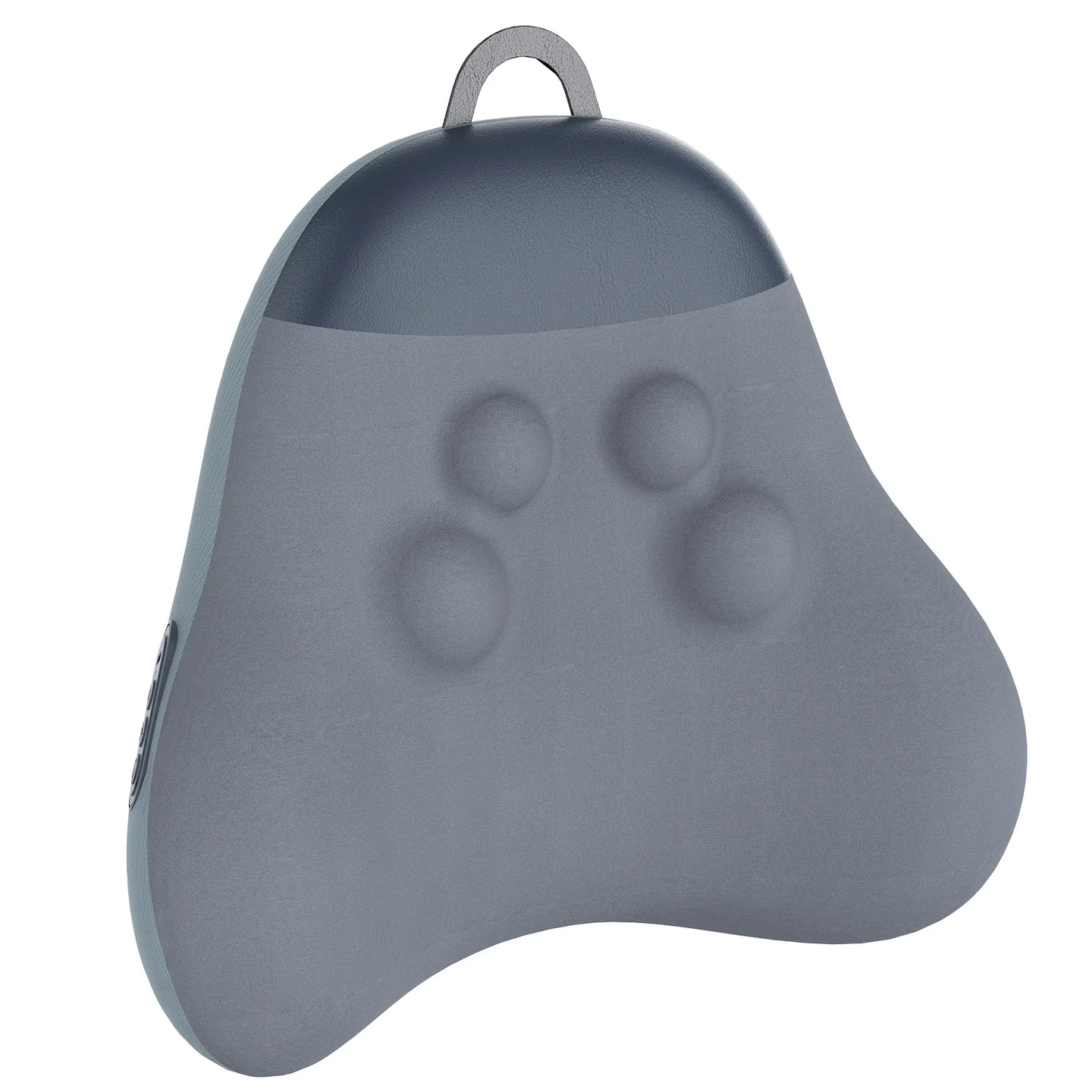
| Feature | Details |
|---|---|
| Product | Portronics Zeno Ease Rechargeable Waist Massager |
| Motor | DC Brushless |
| Battery | 3600mAh |
| Rated Specification | 7.4V |
| Massage Modes | 2 spinning modes |
| Working Time | Up to 60 minutes |
| Auto Shut-Off | 10 minutes |
| Charging Port | Type-C |
| Charging Input | 5V/1A |
| Charging Time | Approximately 3.5 hours |
| Noise Level | <48 dB |
| Material | Memory Foam + Spandex + Acrylic |
| Use While Charging | Not supported |
What's in the Box
| Item | Quantity |
|---|---|
| Zeno Ease | 1 |
| Charging Cable | 1 |
| User Documentation | 1 |
Product Controls
| Control | Function |
|---|---|
| Power Button | Long press for up to 5 seconds to turn the product ON/OFF |
| Heating Button | Single press to turn warm mode ON/OFF after the product is powered on |
| Rotation Button | Single press to switch between the two spinning modes |
| Type-C Charging Port | Used for charging |
How to Use
1. Turn the Massager ON/OFF
Press and hold the Power button for up to 5 seconds to turn the product ON or OFF.
2. Warm Mode
- Turn the massager ON.
- Press the Heating button once to turn warm mode ON.
- Press the button again to turn warm mode OFF.
3. Change the Spinning Mode
After turning the product ON, press the Rotation button once to change the spinning mode.
The two spinning modes are:
| Mode | Wheel Movement |
|---|---|
| Mode 1 | Wheel A rotates clockwise and Wheel B rotates anti-clockwise |
| Mode 2 | Wheel B rotates clockwise and Wheel A rotates anti-clockwise |
Auto Shut-Off
For safety, the product turns off automatically after 10 minutes.
When fully charged, the product can be used up to six times.
Charging
- Connect the supplied charging cable to the Type-C charging port.
- Connect the cable to a suitable 5V/1A power source.
- Allow approximately 3.5 hours for a full charge.
- Check the indicator light to confirm the charging status.
Important: The product does not function while it is charging.
Indicator Light Guide
| Indicator | Meaning |
|---|---|
| Blue — Stable | Product is ON / working |
| Red — Stable | Charging |
| Green — Stable | Fully charged |
| Blue — Blinking | Low battery |
Care & Safety
- Do not use the product in the bathroom or in humid places.
- Do not expose it to direct sunlight or high temperatures for long periods.
- Keep it away from children.
- The product contains a built-in lithium battery. Dispose of it according to applicable local environmental regulations.
- Do not use the product while it is charging.
- Charge the product 1–2 times a month if it will not be used for a long period, as recommended in the manual.
When Not to Use the Product
- Suffering from skin infections, redness, swelling or rashes.
- Who are pregnant.
- With serious medical conditions or cardiovascular problems.
- With weak or fragile bones.
- Who wear external medical aids such as prosthetic limbs.
- With high blood pressure or abnormal circulation.
Keep the product away from infants and children.
Still stuck?
If the issue persists after performing all troubleshooting steps, please raise a support request.
Our support team will assist you further.
Support
- Visit: www.portronics.com
- Support Portal: support.portronics.com
Was this article helpful?
That’s Great!
Thank you for your feedback
Sorry! We couldn't be helpful
Thank you for your feedback
Feedback sent
We appreciate your effort and will try to fix the article