TABLE OF CONTENTS
- Product Overview
- Quick Reference
- What's in the Box
- Controls
- Installing an Air Nozzle
- Power ON / OFF
- Adjusting Air Speed
- Built-in LED Light
- Charging
- Safe Use
- Cleaning & Maintenance
- Recommended Speed
- Still stuck?
Product Overview
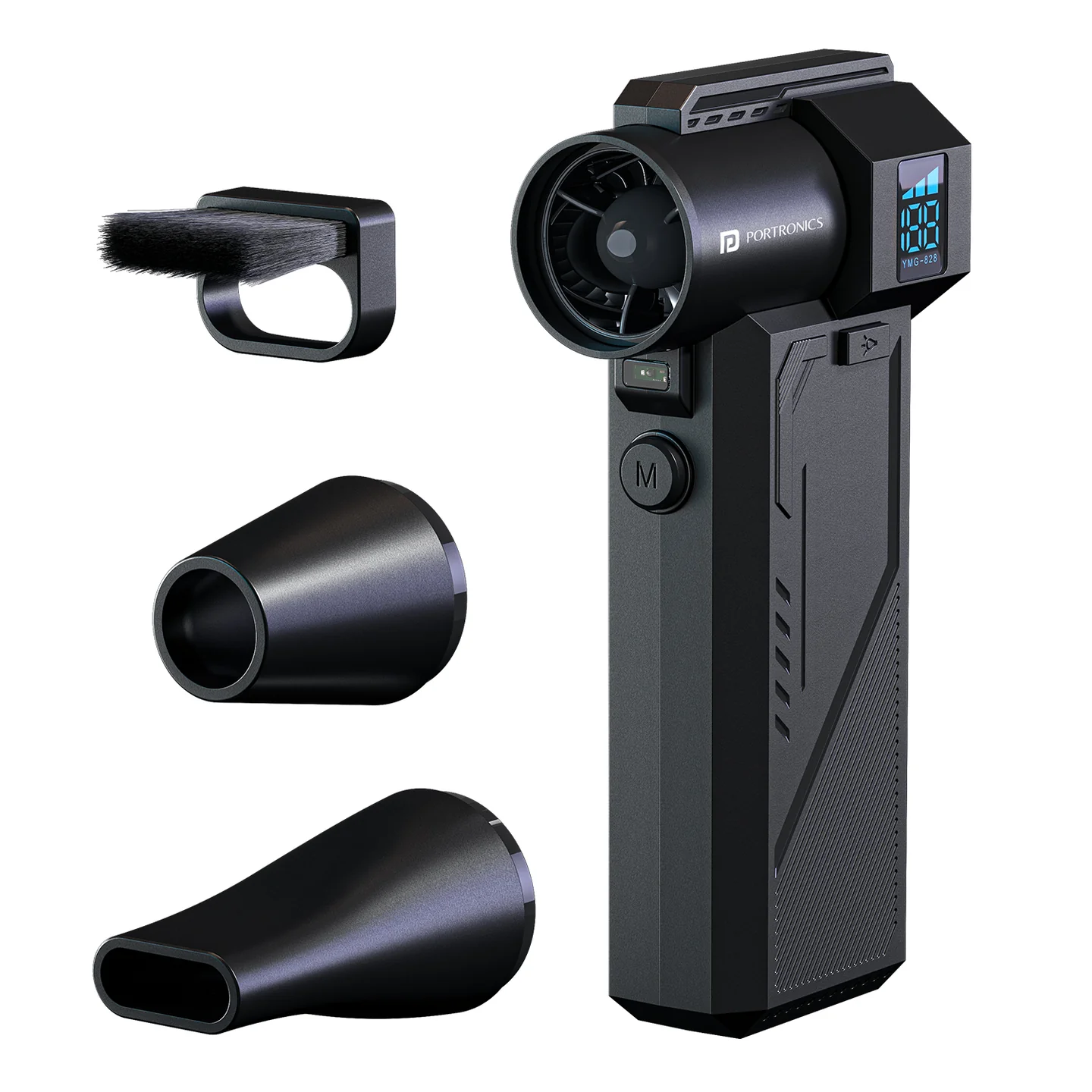
The Portronics Tornado Pro is a rechargeable handheld high-speed air duster for cleaning dust from electronics, vents, cars and other hard-to-reach areas. It features 3 speed levels, a built-in LED light, a display and multiple nozzle attachments.
Quick Reference
| Feature | Details |
|---|---|
| Product | Portronics Tornado Pro |
| Product Code | POR 3294 |
| Motor | BLDC |
| Speed | 3 levels, up to 1,30,000 RPM |
| Rated Power | Max. 150W |
| Battery | 2 × 3000mAh lithium batteries |
| Charging | Type-C |
| Charging Input | DC 5V / 2A |
| Charging Time | Approx. 3 hours |
| Low Speed Runtime | Up to 60 minutes |
| Medium Speed Runtime | Up to 25 minutes |
| High Speed Runtime | Up to 15 minutes |
| Noise Level | ≤80 dB(A) |
| Built-in LED Light | Yes |
| Display Screen | Yes |
What's in the Box
| Item | Quantity |
|---|---|
| Tornado Pro | 1 |
| Air Nozzles | 3 |
| Charging Cable | 1 |
| User Manual | 1 |
Controls
| Control | Function |
|---|---|
| Power Button | Turn the device/display ON or OFF |
| Mode Button | Switch between speed levels |
| LED Light Button | Turn the built-in light ON/OFF |
| Display Screen | Shows operating and battery information |
| Air Nozzle | Directs airflow |
Installing an Air Nozzle
- Select the required nozzle or brush attachment.
- Align it with the slot on the device.
- Insert it firmly in the correct direction.
- Check that it is secure before starting the device.
Power ON / OFF
- Press the Power Button to turn on the display.
- Press the Power Button again to shut down the device.
Adjusting Air Speed
After powering on:
- Press the Mode Button.
- Switch between the available speed levels.
- Select the appropriate speed for the cleaning task.
Speed & Runtime
| Speed | Approx. Runtime |
|---|---|
| Low | Up to 60 minutes |
| Medium | Up to 25 minutes |
| High | Up to 15 minutes |
Higher speed gives stronger airflow but reduces operating time.
Built-in LED Light
Press the LED Light Button to turn the built-in light ON or OFF.
Charging
- Connect the USB-A end of the charging cable to a suitable 5V/2A power adapter.
- Connect the Type-C end to the Tornado Pro.
- Charging takes approximately 3 hours.
- The indicator shows charging status.
Indicator Light
| Indicator | Meaning |
|---|---|
| Solid / constant | Device is working or charging is complete |
| Flashing | Low battery / about to shut down |
| Slow blinking | Device is charging |
Safe Use
- Do not use the device with wet hands.
- Do not use it in splashing water or immerse it in water.
- Do not block the air inlet or outlet.
- Do not insert foreign objects into the air inlet or outlet.
- Keep it away from stoves and other heat sources.
- Do not use it near petrol, gas stations or other flammable products.
- Do not drop, twist, squeeze or modify the device.
- Stop use if it becomes abnormally hot, smells unusual, makes abnormal noise or the fan does not rotate normally.
- Do not disassemble the device.
Cleaning & Maintenance
- Clean with a soft cloth.
- Do not use harsh chemicals or abrasive cleaners.
- Keep the air inlet and outlet free from obstruction.
- Store the device in a dry, suitable environment.
Recommended Speed
| Task | Suggested Speed |
|---|---|
| Light dust / delicate cleaning | Low |
| General cleaning | Medium |
| Heavy dust / stronger airflow | High |
Still stuck?
If the issue persists after performing all troubleshooting steps, please raise a support request.
Our support team will assist you further.
Support
- Visit: www.portronics.com
- Support Portal: support.portronics.com
Was this article helpful?
That’s Great!
Thank you for your feedback
Sorry! We couldn't be helpful
Thank you for your feedback
Feedback sent
We appreciate your effort and will try to fix the article