TABLE OF CONTENTS
- 1. Introduction
- 2. Package Contents
- 3. Physical Specifications
- 4. Technical Specifications
- 5. 5 Built-in Inflation Modes
- 6. Safety Instructions
- 7. How to Use — Step by Step
- 8. Pressure Pre-Set
- 9. Battery Display
- 10.Still Facing Issues?
1. Introduction
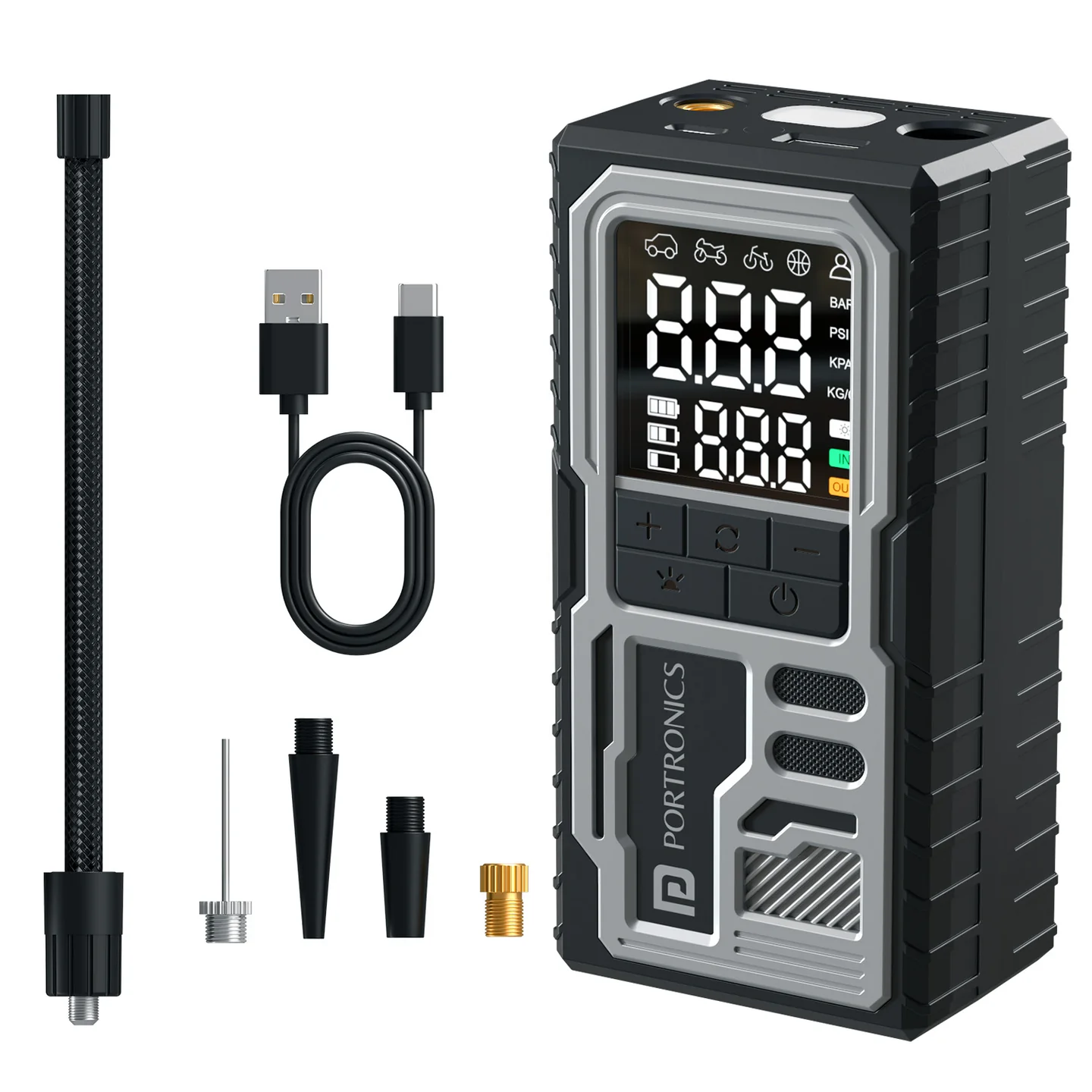
Thank you for choosing Vayu 10. This portable and easy-to-use device is designed to help you inflate car tires, bicycle tires, sports balls, and more with precision and convenience. It features a textured, tread-grip body for a secure hold and a built-in USB emergency port for topping up a phone or small device.
2. Package Contents
- Tyre Inflator
- Air Hose
- Multifunctional Nozzles
- USB Charging Cord
3. Physical Specifications
- Pressure Display
- Power Button
- LED Light
- USB Emergency Port
- Type-C Charging Port
- Air Hose Interface
4. Technical Specifications
| Specification | Details |
|---|---|
| Material | ABS Plastic |
| Dimension | 89 x 47.5 x 137 mm |
| Power | 50W |
| Charging Input | 5V/2A |
| USB Output | 5V/1A |
| LED Consumption | 1W |
5. 5 Built-in Inflation Modes
- Cars
- Motorcycles
- Bicycles
- Sport Balls
- Custom
6. Safety Instructions
- Only use the inflator for its intended applications.
- Avoid inflating objects beyond their recommended pressure limits.
- Do not operate the inflator in extreme temperatures or near flammable materials.
- Keep away from children to prevent accidental operation.
- Allow the inflator to cool down after prolonged use to prevent overheating.
- Charge the battery fully before first use.
- Store the inflator in a dry and ventilated place.
- Avoid exposure to water or other liquid.
7. How to Use — Step by Step
- Connect the air hose to the inflator.
- Screw the air hose to the tire valve.
- Press the power button ("⏻") shortly to wake up the display.
- Press the mode button to cycle through the 5 inflation modes (Cars / Motorcycles / Bicycles / Sport Balls / Custom).
- Long press the mode button for three seconds to change the pressure unit.
- Press "+" or "–" to increase or decrease the target pressure.
- Short press the power button ("⏻") to start inflating.
- When the real pressure reaches the target pressure, it will stop automatically. You can also stop inflating at any time by pressing "⏻". Make sure to turn off the power switch after use.
8. Pressure Pre-Set
Long press the mode button to change the pressure unit. Press "+" or "–" to increase or decrease the target pressure. After the numbers stop flashing, press the power button ("⏻") to start inflation. When it reaches the desired pressure, it will stop automatically.
Display & Control Layout:
| Element | Function |
|---|---|
| Model type | Shows currently selected inflation mode |
| Pressure display | Shows current tyre pressure |
| Pressure unit | PSI / BAR / KPA / KG/CM² |
| Battery display | Shows remaining battery level |
| Power Button ("⏻") | Wakes the display, starts/stops inflation |
| Decrease Preset Pressure Value ("–") | Lowers the target pressure |
| Increase Preset Pressure Value ("+") | Raises the target pressure |
| Change mode / Change pressure unit (Mode button) | Short press: cycle inflation modes. Long press (3s): cycle pressure units |
| USB Emergency Port | Outputs power to charge a phone or small device |
| LED Light | Built-in light for low-visibility use |
9. Battery Display
The digital display screen has three battery modes:
| Battery Mark State | Charge Level |
|---|---|
| First battery mark display | 100% > power > 70% |
| Second battery mark display | 70% > power > 40% |
| Third battery mark display | 40% > power > 10% |
| Third battery mark flashing | Battery power less than 10% — needs recharging |
10.Still Facing Issues?
If the issue persists after performing all troubleshooting steps, please raise a support request.
Our support team will assist you further.
Support
- Visit: www.portronics.com
- Support Portal: support.portronics.com
Was this article helpful?
That’s Great!
Thank you for your feedback
Sorry! We couldn't be helpful
Thank you for your feedback
Feedback sent
We appreciate your effort and will try to fix the article