TABLE OF CONTENTS
- Product Overview
- Quick Reference
- Parts & Controls
- Getting Started
- Switching the Device ON and OFF
- Selecting the Timer
- Selecting a Massage Mode
- Selecting a Focus Zone
- Fixed-Point Massage
- Adjusting Massage Strength
- Charging the Control Unit
- Understanding the Battery Indicators
- Emergency Stop
- Safety: Who Should Not Use the Product
- General Care & Safety
- Still stuck?
Product Overview
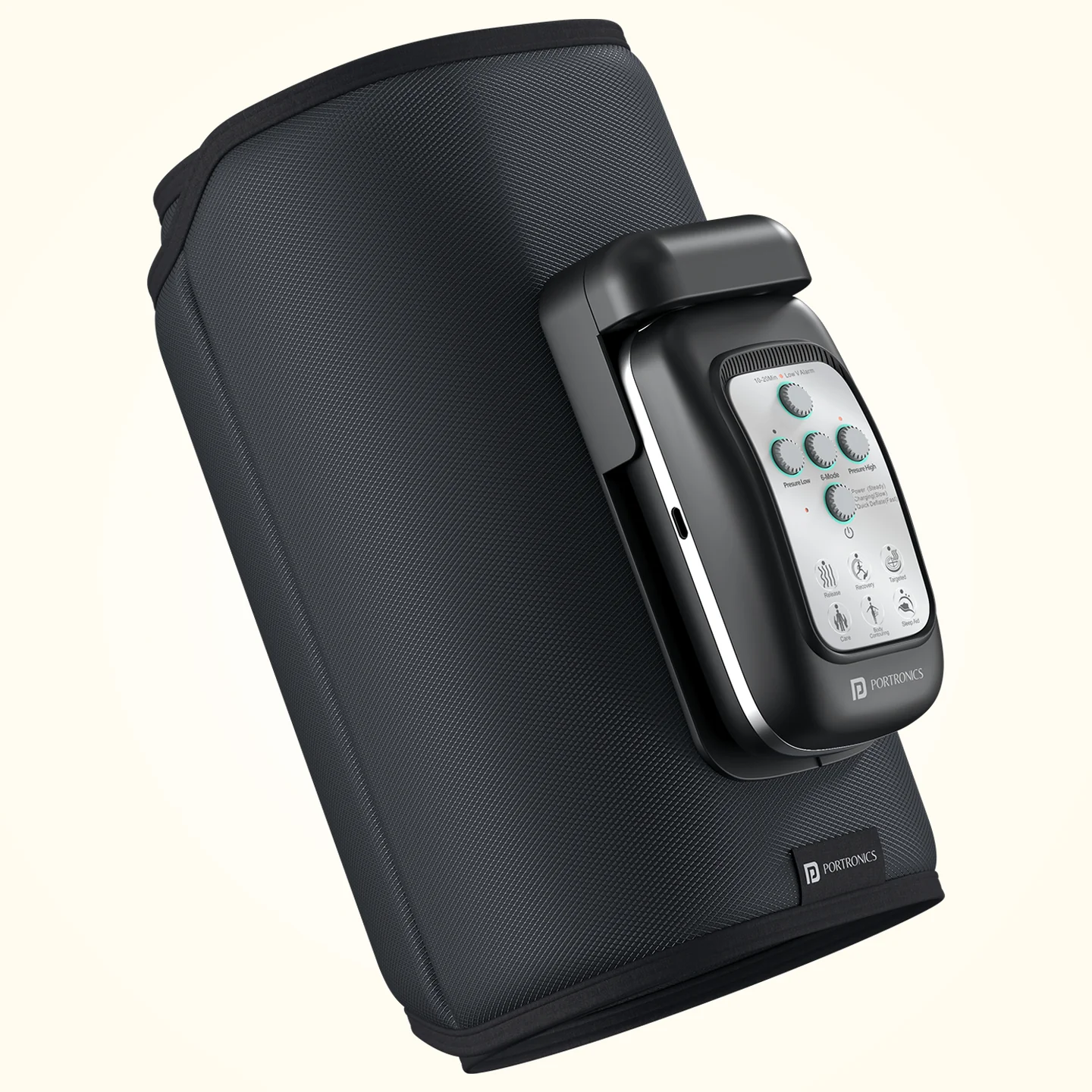
The Portronics Zeno L is a rechargeable full-leg compression massager designed to apply air-pressure massage across five focus zones: foot, ankle, calf, knee and thigh. It offers four massage modes, five intensity levels and three timer settings.
Quick Reference
| Feature | Details |
|---|---|
| Product | Portronics Zeno L |
| Product Code | POR 3268 |
| Product Type | Rechargeable leg compression massager |
| Focus Zones | 5: foot, ankle, calf, knee and thigh |
| Massage Modes | 4: Sequence, Circulation, Whole and Manual |
| Intensity Levels | 5 levels |
| Timer Options | 10, 20 and 30 minutes |
| Default Timer | 20 minutes |
| Battery | 2 × 2000mAh |
| Charging | USB Type-C |
| Charging Input | 5V/2.4A |
| Runtime | Up to 3 hours, depending on settings and use |
| Warranty | 12 months |
Actual runtime depends on the selected mode, intensity, frequency of use and battery condition.
Parts & Controls
| Control / Part | Function |
|---|---|
| Control Unit | Operates the massager and contains the rechargeable battery |
| Power Button | Press and hold to turn the device ON or OFF |
| Timer Key | Selects a 10-, 20- or 30-minute session |
| Mode Button (M) | Switches between massage modes and controls fixed-point selection |
| Strength Buttons (+ / −) | Increase or decrease compression intensity |
| Press Position Indicator | Shows the selected airbag / focus area |
| Power Indicator | Shows remaining battery level |
| Charging & Power Display | Shows charging and operating status |
| USB-C Charging Port | Recharges the detachable control unit |
Getting Started
- Place the leg sleeve on a comfortable, stable surface.
- Check that the control unit is correctly fitted into its cloth sleeve/holder.
- Position your leg inside the massager and secure the closure so it fits comfortably.
- Make sure the massager is not twisted or excessively tight.
- Check that the battery is sufficiently charged before starting.
- Use the controls to choose the timer, massage mode and intensity.
Use the massager only as intended for leg compression. Do not use it on other body parts.
Switching the Device ON and OFF
- To switch ON: Press and hold the Power button.
- To switch OFF: Press and hold the Power button again.
- To change the pressure unit: Short-press the Power button to switch the display between kPa and mmHg.
Selecting the Timer
- Press the Timer key.
- Select one of the available session durations: 10, 20 or 30 minutes.
- The default timer setting is 20 minutes.
- Press the Timer key again to cycle through the available durations.
The device operates for the selected duration. You can stop the massage at any time by pressing the Power button.
Selecting a Massage Mode
Press the M button to switch between the four massage modes:
| Mode | Display Name |
|---|---|
| Sequence | Sequence |
| Circulation | Circulation |
| Whole | Whole |
| Manual | Manual |
The available modes let you choose the massage pattern that suits your session. The selected mode is shown on the control display.
Selecting a Focus Zone
The massager has five focus zones across the leg:
- Foot
- Ankle
- Calf
- Knee
- Thigh
The press-position indicator shows the selected area.
Fixed-Point Massage
Use fixed-point mode when you want to select a particular airbag/focus area.
- Press the M button to enter or activate fixed-point selection.
- Press M again to select a specific airbag.
- After approximately 5 seconds, the selected area starts operating automatically.
- Continue pressing M to cycle through the available airbags.
- After the last area finishes, the selection returns to the first area.
- To exit fixed-point mode, press and hold M.
Adjusting Massage Strength
- Use the + and − Strength buttons to adjust the compression level.
- There are five strength levels available in each mode.
- Start at a lower level and increase gradually only if it remains comfortable.
Stop the session if you feel pain, discomfort or unusual pressure.
Charging the Control Unit
The control unit must be removed from the cloth sleeve before charging.
- Switch the massager OFF.
- Remove the control unit from the cloth sleeve/holder.
- Do not attempt to charge the device while the control unit is still inside the sleeve.
- Use only the supplied Type-C charging cable.
- Check that the charging port is dry and clean.
- Align the connector correctly and insert it into the control unit's charging port.
- Make sure the connector is firmly seated.
- Check the charging display/indicator to monitor progress.
Important: The device cannot be used while it is charging. Always switch it OFF before charging, and do not use third-party charging cables.
Understanding the Battery Indicators
| Indicator | Meaning |
|---|---|
| Five green indicator lights | Show the remaining battery level |
| Power symbol flashing | Battery level is low |
| Charging indicator | Shows charging progress |
Recharge the control unit when the low-battery symbol flashes.
Emergency Stop
If you need to stop the massage immediately, remove the control unit from the cloth sleeve to stop operation. You can also stop a session using the Power button.
Safety: Who Should Not Use the Product
Do not use the Zeno L if any of the following apply:
- You are pregnant.
- You have a skin infection, redness, swelling or a rash in the area.
- You have a serious medical condition or cardiovascular problem.
- You have weak or fragile bones.
- You use a pacemaker or another implanted medical device.
- You use external medical aids such as prosthetic limbs.
- You have high blood pressure or abnormal circulation.
Stop using the product immediately if you feel discomfort or notice any unusual reaction. If you are unsure whether the massager is suitable for you, consult a qualified healthcare professional before use.
General Care & Safety
- Do not use the massager for extended periods.
- Do not disassemble the product. Repairs must be handled by authorised personnel.
- Do not use it in humid places or near water or liquids.
- Keep it away from flammable, explosive or chemical substances.
- Do not cover the product with cloths or objects during use; this may cause overheating or damage.
- Keep it out of reach of children.
- Use only the supplied charging cable.
- Do not use the massager while charging.
- The fabric cover is not washable. Clean it only with a soft cloth.
- After use, store the product in a dry place away from sunlight and heat.
- If unused for a long period, switch it off and recharge it every two months to help preserve battery health.
Still stuck?
If the issue persists after checking the setup and settings, please raise a support request.
Our support team will assist you further.
Support
- Visit: www.portronics.com
- Support Portal: support.portronics.com
Was this article helpful?
That’s Great!
Thank you for your feedback
Sorry! We couldn't be helpful
Thank you for your feedback
Feedback sent
We appreciate your effort and will try to fix the article