TABLE OF CONTENTS
- At a Glance
- What's Included
- Assembly
- Power & Speed
- Cleaning Modes
- Dust Cup
- HEPA Filter Cleaning
- Charging
- Protection Indicators
- Safety
- Still stuck?
At a Glance
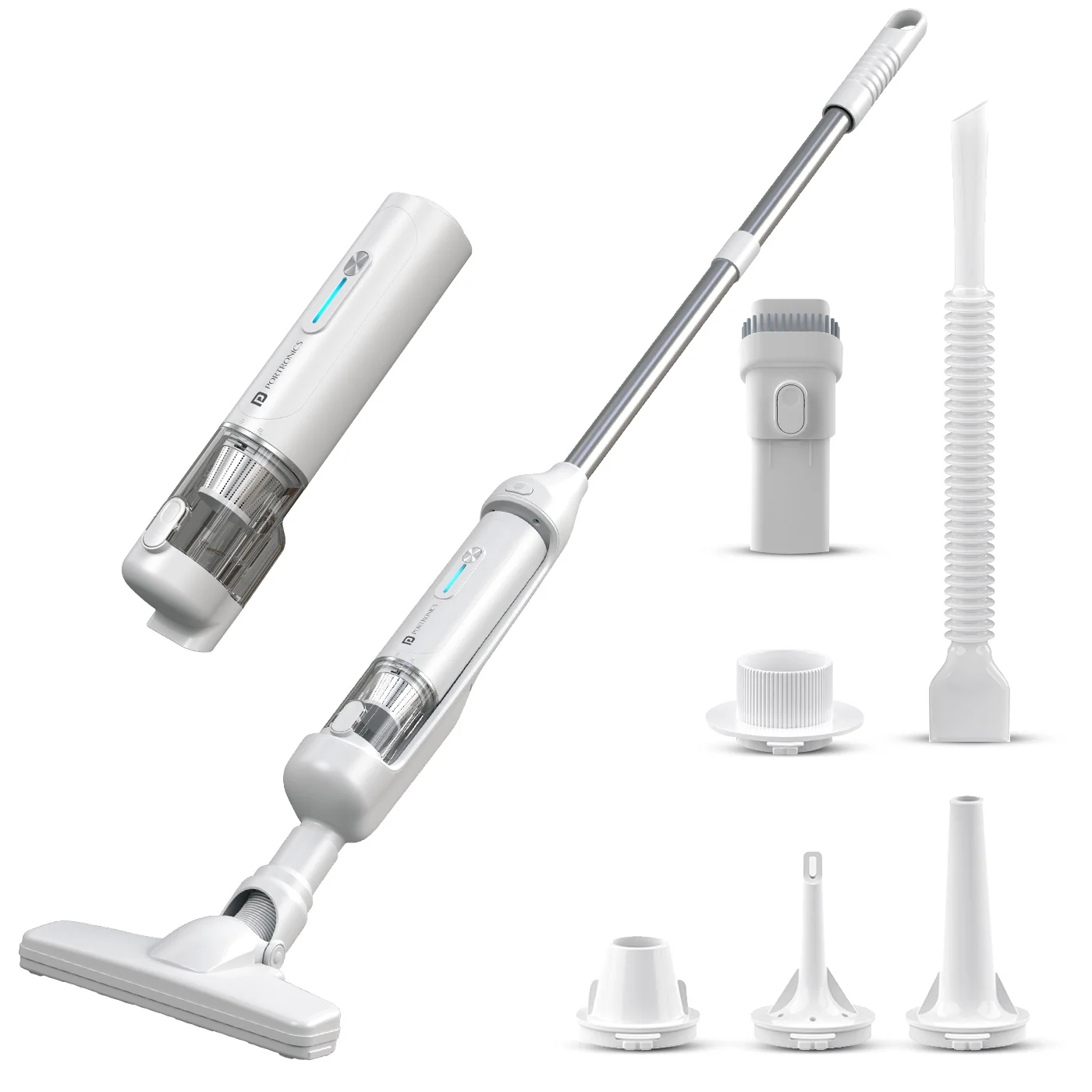
| Feature | Details |
|---|---|
| Product | Mopcop Duo |
| Model Code | POR 3587 |
| Type | 3-in-1 Cordless Vacuum, Air Blower & Floor Mop |
| Suction Power | Up to 17,000Pa |
| Motor | High-performance brushless motor |
| Battery | 3 × 2000mAh |
| Runtime | Up to 30 minutes |
| Dust Cup | 90ml |
| Charging | Type-C |
| Charging Time | Approx. 4–5 hours |
| Filter | Dual-layer washable HEPA |
| Mop Rod | Detachable, up to 90° flexible movement |
What's Included
| Item | Included |
|---|---|
| Mopcop Duo Main Unit | ✓ |
| Metal Tube | ✓ |
| Floor Brush / Mop Head | ✓ |
| Charging Base | ✓ |
| Type-C Charging Cable | ✓ |
| Nozzles | ✓ |
| Air Hose | ✓ |
Assembly
Metal Tube → Mop Body → Floor Brush → Main Unit
Attach each part firmly until it locks into place.
Power & Speed
| Action | Control |
|---|---|
| Power ON/OFF | Hold Power for 1 second |
| Change speed | Press Power once while ON |
| Low speed | Tiffany Blue indicator |
| High speed | White indicator |
Cleaning Modes
The product is designed for:
Cordless vacuuming
Air blowing
Floor mopping
The detachable mop rod can flex up to 90° for easier cleaning under furniture.
Dust Cup
Press the dust-cup release button.
Rotate and pull down the dust cup.
Remove collected dust/debris.
Empty and clean before reuse.
HEPA Filter Cleaning
Remove the filter and sponge filter.
Wash with clean water.
Allow all parts to dry completely before reinstalling.
Do not operate with wet filters.
Charging
Use the supplied Type-C cable.
Connect to a suitable 5V/2A USB adapter.
Red flashing = charging.
Red ON after full charge = fully charged indicator.
Approx. charging time: 4–5 hours.
Protection Indicators
| Condition | Indicator / Action |
|---|---|
| High temperature | Yellow light flashes for 3 sec |
| Low voltage protection | Red light flashes |
| Charging error | Yellow light flashes repeatedly |
| Battery protection | Device shuts down automatically |
Safety
Keep away from children.
Do not expose to water or excessive moisture.
Do not use for liquids or wet surfaces.
Do not vacuum sharp, burning or flammable objects.
Keep away from high-temperature/heat equipment.
Do not touch charger or device with wet hands.
Do not disassemble or modify the product.
Still stuck?
If the issue persists after performing all troubleshooting steps, please raise a support request.
Our support team will assist you further.
Support
Visit: www.portronics.com
Support Portal: support.portronics.com
Was this article helpful?
That’s Great!
Thank you for your feedback
Sorry! We couldn't be helpful
Thank you for your feedback
Feedback sent
We appreciate your effort and will try to fix the article