TABLE OF CONTENTS
- Product Overview
- Quick Reference
- Parts & Controls
- Turning ON the Fan and Adjusting Speed
- Charging the Fan
- Using the Rotation Function
- Adjusting the Fan Head
- Using the LED Light
- Indicator Guide
- Care & Important Information
- Troubleshooting
- Still stuck?
Product Overview
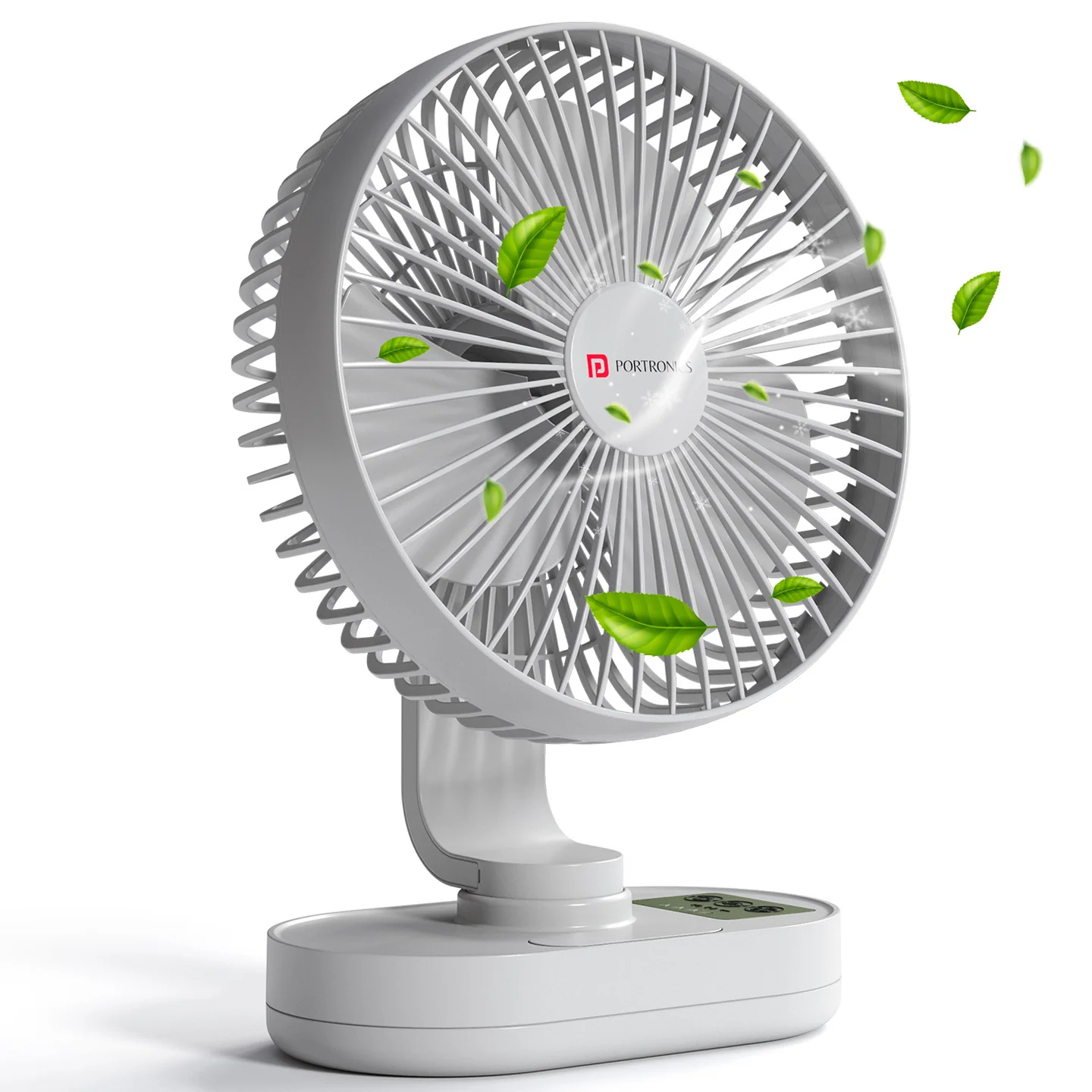
The Portronics Airloop (POR 3435) is a portable rechargeable desk fan designed for home and office use. It features a BLDC motor, a 6.1-inch three-blade fan, three speed modes, automatic 92° oscillation and up to 90° vertical tilt adjustment.
The fan has a 4000mAh rechargeable battery made up of two 2000mAh cells and charges through a USB Type-C port. Its LED light can operate independently, even when the fan is switched OFF.
Quick Reference
| Feature | Details |
|---|---|
| Product | Portronics Airloop |
| Product Code | POR 3435 |
| Colour | White |
| Product Type | Rechargeable Table Fan |
| Motor | BLDC |
| Blade Size | 6.1 inches / 15.5cm |
| Blade Design | 3 blades |
| Speed Modes | 3 |
| Speed Settings | Soft: 1200 RPM; Medium: 1800 RPM; Strong: 2200 RPM |
| Automatic Oscillation | 92° |
| Vertical Tilt | Up to 90° |
| Battery | 2 × 2000mAh, 3.7V lithium-ion cells (4000mAh total) |
| Charging Port | USB Type-C |
| Charging Input | DC 5V/2A |
| Power Consumption | 6W |
| Charging Time | Approx. 6–8 hours |
| LED Runtime | Approx. 18–20 hours |
| Warranty | 12 months |
Runtime Information
| Fan Speed | Runtime |
|---|---|
| Low | 8–9 hours |
| Medium | 4–4.5 hours |
| High | 1.8–2.2 hours |
Parts & Controls
| Part / Control | Function |
|---|---|
| Detachable Front Cover | Front protective cover of the fan |
| Fan Blade | Moves air to provide airflow |
| Type-C Charging Port | Connects the charging cable |
| Rotation Button | Starts or stops automatic oscillation |
| LED Switch | Turns the LED light ON or OFF |
| Fan Speed Switch | Turns the fan ON and cycles through the three speeds |
| Speed Indicator | Displays the selected speed and charging status |
| LED Light | Provides built-in light |
Turning ON the Fan and Adjusting Speed
Use the Fan Speed Switch to operate the fan.
| Button Press | Fan Setting |
|---|---|
| Press once | Low speed / Soft Wind — 1200 RPM |
| Press twice | Medium speed — 1800 RPM |
| Press three times | High speed / Strong Wind — 2200 RPM |
The speed indicator light displays the selected level.
If the fan stops responding, the battery may be low. Charge the fan and try again.
Charging the Fan
- Connect the supplied Type-C cable to the fan's charging port.
- Connect the other end to a suitable DC 5V/2A power source.
- When the battery is low, the first bar of the speed indicator flashes white.
- When the fan is fully charged, all speed-indicator bars remain steadily lit in white.
- Once fully charged, disconnect the charging cable and operate normally.
Charging time: The product sheet lists approximately 6–8 hours using DC 5V/2A.
Using the Rotation Function
- Press the Rotation Button to start the fan head rotating for wider airflow coverage.
- Press the Rotation Button again to stop the rotation.
Adjusting the Fan Head
The fan head can be tilted vertically to direct airflow.
- Adjust the head gently to the required angle.
- Up to 90° vertical tilt.
- Do not force the fan head beyond its adjustment range.
Using the LED Light
- Press the LED Switch to turn the LED light ON or OFF.
- The LED can operate independently even when the fan is OFF.
- Press the LED Switch again to turn the light OFF.
Indicator Guide
Fan / Battery Indicator
| Indicator Behaviour | Meaning |
|---|---|
| First speed-indicator bar flashes white | Battery is low |
| All speed-indicator bars remain steadily lit in white | Fan is fully charged |
LED Light
Use the separate LED Switch to turn the light ON or OFF. The LED can be used while the fan is OFF.
Care & Important Information
- The fan contains a lithium-ion battery and can be used while charging.
- Do not insert objects into the fan while it is operating.
- Do not scratch or damage the fan components.
- Use the product as described to help maintain battery life.
- Keep the fan openings clear during operation.
- Disconnect the charging cable before inspecting or cleaning the fan.
- Handle the detachable front cover and fan components carefully.
Troubleshooting
| Issue | Possible Cause | Recommended Action |
|---|---|---|
| Fan does not turn ON | Battery may be low | Charge the fan and try again |
| Fan stops responding | Battery may be low | Connect the Type-C cable to a 5V/2A power source |
| First speed-indicator bar flashes white | Low battery | Charge the fan |
| Rotation does not start | Rotation function is OFF | Press the Rotation Button |
| Fan head stops rotating | Oscillation may have been switched OFF | Press the Rotation Button again |
| LED does not turn ON | LED is switched OFF | Press the LED Switch |
| LED does not turn OFF | LED control not operated | Press the LED Switch again |
Still stuck?
If the issue persists after performing all troubleshooting steps, please raise a support request.
Our support team will assist you further.
Support
- Visit: www.portronics.com
- Support Portal: support.portronics.com
Was this article helpful?
That’s Great!
Thank you for your feedback
Sorry! We couldn't be helpful
Thank you for your feedback
Feedback sent
We appreciate your effort and will try to fix the article