TABLE OF CONTENTS
Quick Reference
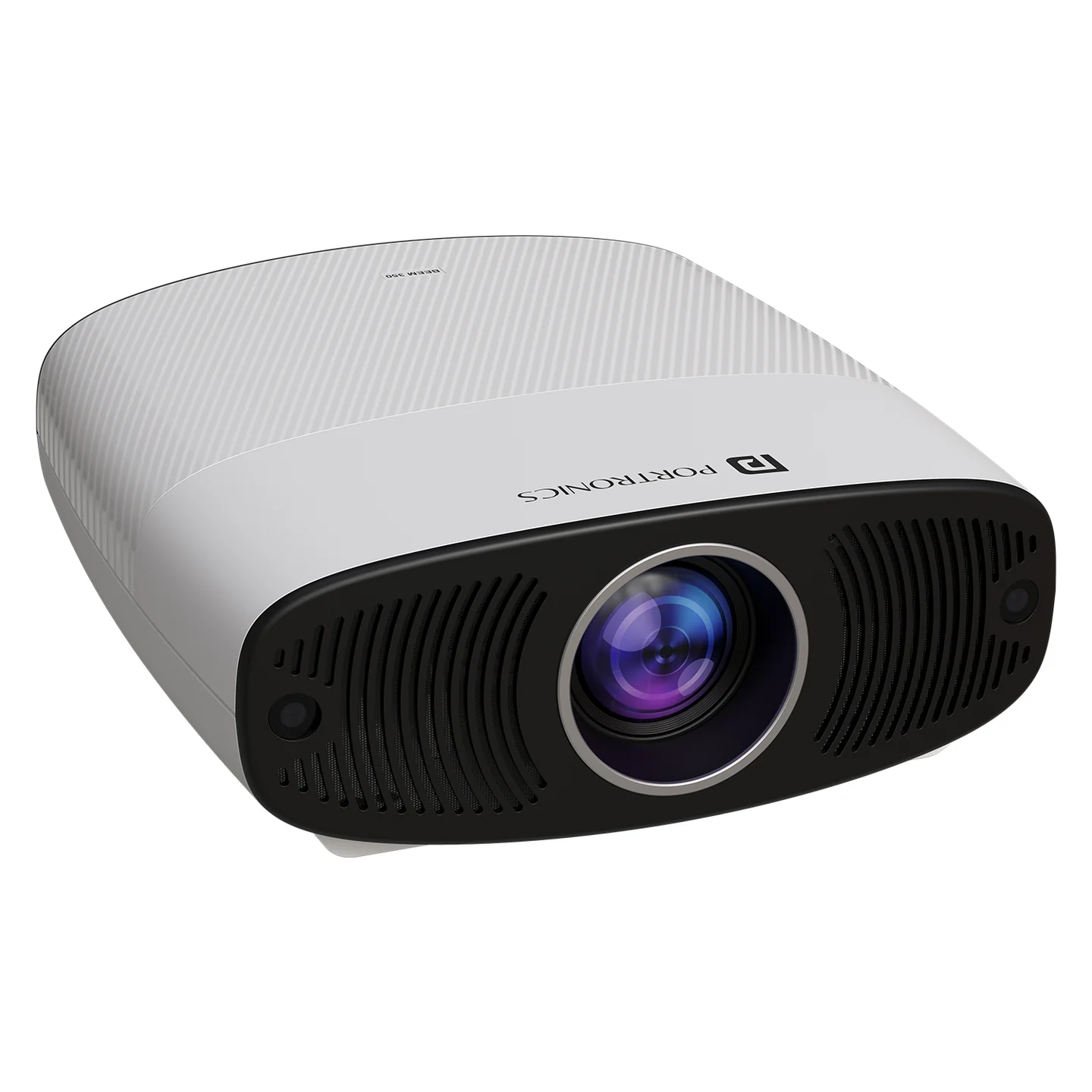
| Feature | Details |
|---|---|
| Product | Beem 530 |
| Product Code | POR 2312 |
| Type | Smart LED Projector |
| Resolution | 1080p Full HD |
| Supported Input | Up to 4K UHD |
| Brightness | 7600 Lumens |
| Speaker | 15W built-in |
| Wireless | Wi-Fi + Bluetooth |
| Smart Interface | Android-based |
| Streaming | Built-in streaming apps |
| Focus | Auto Focus |
| Keystone | Auto Vertical Keystone |
| Screen Mirroring | Wireless |
| Colour | White |
What's in the Box
Projector ×1
Remote Control ×1
Power Cord ×1
User Manual ×1
Power ON / OFF
| Action | How |
|---|---|
| Power ON | Connect to power, then press the projector Power button or remote Power button |
| Power OFF | Press Power, select/confirm the Shutdown option shown on screen |
Indicator Light
| LED | Status |
|---|---|
| Red | Standby |
| Blue | Working |
If the projector remains idle for more than 15 minutes, it may automatically enter standby mode.
Auto Focus
The projector automatically focuses:
When it is turned ON.
When the projector is moved.
To disable Auto Focus, go to Projection Settings → Auto Focus and turn it OFF.
Manual / Electronic Focus
Use the remote's F+ / F- buttons:
| Action | Function |
|---|---|
| Long-press F+ / F- | Faster focus adjustment |
| Press F+ / F- | Fine focus adjustment |
Remote Control
| Button | Function |
|---|---|
| Power | Power ON/OFF |
| Home | Home screen |
| Up / Down / Left / Right | Navigation |
| OK | Confirm |
| Return | Go back |
| Menu | Menu/options |
| Mute | Mute audio |
| Volume + / - | Adjust volume |
| F+ / F- | Focus adjustment |
| Setting | Settings |
| Mouse | Mouse/pointer function |
For best remote operation, aim the remote toward the back of the projector, as stated in the manual.
User Manual on the Projector
From the home screen, press the Up button on the remote to open the shortcut panel, then select Instructions to browse the product instructions on the projector itself.
Smart Features
Android-based interface
Pre-installed streaming apps
Wi-Fi + Bluetooth
Wireless screen mirroring
Auto focus
Auto vertical keystone
15W built-in speaker citeturn352649search0
Placement & Ventilation
For the best viewing experience, the manual recommends:
Projector height of about 5 ft from the ground.
At least 5 ft in front of the projector from the wall/screen for optimal viewing performance.
At least 2 ft clearance behind the projector for ventilation.
Do not cover the vents.
Care & Safety
Keep away from dust, water/moisture and extreme temperatures.
Do not look directly into the lens while the projector is operating.
Children should use the projector under adult supervision.
Clean the projector vents regularly.
Use a high-quality power cord and the specified power supply.
Do not disassemble the projector yourself; the manual states that unauthorized disassembly can void warranty.
Still stuck?
If the issue persists after performing all troubleshooting steps, please raise a support request.
Our support team will assist you further.
Support
Visit: www.portronics.com
Support Portal: support.portronics.com
Was this article helpful?
That’s Great!
Thank you for your feedback
Sorry! We couldn't be helpful
Thank you for your feedback
Feedback sent
We appreciate your effort and will try to fix the article