TABLE OF CONTENTS
- Product Overview
- Quick Reference
- What's in the Box
- Parts & Controls
- Powering ON & Charging
- Bluetooth Connection
- Call Controls
- TWS Mode
- RGB Light Effects
- USB & TF Card Playback
- Care & Safety
- Troubleshooting
- Still stuck?
- Support
Product Overview
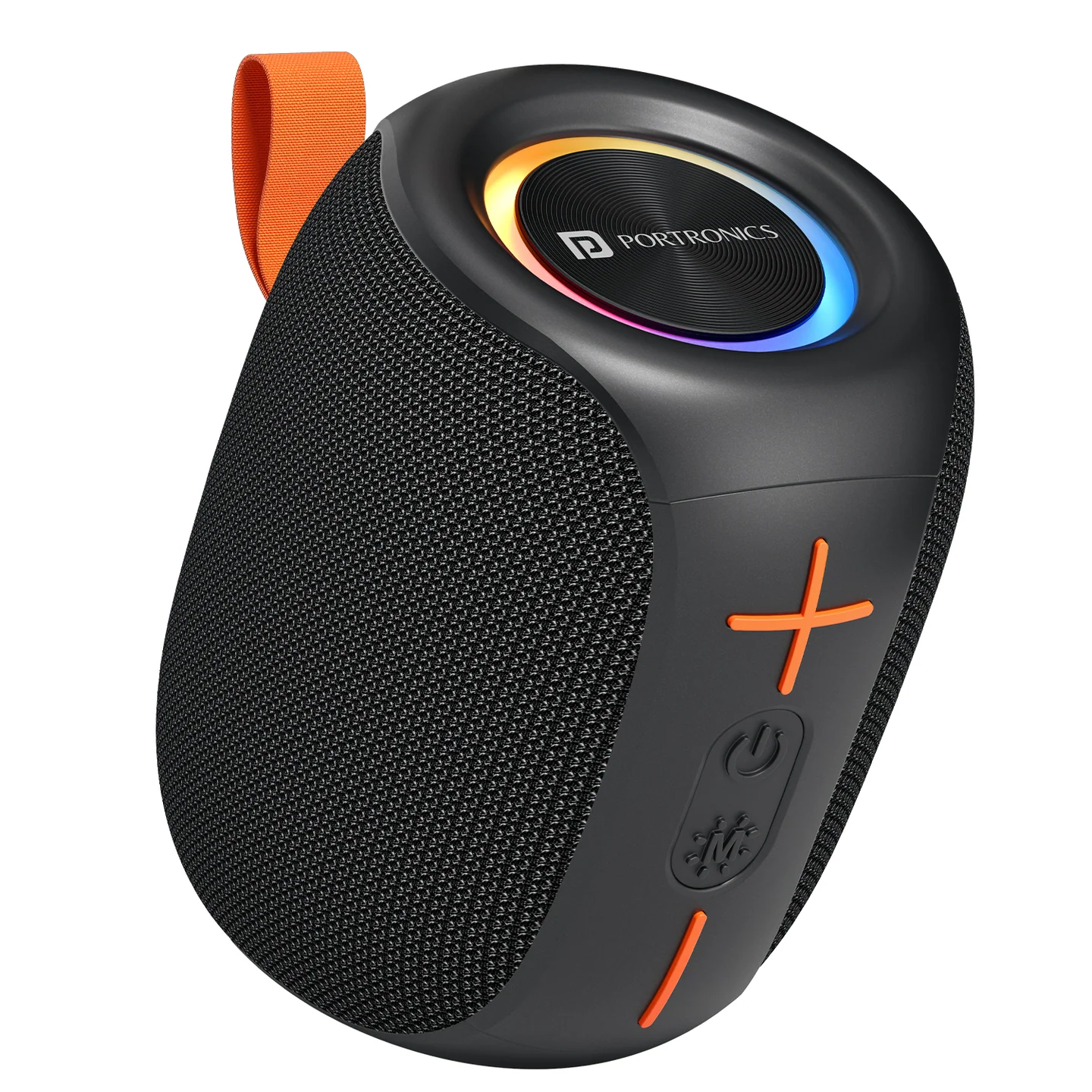
The Portronics Sono Ultra (POR 2673) is a compact 20W portable Bluetooth speaker featuring a passive radiator for enhanced bass, 9 RGB light effects, a built-in microphone for hands-free calling, and TWS mode. It supports Bluetooth 6.0, USB drive, and TF card playback, powered by a 3600mAh rechargeable battery with Type-C charging.
Quick Reference
| Feature | Details |
|---|---|
| Product | Portronics Sono Ultra |
| Model Code | POR 2673 |
| Product Type | 20W Portable Bluetooth Speaker |
| Colour | Black |
| Sound Output | 20W |
| Bluetooth Version | 6.0 |
| Playback Modes | Bluetooth, USB, TF card |
| RGB Lighting | 9 RGB Effects |
| TWS Mode | Supported (connects two Sono Ultra speakers) |
| Built-in Microphone | Yes (hands-free calling) |
| Frequency Response | 50Hz–20kHz |
| Battery Type | Li-ion 3.7V, 3600mAh (13.32Wh) |
| Charging Input | DC 5V / 1A |
| Charging Port | Type-C |
| Charging Time | 3–4 hours |
| Material | ABS body |
| Dimensions | 137 × 131 × 157mm |
| Net Weight | 715g |
| Warranty | 1 year |
What's in the Box
| Item | Quantity |
|---|---|
| Sono Ultra Speaker | 1 |
| Type-C Cable | 1 |
| User Manual | 1 |
Parts & Controls
Speaker Controls
| Control | Function |
|---|---|
| Power / Play Button | Long-press to turn ON/OFF; single-press to play or pause; double-press to turn TWS function ON/OFF |
| M (Mode / RGB) Button | Single-press to change mode (Bluetooth, USB, TF); long-press to turn ON/OFF or change the RGB effect |
| − (Previous / Volume −) | Single-press for previous track/video; long-press to reduce volume |
| + (Next / Volume +) | Single-press for next track/video; long-press to increase volume |
Ports & Slots
| Port / Slot | Function |
|---|---|
| Type-C Charging Port | Connects the supplied Type-C cable (DC 5V/1A) for charging |
| USB Port | Connects a USB flash drive for audio playback |
| TF Card Slot | Insert a TF card until it clicks for audio playback |
LED Indicators
| Indicator State | Meaning |
|---|---|
| Blue LED Blinks | Bluetooth Pairing Mode |
| Blue LED Stable | Bluetooth Paired |
| RED LED ON | Charging |
| RED LED OFF | Fully Charged |
| Blue LED Blinks & Speaker Beeps | Low Battery Indication |
Powering ON & Charging
- Connect the supplied Type-C cable to a DC 5V/1A power adapter to charge the speaker.
- The RED LED stays ON while charging and turns OFF when fully charged (charging time is 3–4 hours).
- Long-press the Power Button to turn the speaker ON or OFF.
- When turned ON, the speaker starts in Bluetooth mode automatically, indicated by a blinking Blue LED.
Bluetooth Connection
- Turn ON the speaker; it starts in Bluetooth mode with the Blue LED blinking.
- Enable Bluetooth on your phone, tablet, or laptop.
- Search for Portronics Sono Ultra in the available device list.
- Select it to pair; the Blue LED becomes stable once connected.
Playback & Volume Controls
- Single-press Power / Play to play or pause audio.
- Single-press − or + to skip to the previous or next track/video.
- Long-press − to reduce volume.
- Long-press + to increase volume.
Call Controls
When connected to a smartphone via Bluetooth:
- Click the Power / Play button once to answer or hang up a call.
- Long-press the Power / Play button to reject an incoming call.
- Triple-click the Power / Play button to redial the latest number.
TWS Mode
- Turn ON two Portronics Sono Ultra speakers.
- Double-press the Power / Play button to turn the TWS (True Wireless Stereo) function ON or OFF.
RGB Light Effects
- Long-press the M button to turn the 9 RGB light effects ON/OFF or switch between effects.
USB & TF Card Playback
- Insert a USB flash drive into the USB port, or push a TF card into the TF Card slot until it clicks.
- Single-press the M button to select USB or TF mode.
- Use the Play/Pause, Previous/Next, and Volume controls to manage playback.
The exact supported USB/TF file formats and maximum drive/card capacity are not specified in the user manual.
Care & Safety
- Avoid using the speaker in rain, near water, near fire, or near flammable substances.
- Store the speaker in a safe place to prevent dust and dirt from affecting the product.
- Use only a soft cloth for cleaning; do not use harsh abrasives or chemicals, as they will damage the surface finish.
Troubleshooting
| Issue | Possible Cause | Recommended Action |
|---|---|---|
| Speaker does not turn ON | Battery is drained | Charge via Type-C (DC 5V/1A) for 3–4 hours and long-press the Power button |
| Low battery beeps and blinking Blue LED | Battery is low | Connect the Type-C cable (DC 5V/1A) until the RED LED turns OFF |
| Bluetooth won't pair | Speaker is not in Bluetooth mode or paired elsewhere | Single-press M to select Bluetooth mode and check that the Blue LED is blinking |
| USB or TF card audio does not play | Wrong mode selected or card/drive not seated | Single-press M to select USB or TF mode and reinsert the drive or TF card until it clicks |
| RGB lights are OFF | RGB lighting was turned OFF | Long-press M to turn the 9 RGB effects ON or switch effects |
| TWS mode won't connect | TWS function not enabled | Double-press the Power/Play button to toggle TWS ON |
Still stuck?
If the issue persists after following the relevant steps, please raise a support request.
Our support team will assist you further.
Support
- Website: www.portronics.com
- Support Portal: support.portronics.com
Was this article helpful?
That’s Great!
Thank you for your feedback
Sorry! We couldn't be helpful
Thank you for your feedback
Feedback sent
We appreciate your effort and will try to fix the article