TABLE OF CONTENTS
- Product Overview
- What’s in the Box
- Powering the Device
- How to Set Time & Date
- How to Set Alarm
- Snooze Function
- Countdown Timer (1–99 Minutes)
- Temperature Display
- Brightness Control
- Common Questions
- Safety Instructions
- Still Facing Issues?
Product Overview
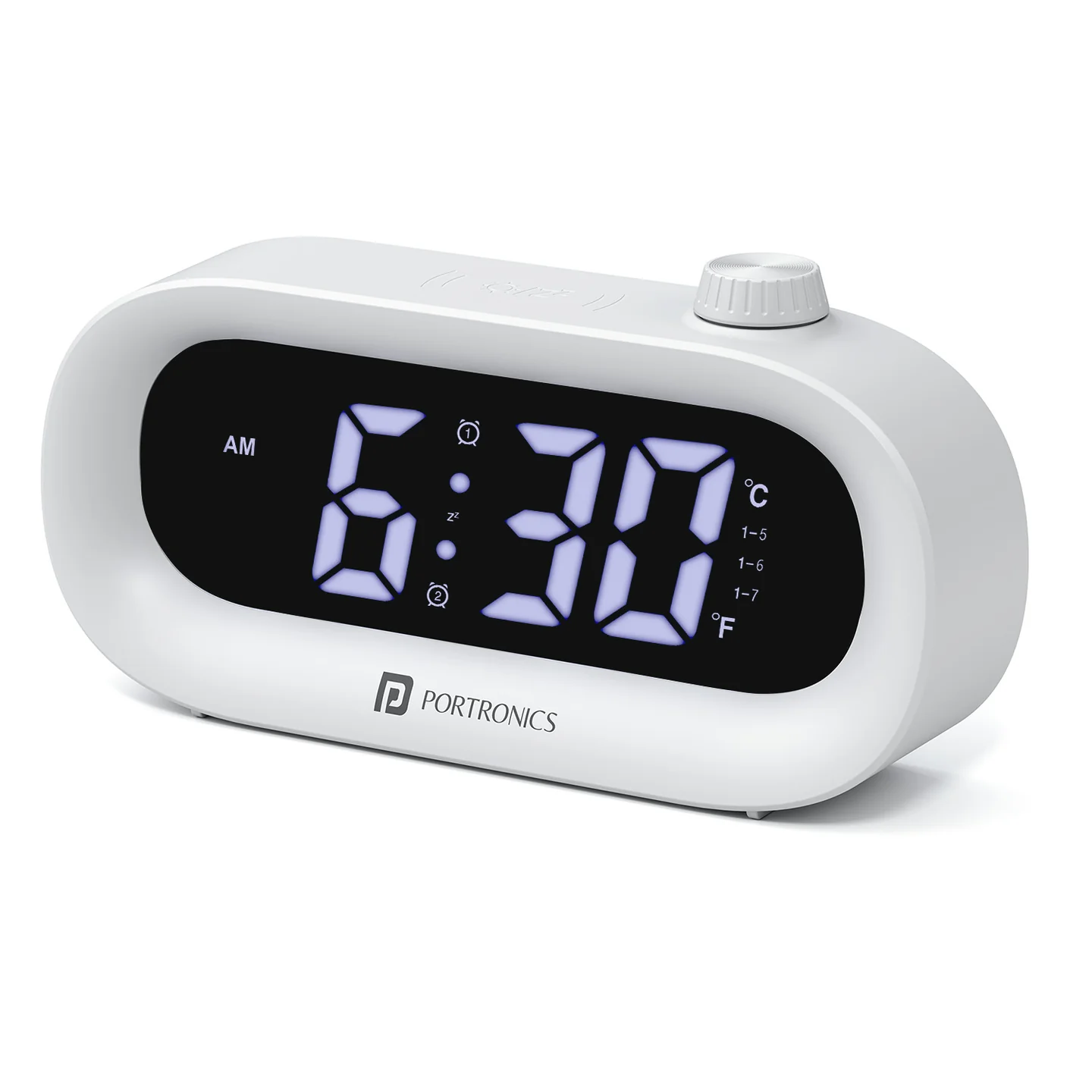 Portronics GlowTime is a compact LED digital clock designed for everyday convenience. It features time display, alarms, temperature, countdown timer, and automatic brightness adjustment.
What’s in the Box
- GlowTime Clock
- Type-C Charging Cable
- User Manual
Powering the Device
- Use the Type-C cable for regular use
- The clock has a built-in backup battery to save time settings
- In battery mode, the display turns OFF after 15 seconds to save power
How to Set Time & Date
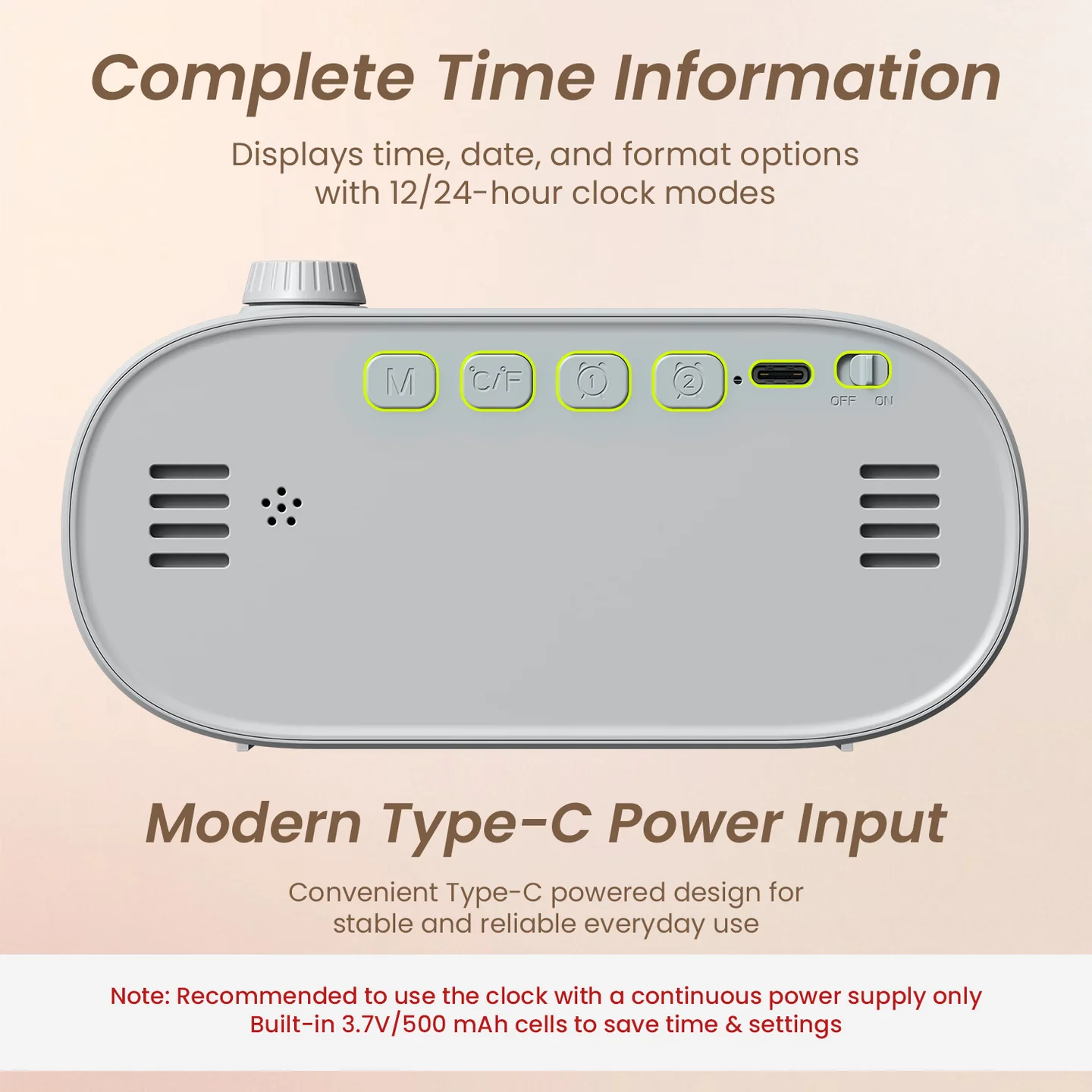
- Press and hold the M button for 3 seconds
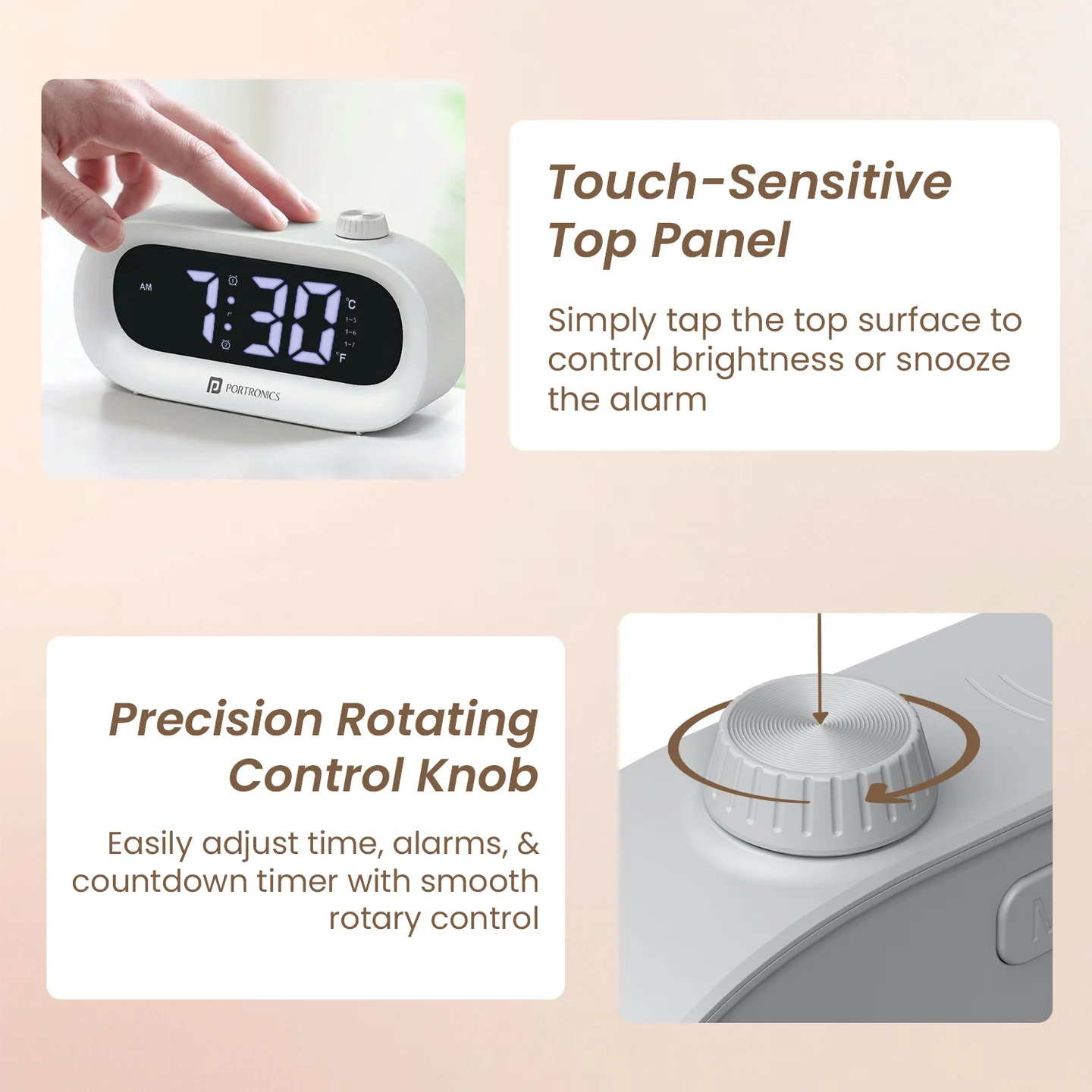
- Rotate the knob to adjust values
- Press the knob to confirm
Order:
12/24 Hour → Hour → Minute → Year → Month → Day
How to Set Alarm
Turn Alarm ON/OFF
- Press the Alarm button once
Set Alarm
- Press and hold the Alarm button for 3 seconds
- Rotate knob to set time
- Press knob to confirm
Working Day Options:
- 1–5: Monday to Friday
- 1–6: Monday to Saturday
- 1–7: Monday to Sunday
Snooze Function
- Tap the top panel to snooze the alarm
Countdown Timer (1–99 Minutes)
Steps:
- Press the knob to enter timer mode
- Rotate to set time
- Timer starts automatically after 2 seconds
During Timer:
- Display shows animation
- When time ends → Beep sound for 1 minute
- Press any button to stop
Temperature Display
- Press the °C/°F button
- Switch between Celsius and Fahrenheit
- Screen returns to time automatically
Brightness Control
Manual:
- Tap the top panel to change brightness levels
Auto Mode:
- Brightness reduces automatically from 8:00 PM to 6:00 AM
Common Questions
Why does the display turn OFF automatically?
This happens in battery mode to save power. Connect the Type-C cable for continuous display.
Why is the brightness low at night?
The device has auto night dimming, which reduces brightness for comfort.
Why is my alarm not ringing?
- Ensure alarm is turned ON
- Check time and selected working days
Why is the timer not starting?
The timer starts automatically after 2 seconds. Please wait after setting the time.
Safety Instructions
- Use a certified Type-C cable
- Keep away from water and heat
- Do not open or modify the device
Still Facing Issues?
- If the issue persists after performing all troubleshooting steps, please Click here raise a support request.
Our support team will assist you further.
Was this article helpful?
That’s Great!
Thank you for your feedback
Sorry! We couldn't be helpful
Thank you for your feedback
Feedback sent
We appreciate your effort and will try to fix the article