TABLE OF CONTENTS
- At a Glance
- 4-in-1 Use
- Controls
- Bluetooth
- TWS
- White Noise
- RGB / Flame Light
- Sleep Timer
- Charging
- Safety
- Still stuck?
At a Glance
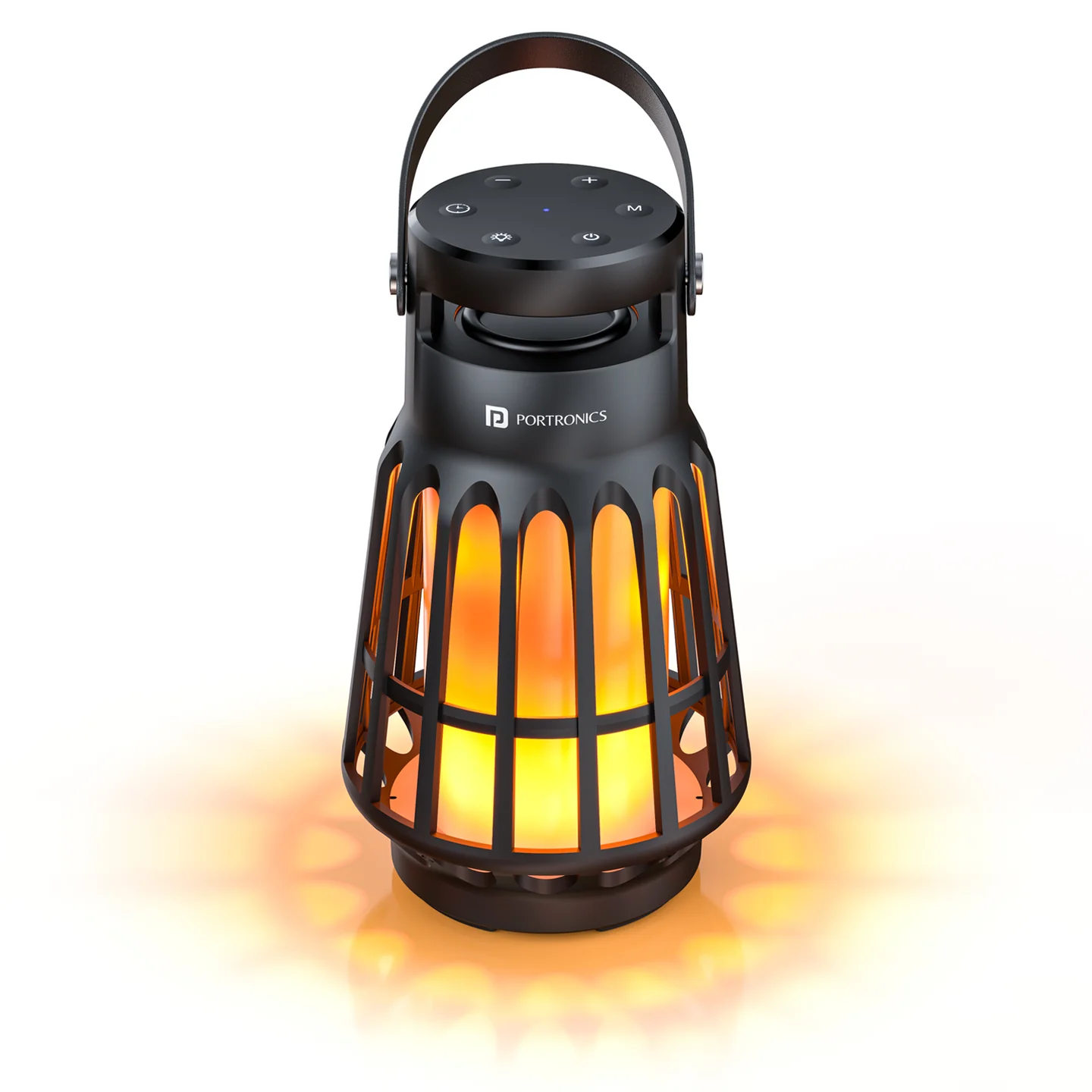
| Feature | Details |
|---|---|
| Output | 15W |
| Product Code | POR 2096 |
| Bluetooth | 5.3 |
| Playtime | Up to 6 hours |
| Charging | Type-C |
| TWS | Yes |
| Lighting | Flame / LED |
| Nature Sounds | Yes |
| Water Resistance | IPX65 |
| Bluetooth Range | 10m |
| Speaker Driver | 70mm |
| Size | 115 × 115 × 200mm |
| Weight | Approx. 0.5kg |
4-in-1 Use
| Mode | Use |
|---|---|
| Bluetooth Speaker | Music |
| Camping / Night Light | Ambient lighting |
| Flame Lamp | Flame-effect lighting |
| White Noise | Nature / relaxing sounds |
Controls
| Control | Function |
|---|---|
| Power | Hold 3 sec = ON/OFF; short press = Play/Pause |
| Light | Short press = light mode; hold = bright/Light OFF |
| Timer | 30 / 60 / 90 min / Cancel |
| - | Long press = volume down; short press = previous |
| + | Long press = volume up; short press = next |
| M | Bluetooth / White Noise |
| BASS | Bass adjustment / TWS |
Bluetooth
Turn on the speaker; it enters Bluetooth mode automatically.
On your phone, search for Dash 6.
Select it to connect.
Blue light flashes while waiting and stays ON when connected.
TWS
Turn on two Dash 6 speakers.
Keep both in wireless/Bluetooth mode without pairing to a phone first.
Press and hold M for 2–3 seconds on one speaker.
Wait for the “TWS paired” prompt.
Pair your phone with the speakers.
To disconnect TWS, hold M for 2–3 seconds again after disconnecting the phone's Bluetooth.
Important: TWS pairing is only guaranteed to work reliably between two Dash 6 units from the same production batch. Pairing speakers from different batches may fail or behave inconsistently. Check the batch/date code on both units if TWS does not work.
White Noise
Press M to switch between Bluetooth and White Noise mode.
RGB / Flame Light
Short-press Light: change flame/light mode.
Long-press Light: change brightness / turn light OFF.
Sleep Timer
Press the Timer button to select 30, 60 or 90 minutes, or cancel the timer.
Charging
Use a Type-C cable.
Manual charging input: DC 5V/1A.
Red light indicates charging.
Charger is not included.
The manual notes about 4–5 hours charging time when fully charging the battery.
Safety
Do not use or store the speaker in high temperature for long periods.
Do not charge in a magnetic surrounding.
Do not disassemble the speaker yourself.
Use the correct adapter.
Ambient temperature: 0–50°C.
Still stuck?
If the issue persists after performing all troubleshooting steps, please raise a support request.
Our support team will assist you further.
Support
Visit: www.portronics.com
Support Portal: support.portronics.com
Was this article helpful?
That’s Great!
Thank you for your feedback
Sorry! We couldn't be helpful
Thank you for your feedback
Feedback sent
We appreciate your effort and will try to fix the article