TABLE OF CONTENTS
- Product Overview
- Quick Reference
- What's in the Box
- Product Controls
- Powering On / Off
- First-Time Bluetooth Pairing
- Music Controls
- Phone Calls
- Charging
- LED Indicator Guide
- Clip & Portable Use
- Water & Dust Resistance
- Battery & Playtime
- Care & Safety
- Still stuck?
Product Overview
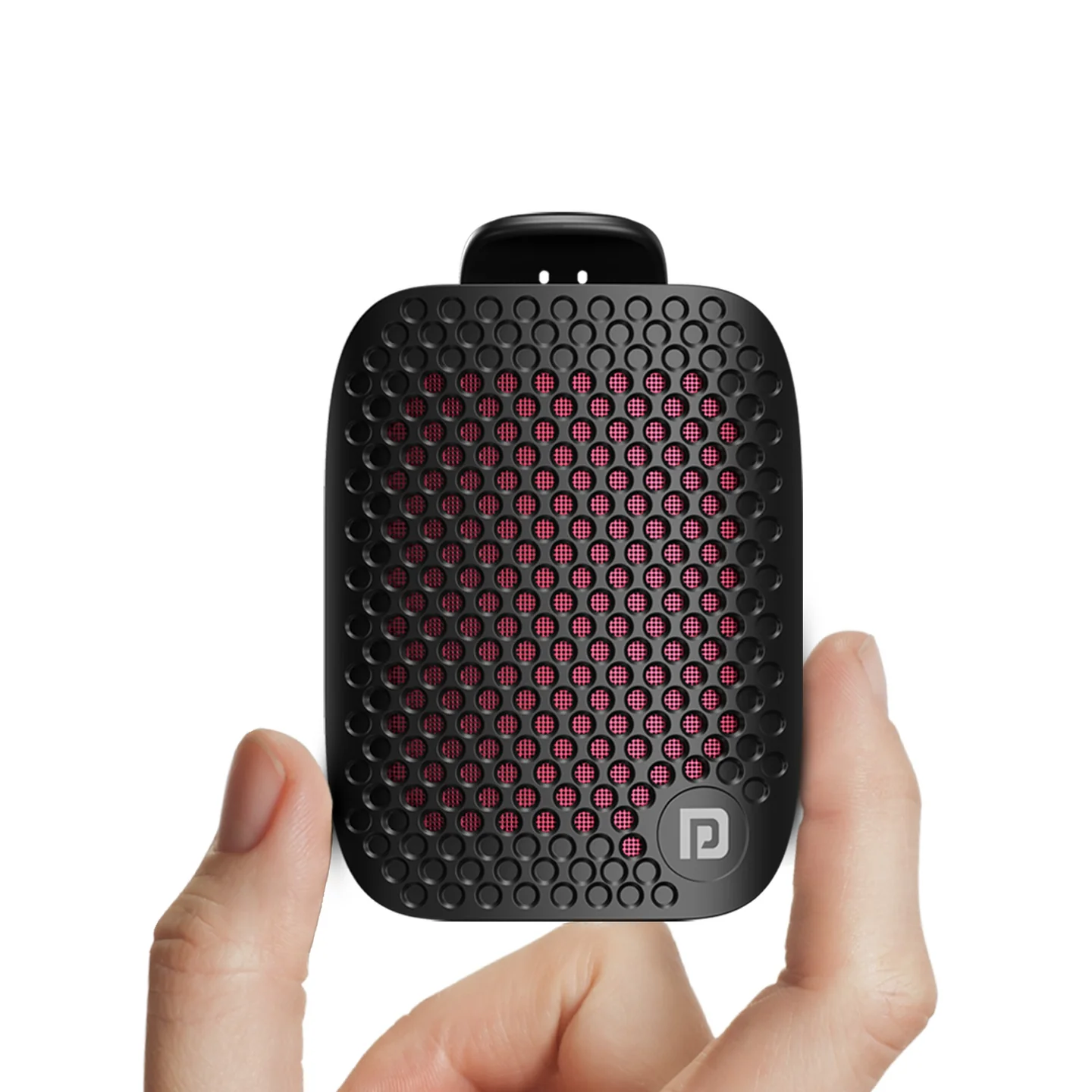
The Portronics Talk Five is a compact 3W wearable Bluetooth speaker with a strong spring clip, built-in microphone for calls, Type-C charging and up to 10 hours of playtime.
Quick Reference
| Feature | Details |
|---|---|
| Product | Portronics Talk Five |
| Product Code | POR 2713 |
| Output Power | 3W |
| Bluetooth | 5.3V |
| Playtime | Up to 10 hours |
| Weight | 83g |
| Water & Dust Resistance | IPX5 |
| Microphone | Built-in microphone for calls |
| Charging | USB-C |
| Attachment | Strong spring clip |
What's in the Box
| Item | Quantity |
|---|---|
| Talk Five | 1 |
| Charging Cable | 1 |
| User Manual | 1 |
Product Controls
| Control | Function |
|---|---|
| + / Volume Up / Next Song | Short press to increase volume; long press to play the next song |
| Power / Play / Pause / Answer / Hang Up | Power, playback and call controls |
| − / Volume Down / Previous Song | Short press to decrease volume; double-click for the previous song |
| USB-C Port | Charging |
| LED | Shows power, Bluetooth and charging status |
Powering On / Off
Turn On
Press and hold the Power button for about 3 seconds.
A power-on sound indicates that the speaker has turned on.
Turn Off
Press and hold the Power button again for about 3 seconds.
A shutdown sound indicates that the speaker has turned off.
Automatic Shut-Off
When the speaker is not connected to a Bluetooth device, it automatically shuts down after approximately 10 minutes.
First-Time Bluetooth Pairing
- Turn on the Talk Five.
- If it is not connected to a Bluetooth device, it automatically enters pairing mode.
- Open Bluetooth settings on your phone, tablet or other device.
- Search for Talk Five.
- Select Talk Five to connect.
- After successful pairing, the indicator changes from flashing to a steady white light and a connection prompt/tone is heard.
Music Controls
| Action | Control |
|---|---|
| Play / Pause | Short press the Power / Play-Pause button |
| Increase Volume | Short press + |
| Decrease Volume | Short press − |
| Next Song | Press and hold + |
| Previous Song | Double-click − |
Phone Calls
The Talk Five includes a built-in microphone for hands-free phone calls.
| Action | Control |
|---|---|
| Answer Call | Press the Power / Call button |
| End Call | Press the Power / Call button |
| Call Audio | Use the connected Bluetooth device with Talk Five |
Charging
- Connect the supplied USB-C charging cable to the speaker.
- Connect the cable to a suitable charging power source.
- A red constant light indicates that the speaker is charging.
- The red light turns off when charging is complete.
Charging Notes
- The supplied USB-C cable is suitable for charging.
- The manual specifies using a charging source with 5V/1A or higher output.
- Do not charge the speaker if the cable is wet or damaged.
- Allow the speaker and cable to dry completely before charging if they have been exposed to moisture.
LED Indicator Guide
| LED | Status | Meaning |
|---|---|---|
| White | Steady | Speaker is powered on |
| White | Flashing | Speaker is not connected to Bluetooth |
| White | Steady after connection | Bluetooth connection successful |
| Red | Flashing | Low battery |
| Red | Steady | Speaker is charging |
| Red | Off | Fully charged or speaker is turned off |
Clip & Portable Use
The strong spring clip allows the Talk Five to be attached securely to suitable surfaces such as clothing, bags and other convenient locations.
The compact 83g design makes it suitable for portable use.
Water & Dust Resistance
Talk Five has an IPX5 water and dust resistant design.
It can be used for outdoor activities where light splashes or rain may occur.
Important: Do not intentionally immerse the speaker in water, and do not charge it while the charging cable or port is wet.
Battery & Playtime
The Talk Five provides up to 10 hours of playtime. Actual battery life can vary depending on volume, Bluetooth usage and operating conditions.
Care & Safety
- Do not use a wet or damaged charging cable.
- Use a suitable USB charging source.
- Keep the charging port clean and dry.
- Do not immerse the speaker in water.
- Keep the speaker away from excessive heat and direct sunlight for long periods.
- Do not attempt to dismantle or modify the speaker.
- Charge the speaker fully before extended use.
Still stuck?
If the issue persists after performing all troubleshooting steps, please raise a support request.
Our support team will assist you further.
Support
- Visit: www.portronics.com
- Support Portal: support.portronics.com
Was this article helpful?
That’s Great!
Thank you for your feedback
Sorry! We couldn't be helpful
Thank you for your feedback
Feedback sent
We appreciate your effort and will try to fix the article