TABLE OF CONTENTS
- Product Overview
- Quick Reference
- What's in the Box
- Product Controls
- Power ON / OFF
- Bluetooth Pairing
- Music Mode
- Calling Mode
- Wearing / Mounting the Speaker
- Charging
- Battery & Playtime
- Water & Dust Resistance
- Care & Safety
- Still stuck?
Product Overview
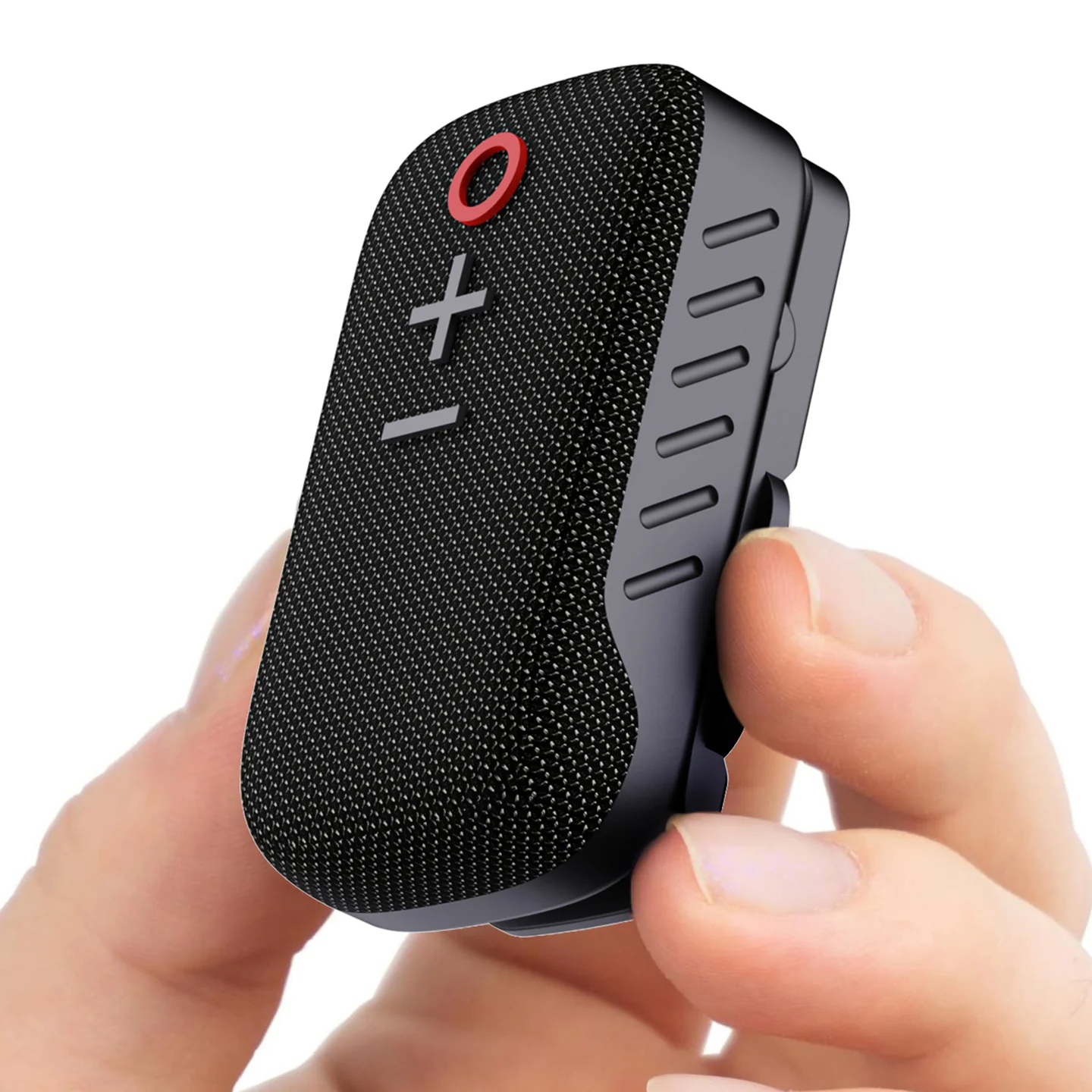
The Portronics Talk Three is a compact 2W wearable Bluetooth speaker with mic, designed for music playback and clear phone calls. It can be attached to a shirt, backpack or jacket using its spring clamp or magnetic clip.
Quick Reference
| Feature | Details |
|---|---|
| Product | Portronics Talk Three |
| Speaker Output | 2W |
| Bluetooth | 5.3 |
| Bluetooth Profiles | A2DP, AVRCP, HFP |
| Bluetooth Range | Up to 10 metres |
| Audio Format | SBC |
| Microphone | Built-in microphone |
| Battery | 3.7V / 600mAh lithium battery |
| Playtime | Up to 10 hours at up to 80% volume |
| Charging Time | Approx. 2 hours |
| Waterproof Rating | IPX5 |
| Dimensions | 73 × 42 × 28.2mm |
| Weight | 64g |
What's in the Box
| Item | Quantity |
|---|---|
| Talk Three Speaker | 1 |
| Charging Cable | 1 |
| User Manual | 1 |
Product Controls
| Control | Function |
|---|---|
| Power Button | Power ON/OFF; call controls; music play/pause |
| + / Volume Up | Increase volume; next song in music mode when pressed and held |
| − / Volume Down | Decrease volume; previous song in music mode when pressed and held |
| Microphone | Voice pickup for calls |
| Charging Port | Charging connection |
| Magnetic Clip | Magnetic attachment |
| Spring Clamp | Clip the speaker to clothing, a backpack or jacket |
Power ON / OFF
- Press and hold the Power button for 3 seconds to turn the speaker ON.
- Press and hold the Power button for 3 seconds to turn it OFF.
Bluetooth Pairing
- Turn on the Talk Three.
- Open Bluetooth settings on your phone or other device.
- Search for the device name “Talk Three”.
- Select Talk Three to connect.
- Once connected, you can play music or use it for calls.
Music Mode
| Control | Action |
|---|---|
| Power button | Short press to play/pause music |
| + button | Short press to increase volume |
| + button | Press and hold to play the next song |
| − button | Short press to decrease volume |
| − button | Press and hold to play the previous song |
Calling Mode
| Control | Action |
|---|---|
| Power button | Short press to answer a call |
| Power button | Press again to end the call |
| Power button | Press and hold for 2 seconds to reject an incoming call |
| + button | Short press to increase call volume |
| − button | Short press to decrease call volume |
The built-in microphone is designed for hands-free calls with active noise suppression.
Wearing / Mounting the Speaker
Talk Three can be attached in multiple ways:
- Spring clamp: Attach it to a shirt, jacket, backpack or similar item.
- Magnetic clip: Use the magnetic attachment for convenient placement.
Its compact size makes it suitable for travel and outdoor use.
Charging
- Connect the charging cable to the charging port.
- Connect the other end to a suitable power source.
- Allow approximately 2 hours for charging.
- Disconnect the cable after charging is complete.
Battery & Playtime
The speaker uses a 3.7V / 600mAh lithium battery.
The manual specifies up to 10 hours of playback at up to 80% volume. Actual playtime may vary depending on volume, Bluetooth connection and usage conditions.
Water & Dust Resistance
Talk Three has an IPX5 waterproof rating and uses dust-resistant materials.
For best product life:
- Avoid unnecessary exposure to water.
- Keep the charging port protected when not in use.
- Do not immerse the speaker in water.
- Keep the speaker clean and dry after exposure to moisture.
Care & Safety
- Read the safety instructions before use.
- Do not use the product in extreme heat.
- Do not leave the product under direct sunlight for long periods.
- Keep it away from conditions that may damage the battery or electronics.
- Do not dismantle or modify the speaker without permission.
- Follow the specified charging procedure.
Still stuck?
If the issue persists after performing all troubleshooting steps, please raise a support request.
Our support team will assist you further.
Support
- Visit: www.portronics.com
- Support Portal: support.portronics.com
Was this article helpful?
That’s Great!
Thank you for your feedback
Sorry! We couldn't be helpful
Thank you for your feedback
Feedback sent
We appreciate your effort and will try to fix the article