TABLE OF CONTENTS
- Product Overview
- Quick Reference
- What's in the Box
- Controls
- First-Time Activation
- Power ON / OFF
- Bluetooth Pairing
- Music Controls
- Hands-Free Calling
- TWS Stereo Pairing
- PC / Mac USB-C Connection
- Charging
- Low Battery
- LED Indicator Guide
- Care & Safety
- Still stuck?
Product Overview
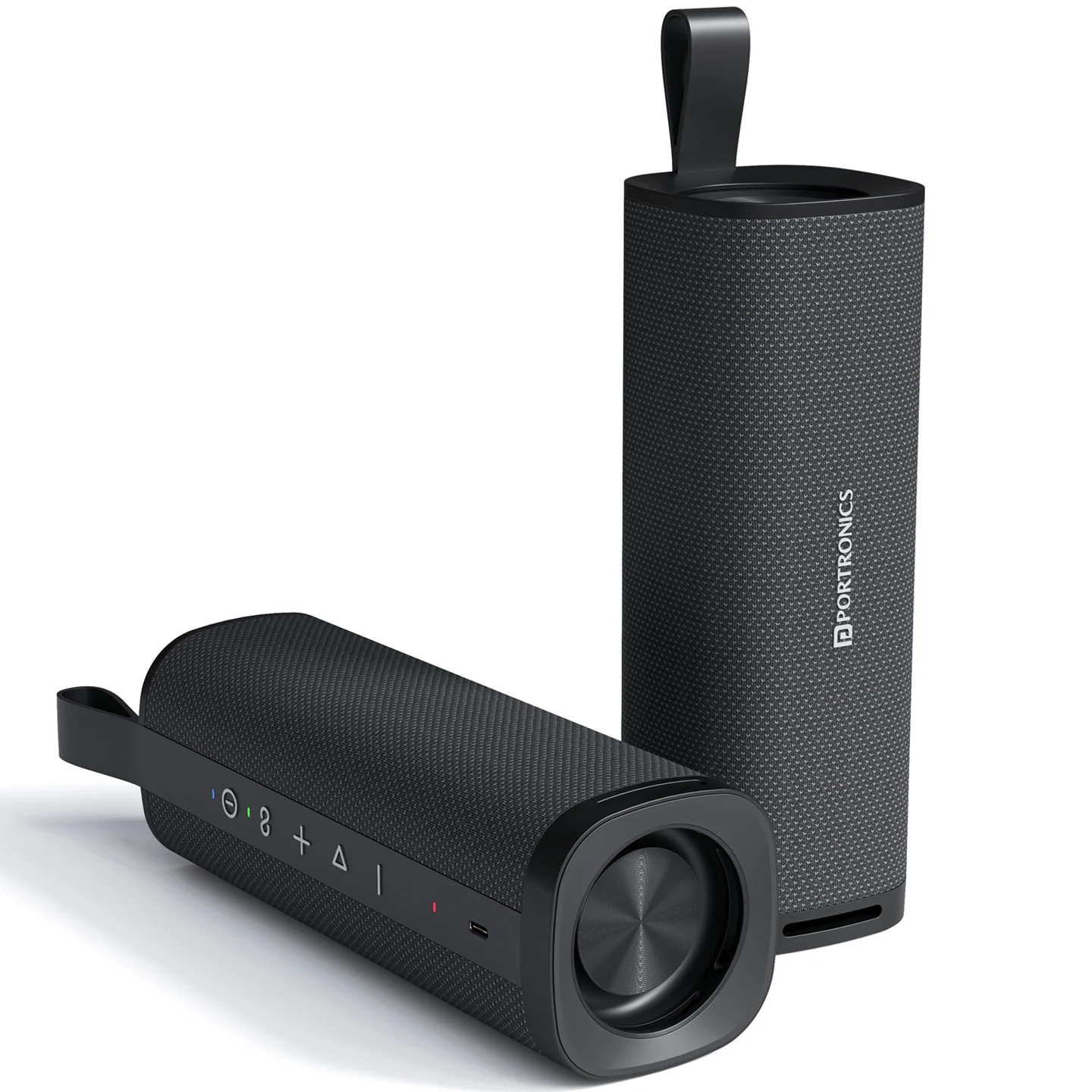
The Portronics Fynix is a 30W portable Bluetooth speaker with dual passive radiators, TWS stereo pairing, hands-free calling and USB Type-C charging. It is designed for portable music playback and everyday use.
Quick Reference
| Feature | Details |
|---|---|
| Product | Portronics Fynix |
| Product Code | POR 2982 |
| Output Power | 30W |
| Bluetooth | 5.3 |
| Bluetooth Range | More than 10 metres in open space |
| Battery | 3.7V / 4500mAh |
| Charging | Type-C, 5V/2A maximum |
| Charging Time | Approx. 3 hours |
| Playtime | Up to 6 hours |
| TWS | Supported |
| Hands-Free Calling | Supported |
| Product Size | 76 × 76 × 215mm |
| Weight | 657g |
What's in the Box
| Item | Quantity |
|---|---|
| Fynix Speaker | 1 |
| Type-C Charging Cable | 1 |
| User Manual | 1 |
Controls
| Control | Function |
|---|---|
| Power button | Turn the speaker ON/OFF |
| + button | Increase volume / next track |
| − button | Decrease volume / previous track |
| Play/Pause button | Play or pause audio and control Bluetooth functions |
| Type-C port | Charging |
| Microphone | Hands-free calling |
| LED indicator | Shows charging, pairing, TWS and operating status |
First-Time Activation
The speaker is shipped in deep sleep mode to conserve battery.
Before first use:
- Connect the supplied Type-C charging cable to the speaker.
- Connect the cable to a suitable power source.
- Allow the speaker to activate.
- Turn the speaker on and continue with Bluetooth pairing.
Power ON / OFF
- Press and hold the Power button for 3 seconds to turn the speaker ON or OFF.
- The default volume is set to 50% when the speaker is powered on.
- When not connected to Bluetooth and left unused, the speaker can automatically power off after approximately 20 minutes.
Bluetooth Pairing
- Turn on the Fynix.
- Enable Bluetooth on your phone or other compatible device.
- Search for Portronics Fynix.
- Select Portronics Fynix to pair.
- During pairing, the LED flashes blue.
- Once connected, the LED becomes steady blue.
The speaker supports automatic reconnection when the previously connected device is within range.
Music Controls
- Use + to increase the volume.
- Use − to decrease the volume.
- Press and hold + to move to the next track.
- Press and hold − to move to the previous track.
- Use Play/Pause to control playback.
Hands-Free Calling
The built-in microphone supports hands-free calling.
- Connect the Fynix to your phone through Bluetooth.
- Answer or make a call on the phone.
- Use the speaker's built-in microphone for voice communication.
- Keep the phone within Bluetooth range for a stable connection.
TWS Stereo Pairing
TWS (True Wireless Stereo) allows two Fynix speakers to work together for stereo sound.
- Turn on both Fynix speakers.
- Press the TWS button on both speakers simultaneously to enter TWS pairing.
- Wait for the speakers to connect.
- The master speaker will flash blue when successfully paired; the slave speaker will indicate the TWS connection as described by the speaker.
- Connect your phone to the master speaker through Bluetooth.
- Start playback.
Disconnecting TWS
Press the Play/Pause button on either speaker to disconnect the TWS connection. A voice prompt confirms the disconnection.
Reconnecting TWS
When both speakers are switched on again, the TWS connection can automatically reconnect.
Important: TWS pairing is only guaranteed to work reliably between two Fynix units from the same production batch. Pairing speakers from different batches may fail or behave inconsistently. Check the batch/date code on both units if TWS pairing doesn't work.
PC / Mac USB-C Connection
The Fynix supports high-resolution, lossless audio through a compatible USB-C connection.
- Connect the speaker to the PC or Mac using a compatible USB-C data cable.
- Connect the other end to the computer.
- Select Fynix as the audio output device on the computer.
- Start playback.
Charging
- Connect the Type-C charging cable to the speaker.
- Connect it to a suitable power source.
- The maximum specified charging input is 5V/2A.
- Charging takes approximately 3 hours.
Charging Indicator
| LED | Meaning |
|---|---|
| Green steady | Fully charged |
| Orange blinking | Charging |
Low Battery
When the battery is low:
- The speaker may reduce its volume automatically.
- A voice prompt can alert you to the low-battery condition.
- Connect the supplied Type-C cable and recharge the speaker.
LED Indicator Guide
| Status | LED Indication |
|---|---|
| Fully charged | Green light |
| Charging | Orange blinking light |
| Pairing mode | Blue blinking light |
| Connected | Solid blue light |
| TWS pairing — Master | White blinking light |
| TWS pairing — Slave | Orange blinking light |
| Working mode | Solid blue light |
Care & Safety
- Keep the speaker away from moisture and excessive heat.
- Do not expose it to direct sunlight for long periods.
- Keep the speaker on a stable surface.
- Use a suitable charging source and compatible Type-C cable.
- Do not dismantle or modify the speaker.
- Clean the speaker with a soft, dry cloth.
- If the speaker will remain unused for a long period, charge it periodically rather than storing it completely discharged.
Still stuck?
If the issue persists after performing all troubleshooting steps, please raise a support request.
Our support team will assist you further.
Support
- Visit: www.portronics.com
- Support Portal: support.portronics.com
Was this article helpful?
That’s Great!
Thank you for your feedback
Sorry! We couldn't be helpful
Thank you for your feedback
Feedback sent
We appreciate your effort and will try to fix the article