TABLE OF CONTENTS
- Product Overview
- Quick Reference
- What's in the Box
- Parts & Controls
- Powering On
- First-Time Bluetooth Pairing
- Reconnecting to Bluetooth
- Button Controls
- Music Controls
- Hands-Free Calling
- Magnetic Earbuds
- Charging
- Water Resistance
- Care & Safety
- Still stuck?
Product Overview
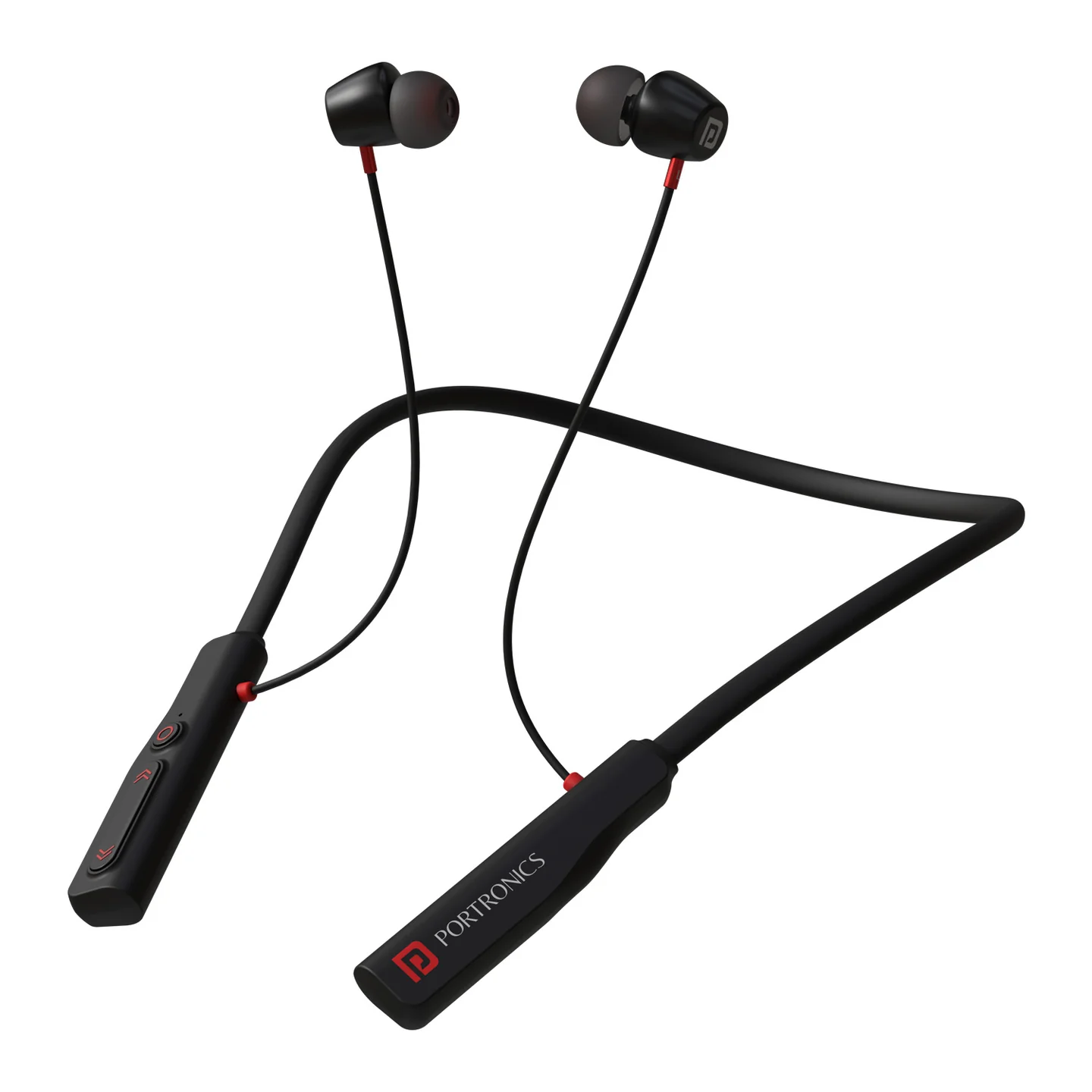
The Portronics Harmonics Z11 is a wireless neckband headset with 10mm dynamic drivers, magnetic earbuds, in-line controls, voice-assistant support and USB Type-C charging. Its magnetic earbuds help keep them together when not in use.
Quick Reference
| Feature | Details |
|---|---|
| Product | Portronics Harmonics Z11 |
| Product Code | POR 2836 |
| Bluetooth | 5.3 |
| Driver Size | 10mm |
| Bluetooth Frequency | 2402–2480MHz |
| Wireless Range | Up to 10 metres |
| Playtime | Up to 35 hours |
| Charging Port | USB Type-C |
| Charging Input | 5V / 1A |
| Water Resistance | IPX4 |
| Controls | Multi-function button and volume buttons |
| Magnetic Earbuds | Yes |
What's in the Box
| Item | Quantity |
|---|---|
| Harmonics Z11 Neckband | 1 |
| Charging Cable | 1 |
| Earbuds | 1 pair |
| User Manual | 1 |
Parts & Controls
| Part / Control | Function |
|---|---|
| Earbuds | Audio playback and calls |
| Magnetic Hall Switch | Magnetic connection between the earbuds |
| Volume Up / Next Track | Adjust volume or skip forward |
| Multi-Function Button (MFB) | Power, playback, call and voice-assistant controls |
| Volume Down / Previous Track | Adjust volume or skip backward |
| Type-C Charging Port | Charges the headset |
Powering On
- Press and hold the MFB for about 3 seconds to turn on the headset.
- The headset enters Bluetooth pairing mode when it is ready to connect.
- Check the LED indicator for pairing status.
First-Time Bluetooth Pairing
- Turn on the Harmonics Z11 by pressing and holding the MFB for about 3 seconds.
- Enable Bluetooth on your phone or other audio device.
- Search for Harmonics Z11 in the available devices list.
- Select Harmonics Z11 and tap Pair.
- A voice prompt announces “Connected” when pairing is complete.
- Start playing music or use the headset for calls.
Reconnecting to Bluetooth
- Turn on the headset.
- Enable Bluetooth on the phone.
- Select Harmonics Z11 from the saved-device list if it does not reconnect automatically.
- Keep the phone within approximately 10 metres for a stable connection.
Button Controls
| Action | Control |
|---|---|
| Power ON | Press and hold MFB for about 3 seconds |
| Play / Pause | Short press MFB |
| Answer a call | Press MFB once |
| End a call | Press MFB once |
| Reject an incoming call | Press and hold MFB for about 2 seconds |
| Voice Assistant | Press and hold MFB for about 2 seconds |
| Increase volume | Short press Volume Up |
| Decrease volume | Short press Volume Down |
| Next track | Press and hold Volume Up for about 2 seconds |
| Previous track | Press and hold Volume Down for about 2 seconds |
Music Controls
- Short press Volume Up: Increase volume.
- Short press Volume Down: Decrease volume.
- Press and hold Volume Up for about 2 seconds: Next track.
- Press and hold Volume Down for about 2 seconds: Previous track.
- Short press MFB: Play or pause music.
Hands-Free Calling
| Action | Control |
|---|---|
| Answer an incoming call | Press MFB once |
| End a call | Press MFB once |
| Reject an incoming call | Press and hold MFB for about 2 seconds |
| Voice Assistant | Press and hold MFB for about 2 seconds |
For clearer calls, keep the phone within the headset's operating range and ensure the microphone is not covered.
Magnetic Earbuds
The earbuds connect magnetically when not in use, helping keep them together. Magnetic ON/OFF feature. If the headset does not respond as expected when the earbuds are attached or separated, check the headset's power and Bluetooth status, then reconnect or pair it again.
Charging
- Locate the Type-C charging port on the headset.
- Connect the supplied Type-C cable to the headset.
- Connect the other end to a suitable USB power source. The manual recommends using an original Portronics charger.
- Check the LED indicator.
LED Indicator Guide
| LED | Meaning |
|---|---|
| Red | Headset is charging |
| Blue | Headset is fully charged |
Water Resistance
The Harmonics Z11 has IPX4 water-resistant, for protection against sweat and splashes. Avoid submerging the headset or exposing it to heavy water flow. Keep the charging port dry before charging.
Care & Safety
- Avoid extreme heat, cold and humidity.
- Do not drop or crush the earphones.
- Avoid pulling the neckband cable rapidly or bending it at sharp angles.
- Wax may collect in the ear tips and affect sound. Carefully clean the tips with a cotton swab or small suitable tool.
- If you experience discomfort or pain, reduce the volume or stop using the headset temporarily.
- Avoid prolonged listening at maximum volume.
- Use a suitable Type-C charging cable and power source.
- Do not charge the headset with a wet charging port.
Still stuck?
If the issue persists after performing all troubleshooting steps, please raise a support request.
Our support team will assist you further.
Support
- Visit: www.portronics.com
- Support Portal: support.portronics.com
Was this article helpful?
That’s Great!
Thank you for your feedback
Sorry! We couldn't be helpful
Thank you for your feedback
Feedback sent
We appreciate your effort and will try to fix the article