TABLE OF CONTENTS
- Product Overview
- Quick Reference
- What's in the Box
- First-Time Pairing
- Bluetooth / Connectivity Mode
- Touch Controls
- Using a Single Earbud
- Music & Game Modes
- Charging the Earbuds
- Charging the Case
- How to Reset / Re-Pair
- Voice Assistant
- Care & Safety
- Still stuck?
Product Overview
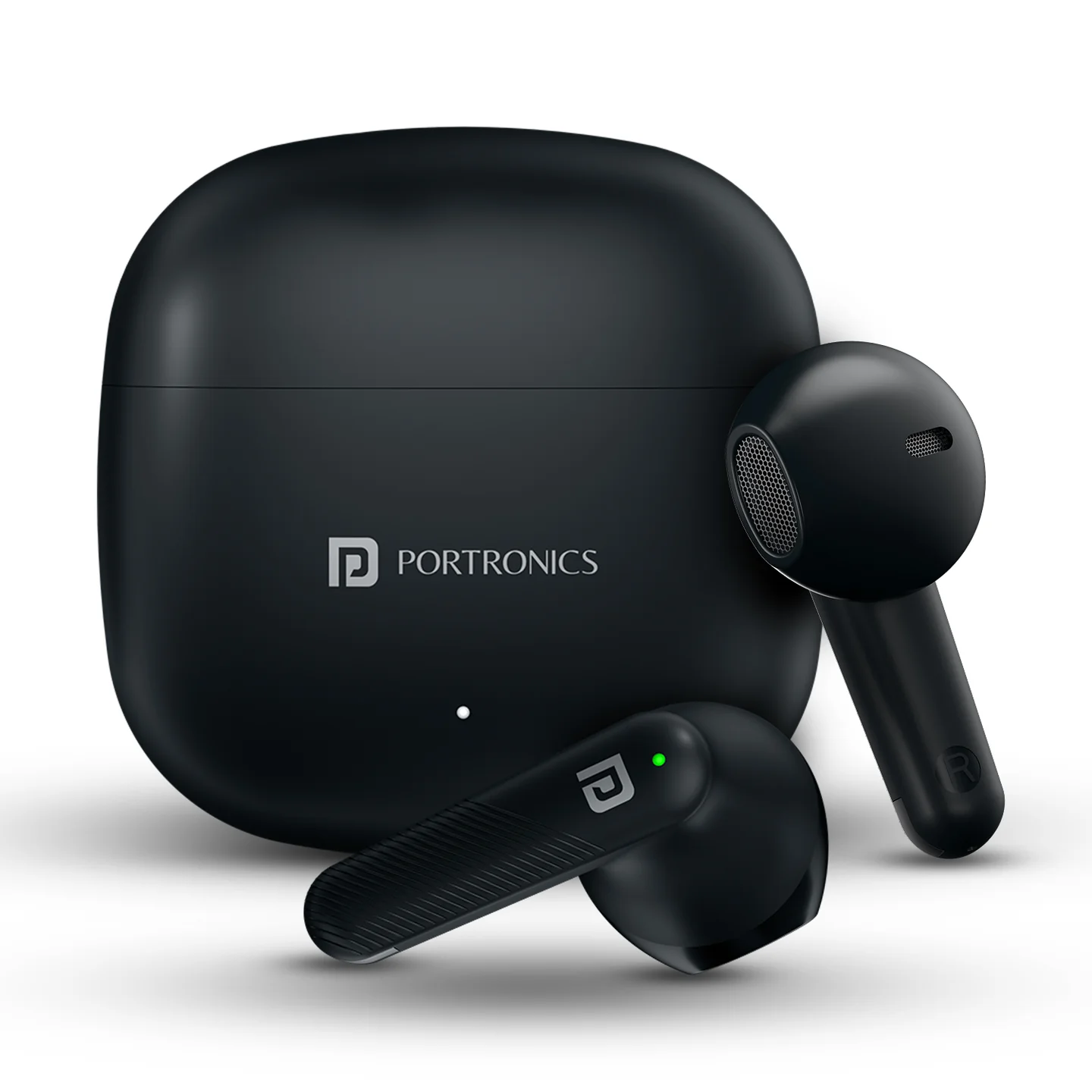
The Portronics Harmonics Twins S18 are TWS earbuds designed for music, calls, voice-assistant access and gaming/music modes. The earbuds support single-earbud use, touch controls and automatic reconnection.
Quick Reference
| Feature | Details |
|---|---|
| Product | Portronics Harmonics Twins S18 |
| Driver Size | 13mm |
| Bluetooth | 5.0 |
| Bluetooth Profiles | A2DP, AVRCP, Headset |
| Bluetooth Frequency | 2400–2483.5MHz |
| Bluetooth Range | Up to 10 metres |
| Charging Port | Type-C |
| Charging Time | About 2 hours |
| Battery Backup | Up to 30 hours |
| Single-Earbud Use | Supported |
| Music / Game Modes | Supported |
| Voice Assistant | Supported |
What's in the Box
| Item | Quantity |
|---|---|
| Harmonics Twins S18 Earbuds | 1 pair |
| Charging Cable | 1 |
| User Manual | 1 |
| Charging Case | 1 |
First-Time Pairing
- Remove the earbuds from the charging case.
- The earbuds automatically switch on when removed from the case.
- Turn on Bluetooth on your phone or tablet.
- Search for Harmonics Twins S18.
- Select the earbuds to pair.
- A voice prompt confirms successful pairing, and the indicator changes as described by the earbuds.
Bluetooth / Connectivity Mode
- Turn on Bluetooth on your phone or tablet.
- Search for Harmonics Twins S18 in the available devices list.
- Select the earbuds to connect.
- After successful pairing, the earbuds can reconnect automatically when they are within range.
Note: The earbuds may enter a power-saving state after remaining connected for about 5 minutes without activity, and the earbuds will switch off when placed in the charging case.
Touch Controls
| Action | Touch Control |
|---|---|
| Play / Pause | Single tap Left or Right earbud |
| Answer / End Call | Single tap Left or Right earbud |
| Reject Incoming Call | Press and hold for about 2 seconds |
| Next Track / Video | Double tap Right earbud |
| Previous Track / Video | Double tap Left earbud |
| Voice Assistant | Press and hold the relevant earbud for about 3 seconds |
| Switch Music / Game Mode | Triple tap Left or Right earbud |
Using a Single Earbud
Single-earbud / mono use is supported.
- Remove the earbud you want to use from the case.
- Follow the normal Bluetooth pairing procedure.
- Use the earbud as a mono headset for music and calls.
When using a single earbud, it can operate in mono mode while following the normal controls.
Music & Game Modes
The earbuds support separate Music and Game modes.
- Triple tap the Left or Right earbud to switch between the available modes.
- Use the mode that best matches your activity.
Charging the Earbuds
- Place both earbuds correctly in the charging case.
- The earbuds begin charging automatically.
- The LED indicator on the case shows charging status.
- Close the case while charging.
Charging the Case
- Connect the supplied Type-C cable to the charging case.
- Connect the other end to a suitable power source.
- Allow approximately 2 hours for charging.
- The case indicator changes according to the charging status.
How to Reset / Re-Pair
If the earbuds are not connecting properly:
- Forget Harmonics Twins S18 from the phone's Bluetooth list.
- Place both earbuds back in the charging case.
- Remove them again.
- Turn Bluetooth off and on on the phone.
- Search for Harmonics Twins S18 and pair again.
Voice Assistant
Press and hold the relevant earbud for approximately 3 seconds to activate the supported voice assistant.
The voice assistant must be enabled and supported by the connected smartphone.
Care & Safety
- Remove the earbuds from your ears after use.
- Do not use the earbuds at extremely high volume for extended periods.
- Keep the earbuds and charging case away from excessive heat and moisture.
- Do not use the earbuds near water unless they are specifically rated for such use.
- Do not dismantle or modify the earbuds or charging case.
- Keep the charging contacts clean.
- Use a suitable Type-C charging cable and power source.
Hearing Safety
The manual advises against using the earbuds at 100% volume for prolonged periods. High-volume listening may damage hearing. Use a moderate volume level, and reduce the volume if you experience discomfort, pain or ringing.
Still stuck?
If the issue persists after performing all troubleshooting steps, please raise a support request.
Our support team will assist you further.
Support
- Visit: www.portronics.com
- Support Portal: support.portronics.com
Was this article helpful?
That’s Great!
Thank you for your feedback
Sorry! We couldn't be helpful
Thank you for your feedback
Feedback sent
We appreciate your effort and will try to fix the article