TABLE OF CONTENTS
- Product Overview
- Quick Reference
- What's in the Box
- First-Time Pairing
- Bluetooth Connection
- Touch Controls
- Using a Single Earbud
- Music & Game Modes
- Voice Assistant
- Charging the EarbudsFirst-Time Charging
- Charging the Case
- Powering Off the Earbuds
- Re-Pairing / Reset
- Battery & Playtime
- Care & Safety
- Still stuck?
Product Overview
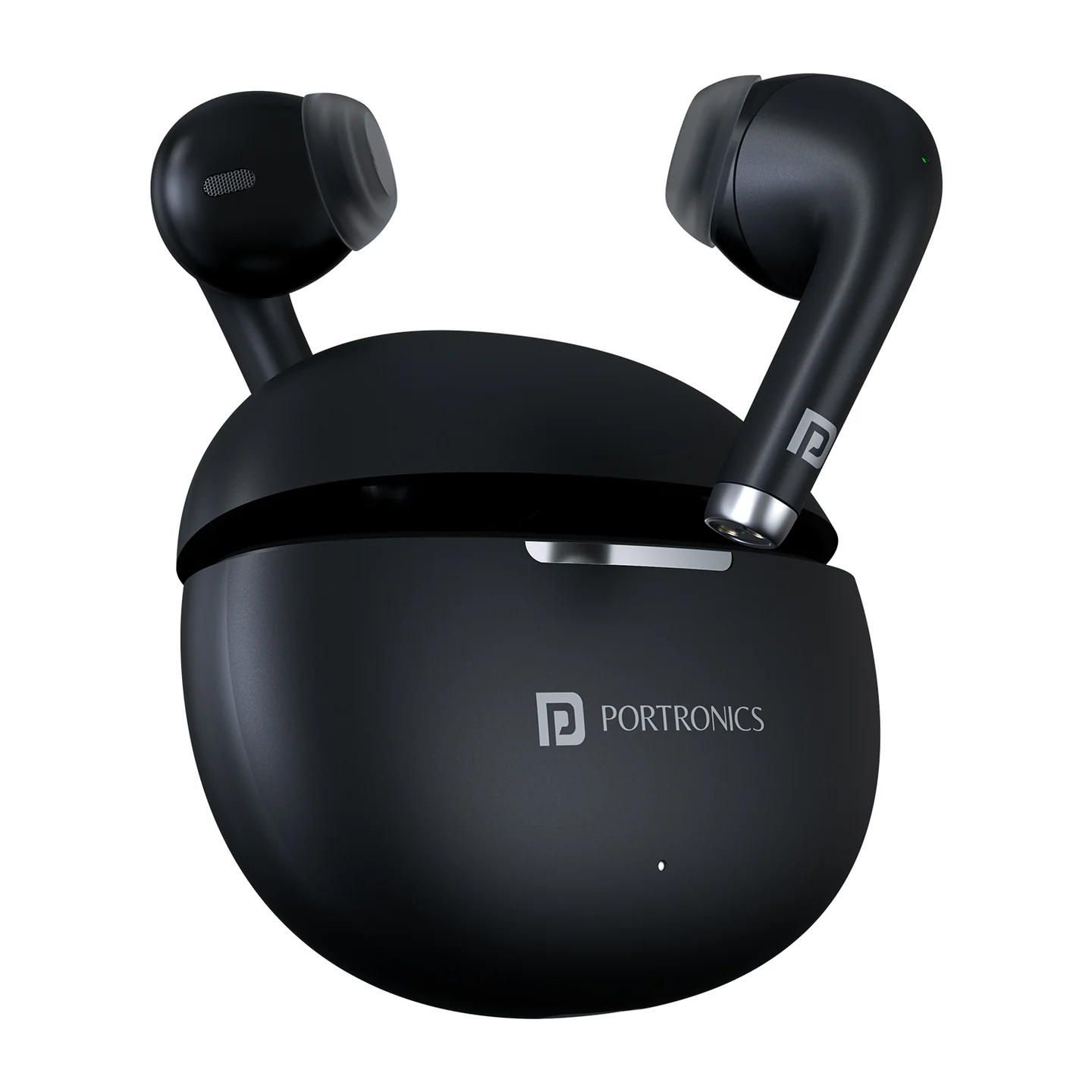
The Portronics Harmonics Twins S19 are smart TWS earbuds with touch controls, Music/Game modes, voice-assistant support, Type-C charging and up to 30 hours of music playtime.
Quick Reference
| Feature | Details |
|---|---|
| Product | Portronics Harmonics Twins S19 |
| Colours | Black / Beige |
| Product Codes | POR 2214 / POR 2215 |
| Driver Size | 13mm |
| Bluetooth | 5.3 |
| Bluetooth Profiles | A2DP, AVRCP, HFP, Headset |
| Bluetooth Frequency | 2400–2483.5MHz |
| Working Distance | Up to 10 metres |
| Charging Port | Type-C |
| Charging Time | About 2 hours |
| Music Playtime | Up to 30 hours |
| Touch Control | Yes |
| Music / Game Mode | Supported |
| Voice Assistant | Supported |
What's in the Box
| Item | Quantity |
|---|---|
| Harmonics Twins S19 Earbuds | 1 pair |
| Charging Cable | 1 |
| User Manual | 1 |
| Charging Case | 1 |
First-Time Pairing
- Take both earbuds out of the charging case.
- The earbuds automatically power on when removed from the case.
- After powering on, the earbuds automatically enter pairing mode and provide a voice prompt.
- Open Bluetooth settings on your smartphone or tablet.
- Search for Harmonics Twins S19.
- Select the earbuds to pair.
Bluetooth Connection
- Turn on Bluetooth on your smartphone/tablet.
- Select Harmonics Twins S19 from the available Bluetooth devices.
- Confirm the connection.
- Once connected, start music playback or make a call.
The earbuds can reconnect automatically when the previously connected device is within range.
Note: If the earbuds remain unpaired for around 5 minutes, they will switch off.
Touch Controls
| Action | Touch Control |
|---|---|
| Answer / End Call | Single tap Left or Right earbud |
| Play / Pause Music | Single tap Left or Right earbud |
| Reject Incoming Call | Press and hold for about 2 seconds |
| Next Song / Video | Double tap Right earbud |
| Previous Song / Video | Double tap Left earbud |
| Voice Assistant | Press and hold Left or Right earbud for about 3 seconds |
| Music / Game Mode | Triple tap Left or Right earbud |
Using a Single Earbud
Single-earbud / mono use is supported.
- Remove the earbud you want to use from the charging case.
- Follow the normal pairing procedure.
- Pair the earbud with your smartphone.
- Use the selected earbud for music and calls.
Music & Game Modes
The earbuds support two operating modes.
- Music Mode for normal audio playback.
- Game Mode for gaming use.
Triple tap either earbud to switch between the available modes.
Voice Assistant
Press and hold the Left or Right earbud for about 3 seconds to activate the voice assistant.
Supported voice-assistant functions depend on the connected smartphone.
If voice assistant does not open, make sure the assistant is enabled in the smartphone settings.
Charging the Earbuds
- Place the earbuds correctly inside the charging case.
- Close the case.
- The case LED indicates that the earbuds are charging.
- Once the earbuds are fully charged, the charging indication changes accordingly.
First-Time Charging
Fully charge the earbuds before first use.
Charging the Case
- Connect the supplied Type-C cable to the charging case.
- Connect the other end to a suitable USB power source.
- Allow approximately 2 hours for charging.
- Keep the charging case closed while the earbuds are charging.
Powering Off the Earbuds
Manual Power-Off
- Press and hold the Left or Right earbud.
- Continue until the voice prompt indicates Power Off.
- The white LED indication confirms the power-off action.
Automatic Power-Off
- Remove the earbuds after use.
- Place them back into the charging case.
- The earbuds automatically switch off and enter charging mode.
Re-Pairing / Reset
If the earbuds do not connect correctly:
- Place both earbuds back in the charging case.
- Remove them again.
- Turn Bluetooth off and on on your smartphone.
- Search for Harmonics Twins S19.
- Pair again.
For a persistent connectivity issue, also remove the old Harmonics Twins S19 entry from the phone's Bluetooth list before pairing again.
Battery & Playtime
The earbuds provide up to 30 hours of music playtime. Actual playtime can vary depending on volume, calls, mode and usage conditions.
Care & Safety
- Follow the operating instructions before use.
- Do not use the earbuds in extreme temperatures.
- Keep the earbuds away from excessive heat and moisture.
- Do not place or use the charging case near water.
- Do not insert or use damaged charging accessories.
- Do not expose the earbuds to direct heat sources.
- Keep the charging contacts clean and dry.
- Avoid listening at maximum volume for prolonged periods.
Hearing Safety
The manual recommends avoiding prolonged use at 100% volume, as high-volume listening may damage hearing. Reduce the volume if you experience discomfort, pain or ringing.
Still stuck?
If the issue persists after performing all troubleshooting steps, please raise a support request.
Our support team will assist you further.
Support
- Visit: www.portronics.com
- Support Portal: support.portronics.com
Was this article helpful?
That’s Great!
Thank you for your feedback
Sorry! We couldn't be helpful
Thank you for your feedback
Feedback sent
We appreciate your effort and will try to fix the article