TABLE OF CONTENTS
- Product Overview
- Quick Reference
- What's in the Box
- Parts & Controls
- Before You Begin
- Filling the Water Tank
- Operating the Mist Modes
- Operating the RGB Light
- Automatic Shut-Off
- Mist Output
- Cleaning & Maintenance
- Safety Precautions
- Still stuck?
Product Overview
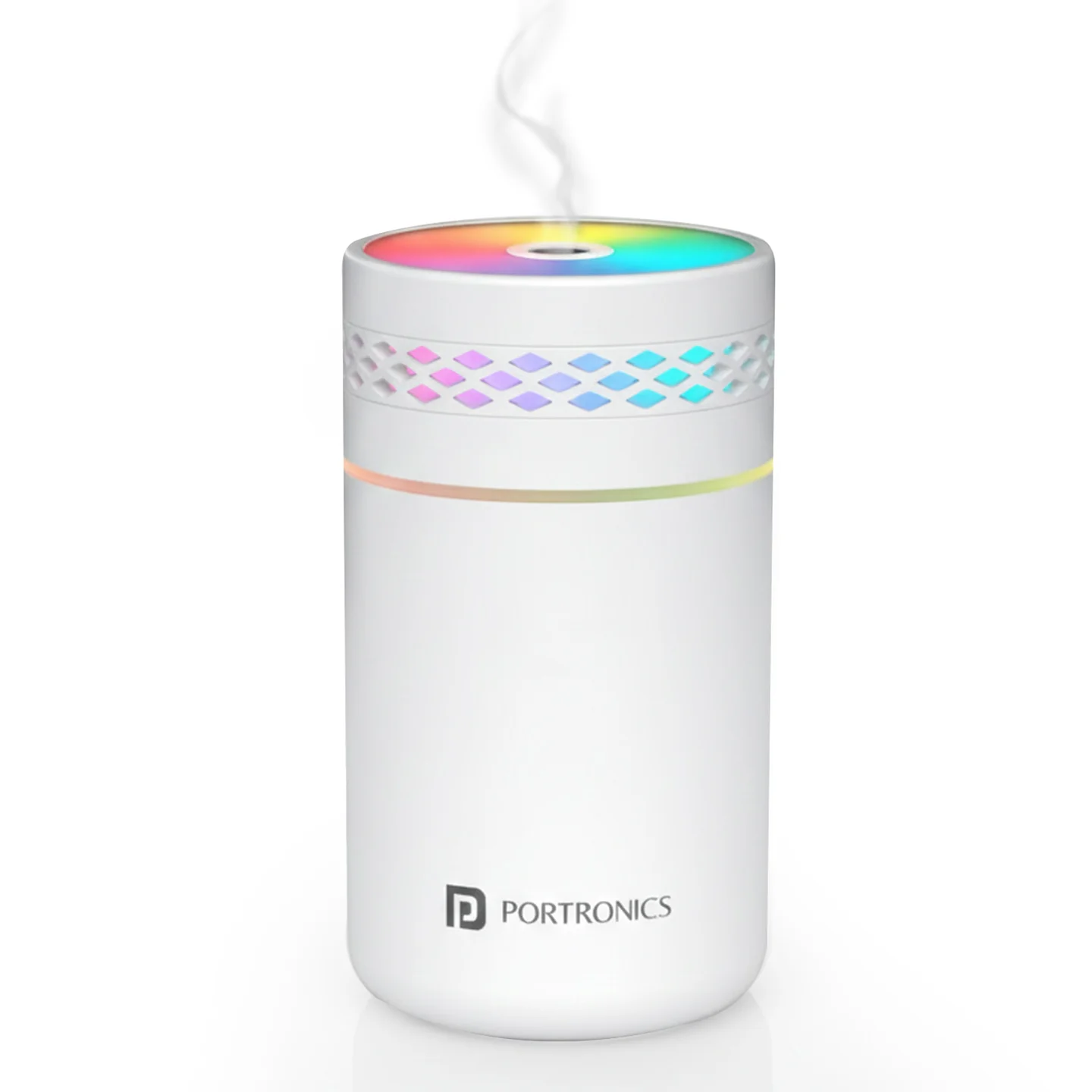
The Portronics Magma Lite is a compact Type-C powered cool-mist humidifier with a gradient RGB light. It offers continuous and intermittent mist modes through a one-button control and is suitable for use on a stable desk or bedside surface.
Quick Reference
| Feature | Details |
|---|---|
| Product | Portronics Magma Lite |
| Product Code | POR 3403 |
| Colour | White |
| Water Tank Capacity | 260ml |
| Rated Power | 1.8W |
| Power Input | DC 5V/1A |
| Power Connection | USB Type-C |
| Mist Output | 25–40ml/h |
| Mist Modes | Continuous and intermittent |
| Intermittent Cycle | 3 seconds ON / 3 seconds OFF |
| Lighting | Gradient RGB light |
| Automatic Shut-Off | 4 hours in continuous mode; 8 hours in intermittent mode |
| Material | ABS |
The humidifier must remain connected to a power source while operating. It does not operate as a cordless humidifier.
What's in the Box
| Item | Quantity |
|---|---|
| Magma Lite Humidifier | 1 |
| Type-C Power Cable | 1 |
| User Manual | 1 |
Parts & Controls
| Part / Control | Function |
|---|---|
| Top Cover | Opens to refill the water tank |
| Water Tank | Holds up to 260ml of water |
| Cotton Swab / Wick | Helps supply water to the misting element |
| Control Button | Controls mist and RGB lighting modes |
| USB Type-C Port | Connects the power cable |
Before You Begin
- Place the humidifier on a flat, stable surface.
- Use clean water only. Do not add essential oils or other liquids.
- Keep the water level at or below 90% of the tank capacity.
- Make sure the humidifier is connected to a suitable 5V/1A power source during operation.
- Keep the mist outlet unobstructed.
Filling the Water Tank
- Rotate the top cover anti-clockwise to open it.
- Add clean water to the tank, filling it to no more than 90% of its capacity.
- Tighten the tube/top assembly back into place.
- Connect the Type-C power cable to the humidifier.
- Connect the cable to a compatible 5V/1A power source.
Do not overfill the tank. Disconnect the power cable before refilling or cleaning.
Operating the Mist Modes
Use a short press of the control button to cycle through the mist settings:
| Button Action | Operation |
|---|---|
| Press once | Continuous mist with gradient RGB light |
| Press twice | Intermittent mist: 3 seconds spray / 3 seconds pause |
| Press three times | Turns OFF both mist and light |
Operating the RGB Light
- Press and hold the control button for 2 seconds to turn the RGB gradient light ON or OFF.
- The lighting control is available in any mist mode.
Automatic Shut-Off
Magma Lite automatically stops misting after the maximum operating period for the selected mode:
| Mist Mode | Automatic Shut-Off |
|---|---|
| Continuous mist | After 4 hours |
| Intermittent mist | After 8 hours |
The device must remain connected to a power source while operating.
Mist Output
The mist output is 25–40ml per hour. Actual output may vary depending on operating conditions and the condition of the cotton swab/wick.
Cleaning & Maintenance
- Clean the water tank regularly.
- Unplug the humidifier before cleaning or refilling.
- Use clean water only.
- Check that the atomizer plate is clean and undamaged.
- Weak mist output may indicate low water or a dry cotton swab.
- Keep the mist outlet clear.
- Wipe the exterior with a soft cloth.
- Do not use essential oils, fragrances or other additives in the water tank.
Safety Precautions
- Do not overfill the tank; keep the water level at or below 90%.
- Ensure that the atomizer plate is clean and undamaged.
- Do not operate the humidifier without water.
- The humidifier must be connected to a power source at all times during operation.
- Use a compatible 5V/1A USB power source.
- Unplug before cleaning or refilling.
- Place the unit on a flat, stable surface.
- Keep it away from electronics, flammable items, children and pets.
- Do not block the mist outlet.
- Do not immerse the unit or power connection in water.
- Use water only; do not add essential oils or other liquids.
Still stuck?
If the issue persists after performing all troubleshooting steps, please raise a support request.
Our support team will assist you further.
Support
- Visit: www.portronics.com
- Support Portal: support.portronics.com
Was this article helpful?
That’s Great!
Thank you for your feedback
Sorry! We couldn't be helpful
Thank you for your feedback
Feedback sent
We appreciate your effort and will try to fix the article