TABLE OF CONTENTS
- Product Overview
- Technical Specifications
- What’s in the Box
- Power ON / OFF
- Bluetooth (Wireless) Mode
- Music Playback Options
- Clock Setting
- Alarm Setting
- Wireless Charging
- Light Modes
- White Noise Mode
- Common Questions
- Safety & Care
- Still Facing Issues?
Product Overview
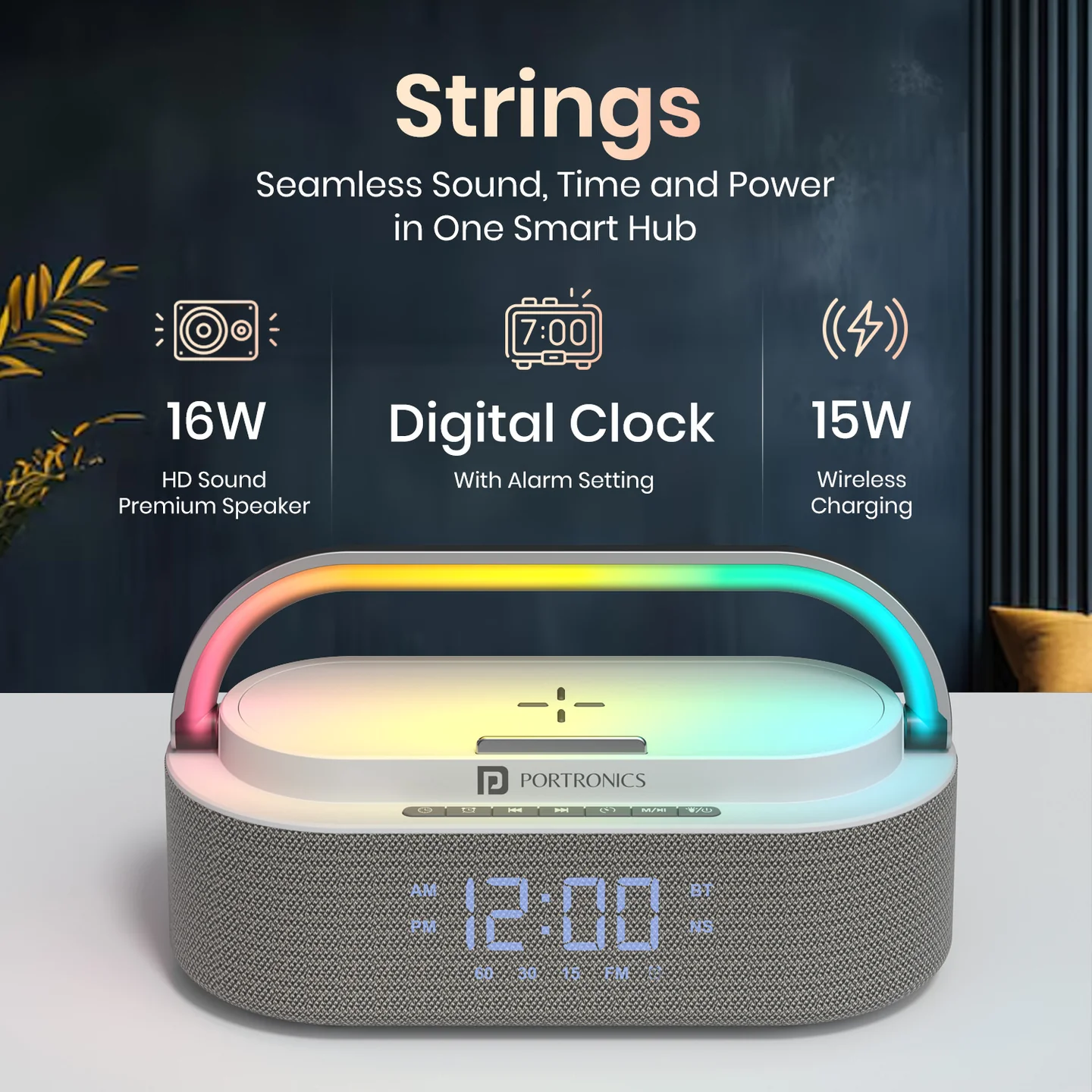
Portronics Strings is a 16W Bluetooth speaker with multiple features including:
- Wireless charging
- LED clock & alarm
- RGB lighting effects
- White noise mode
It is designed for music, charging, and bedside use in one device.
Technical Specifications
- Output: 16W
- Bluetooth Version: 5.3
- Battery: 2500mAh
- Range: Up to 10 meters
- Wireless Charging: 15W
What’s in the Box
- 1 × Portable Speaker
- 1 × Charging Cable
- 1 × User Manual
Power ON / OFF
- Press and hold the Power button for 2 seconds to turn ON
- LED light will turn ON automatically
Bluetooth (Wireless) Mode
How to Connect
- Turn ON the speaker
- Enable Bluetooth on your phone
- Search and select "Strings."
- A connection confirmation sound will play
- Blue light blinking = Pairing mode
Music Playback Options
1. Bluetooth Mode
- Play music wirelessly from your phone
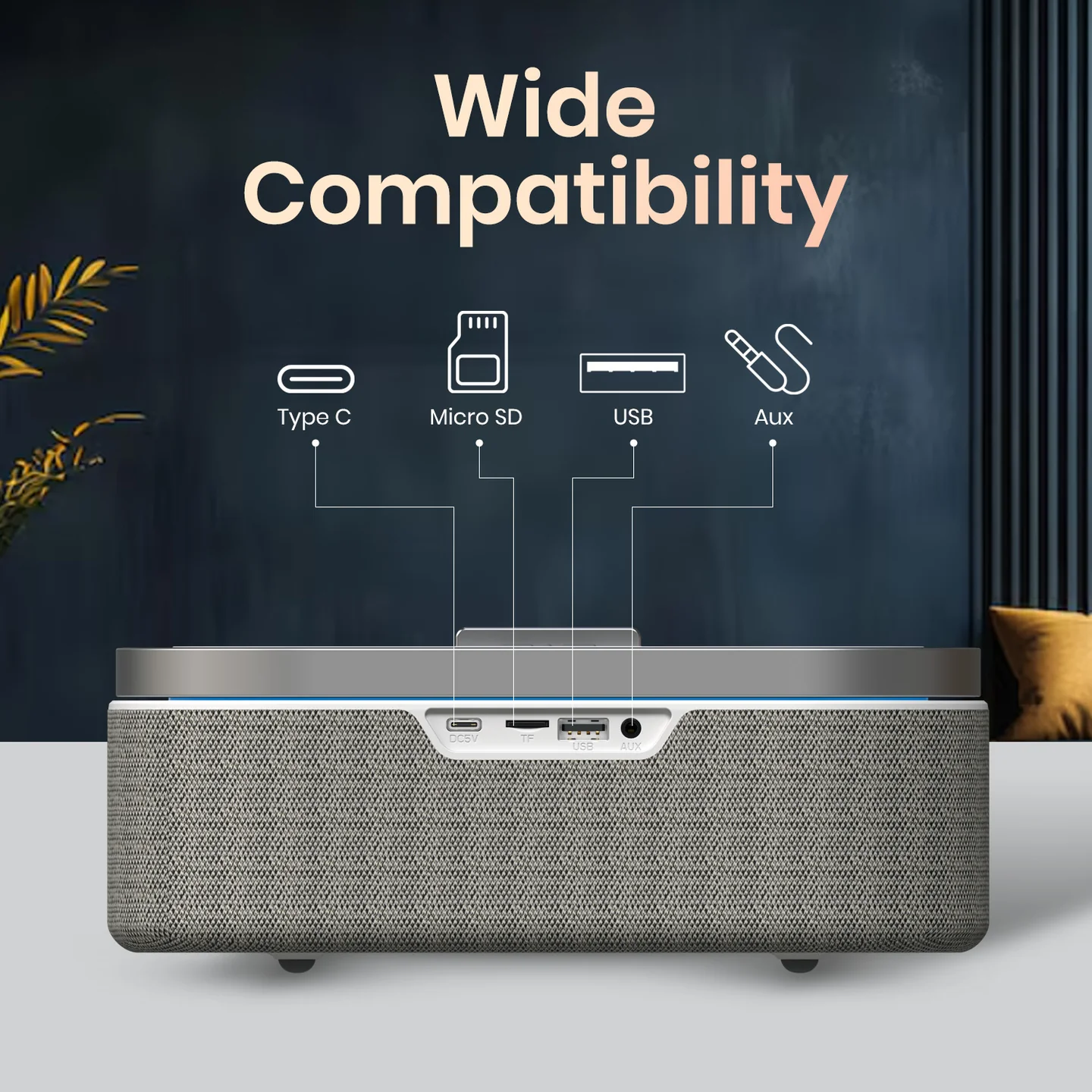
2. TF Card / USB Mode
- Insert TF card or USB drive
- Music will start automatically
- Use buttons to change tracks/volume
Clock Setting
- Press Time button
- Use Next/Previous buttons to set time
- Press Time again to confirm
Alarm Setting
Set Alarm
- Press Alarm button
- Adjust hour & minute
- Select from 7 alarm tones
- Save settings
During Alarm
- Press any button to stop
- Auto stops after 1 minute
Cancel Alarm
- Long press Alarm button until icon disappears
Wireless Charging
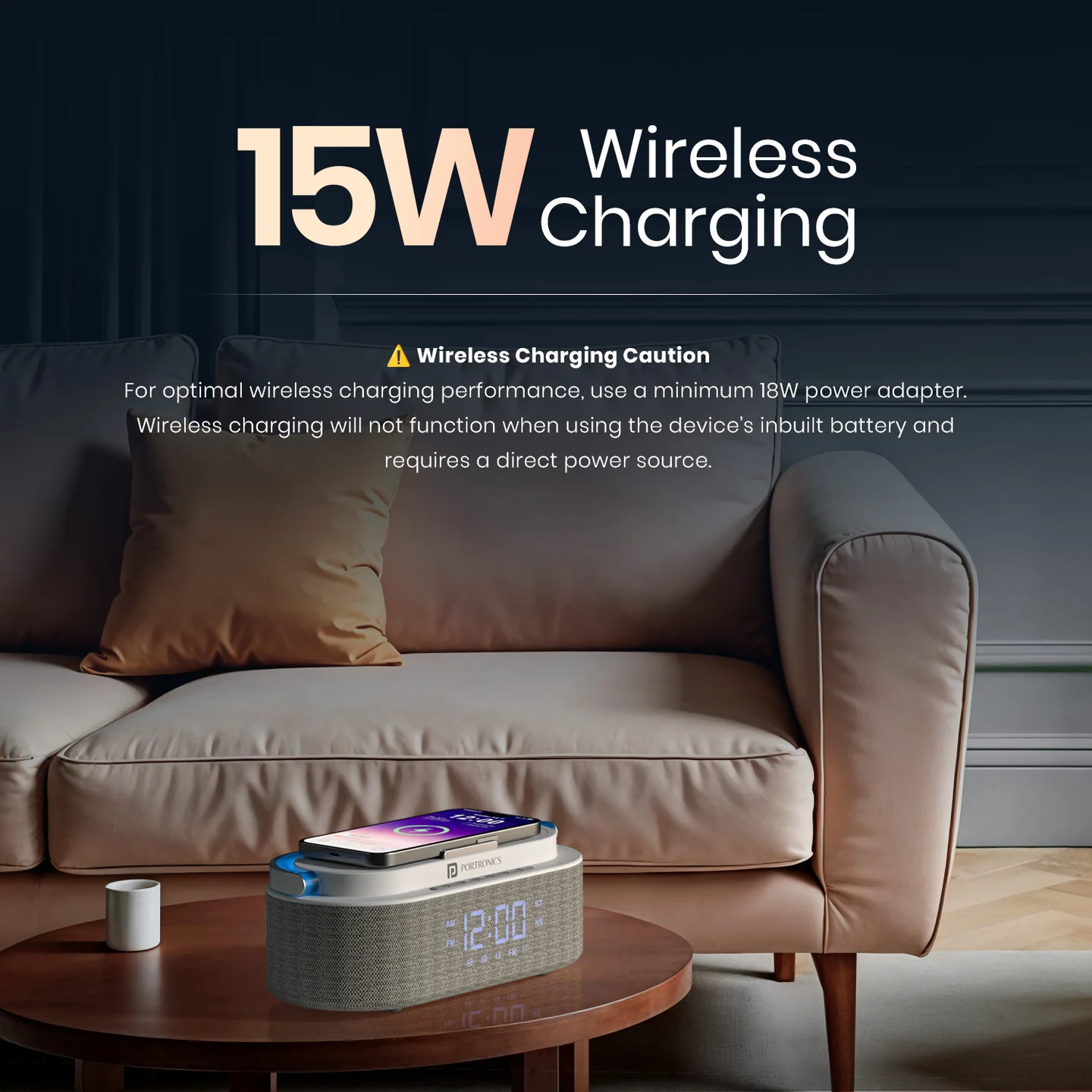
- Place your phone on top of the speaker
- Charging starts automatically
Important Notes:
- Requires 18W or higher adapter
- Does NOT work on battery mode
- For full functionality, 30W adapter recommended
TWS Pairing (Two Speakers)
- Turn ON both speakers
- Keep both speakers close to each other
- Press and hold the Timer button on the first speaker until a pairing sound is heard
- Ensure the second speaker is in Bluetooth mode
- The speakers will connect automatically
Note: Both speakers must be from the same batch for pairing functionality.
Light Modes
- 12 LED lighting effects available
- Double press Light button to turn OFF lights
White Noise Mode
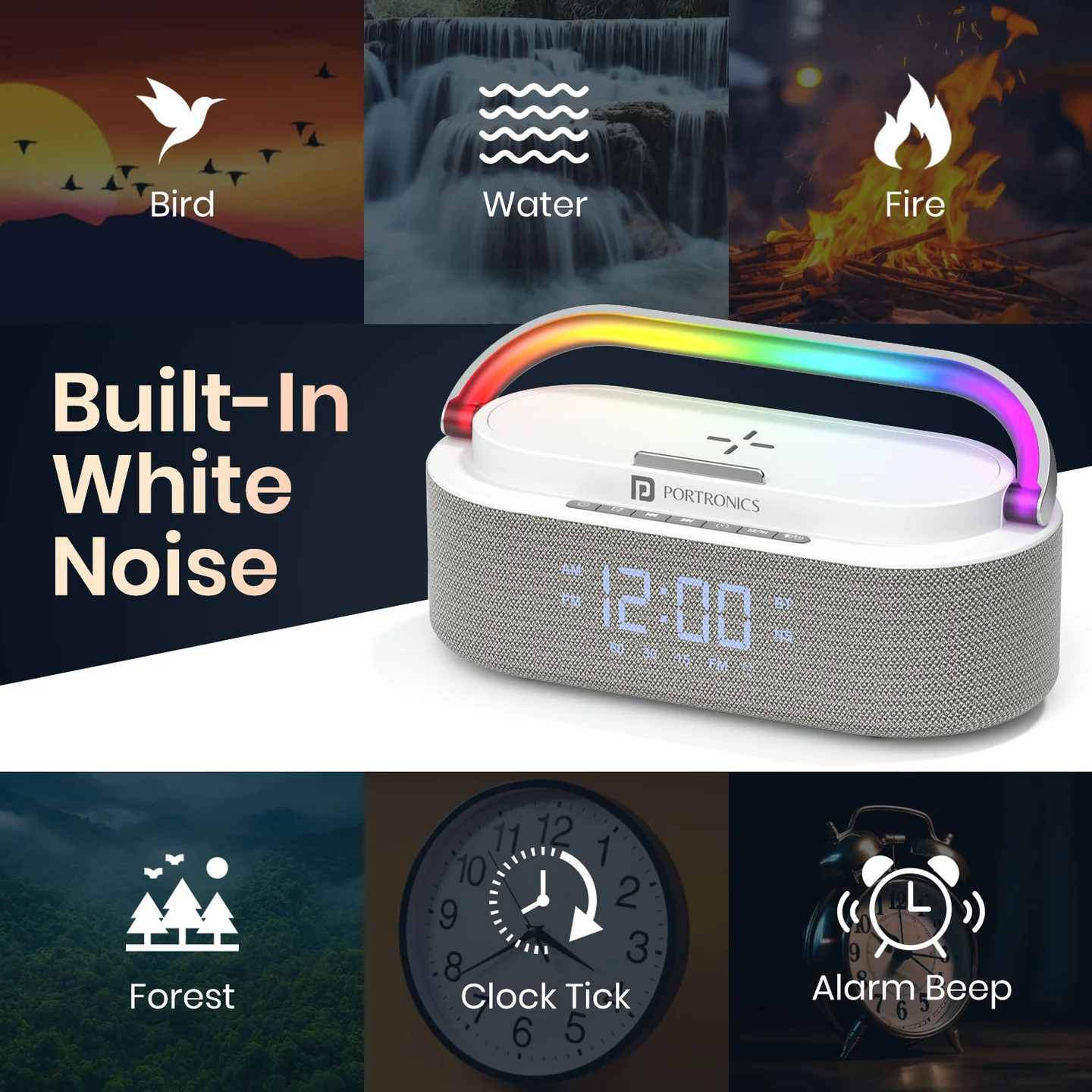
- Press M button
- Select sleep sound using controls
- Helps with relaxation/sleep
Common Questions
Why is wireless charging not working?
- Ensure adapter is 18W or higher
- Wireless charging does not work on battery
- Check your Device compatibility with wireless charging
Why is Bluetooth not connecting?
- Ensure device is in pairing mode
- Remove previous connections and retry
Why is alarm not stopping?
- Press any button
- Or wait 1 minute for auto-stop.
Why is the speaker not loud enough?
- Check volume from device and speaker.
- Ensure no obstruction
Safety & Care
- Avoid water and moisture
- Do not open the device
- Use proper adapter for charging
Still Facing Issues?
If the issue persists after performing all troubleshooting steps, please Click here raise a support request.
Our support team will assist you further.
Was this article helpful?
That’s Great!
Thank you for your feedback
Sorry! We couldn't be helpful
Thank you for your feedback
Feedback sent
We appreciate your effort and will try to fix the article