TABLE OF CONTENTS
- 1. What's Inside
- 2. Introduction — Layout
- 3. Wireless Connectivity
- 4. Speakerphone (Bluetooth Mode)
- 5. USB Music Play Mode
- 6. AUX In Mode
- 7. Micro SD Music Play Mode
- 8. Specifications
- 9. LED Indication
- 10. Warning / Disposal of Unit
- 11. Important Safety Instructions
- 12. Support
1. What's Inside
- SoundDrum P Speaker — 1
- Type-C Charge Cable — 1
- User Manual — 1
2. Introduction — Layout
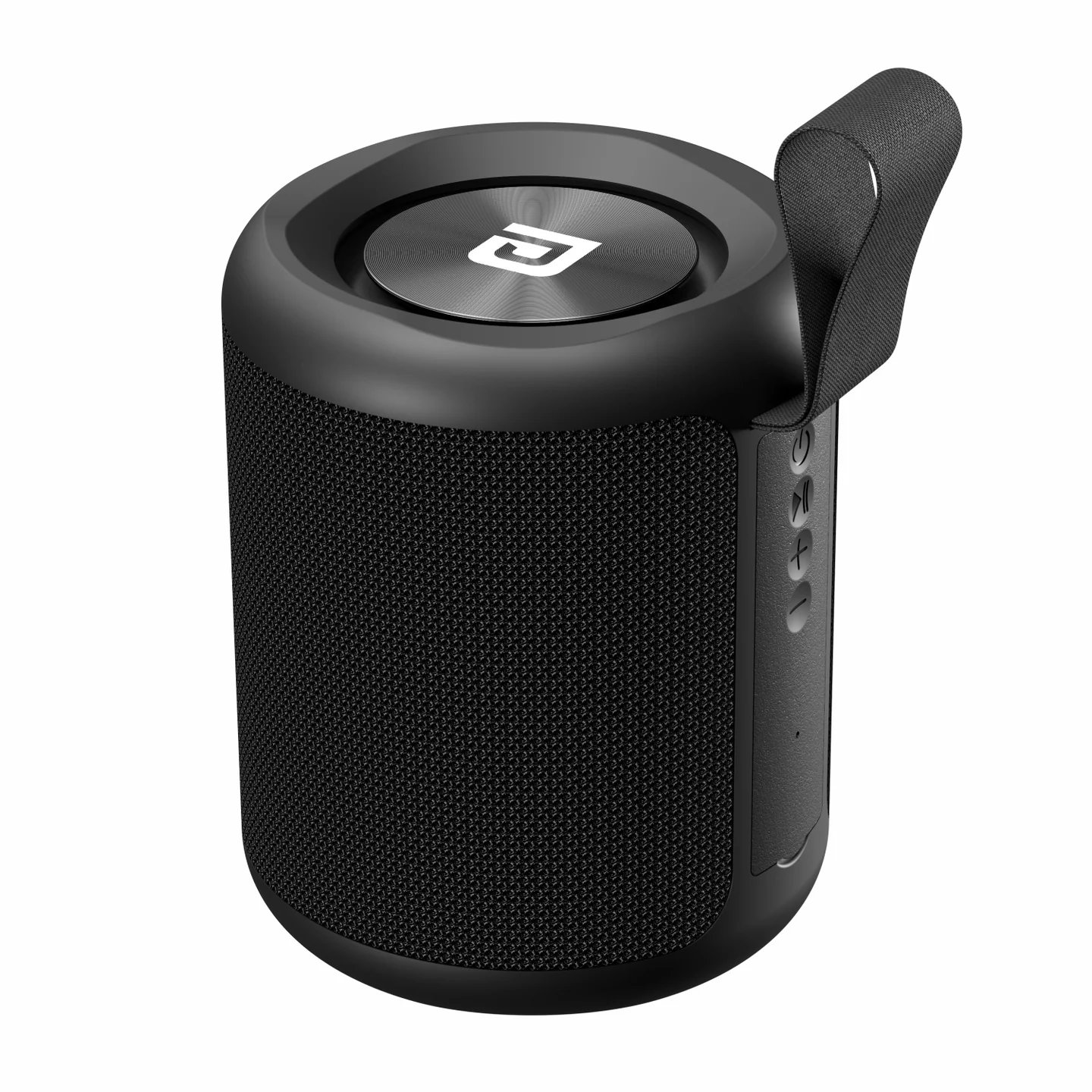
Front:
- ON/OFF, BT PAIR / USB / MICRO SD MODE button
- SPEAKERPHONE / PLAY-PAUSE button
- VOL− / VOL+ buttons
Back:
- RESET
- USB MUSIC port
- TYPE-C CHARGING port
- AUX IN port
- MICRO SD MUSIC port
3. Wireless Connectivity
- Hold the power button for 3 seconds to power on/off.
- Choose Bluetooth mode.
- Open Bluetooth settings on your mobile device, and select "SoundDrum P."
- Once pairing is successful, you can play music.
Volume & Track Control: long-press "+" or "–" for VOL+/VOL−. Short-press to choose the previous or next song.
4. Speakerphone (Bluetooth Mode)
| Status | Button Function |
|---|---|
| Incoming call | Press to answer an incoming call |
| During a call | Press to end the current call |
5. USB Music Play Mode
Short-press the mode button to change the mode to "USB MODE." It will play the music on your USB flash drive (insert the drive first, then choose USB mode).
6. AUX In Mode
Connect a 3.5mm audio cable to the Speaker — SoundDrum P will automatically switch to line-in play mode.
7. Micro SD Music Play Mode
Short-press the mode button to change the mode to "TF CARD MODE." It will play the music on your Micro SD flash card (insert the card first, then choose Micro SD mode).
8. Specifications
| Specification | Details |
|---|---|
| Power Input | DC 5V, 1.5A |
| Wireless Version | 5.0 |
| Supported Profiles | A2DP, AVRCP |
| Frequency Range | 2.402GHz–2.480GHz |
| Power Rating | 2 x 10W (RMS) |
| Frequency Response | 90Hz–20kHz |
| S/N Ratio | 80dB |
| Dimensions | 105 x 105 x 130mm |
| Battery Capacity | 2400mAh (varies depending on volume and usage) |
9. LED Indication
| Status | LED Indication |
|---|---|
| Fully charged | OFF |
| Charging | Red light ON |
| Pairing mode | Blue light flashing |
| Working mode | Slow blink |
10. Warning
- Never open, disassemble, puncture, or expose the battery to fire — doing so risks explosion or chemical burns.
11. Important Safety Instructions
- Water and Moisture: do not use this speaker near water, in bathrooms, or in humid areas.
- Ventilation: do not block any ventilation openings
- Heat: keep away from heat sources such as radiators, heaters, stoves, or other heat-producing equipment.
- Power Source: connect only to a power supply of the type described in this manual or marked on the unit.
- Object and Liquid Entry: take care that objects don't fall into, and liquids aren't spilled onto, the unit.
- Cleaning: clean only as recommended — typically wiping with a dry cloth after unplugging.
- Periods of Non-Use: disconnect the charging cable when the unit won't be used for an extended period.
- Servicing: do not attempt to service the unit yourself — refer all servicing to qualified personnel.
12. Support
If the issue persists after performing all troubleshooting steps, please raise a support request.
Our support team will assist you further.
Support
- Visit: www.portronics.com
- Support Portal: support.portronics.com
Was this article helpful?
That’s Great!
Thank you for your feedback
Sorry! We couldn't be helpful
Thank you for your feedback
Feedback sent
We appreciate your effort and will try to fix the article