TABLE OF CONTENTS
- 1. Introduction
- 2. Package Contents
- 3. Speaker Controls
- 4. Ports
- 5. Wireless Microphone Controls
- 6. Power On/Off
- 7. Bluetooth Mode
- 8. Wireless Mic Mode
- 9. Suppressing/Restoring Vocals in Music
- 10. Headphone Mode
- 11. Light Mode & EQ
- 12. FM Radio Mode
- 13. USB Music Mode
- 14. AUX In Mode
- 15. Charging the Speaker
- 16. Intelligent Power-Saving Function
- 17. Features Summary
- 18. Technical Data
- 19. Important Safety Instructions
- 20. Support
1. Introduction
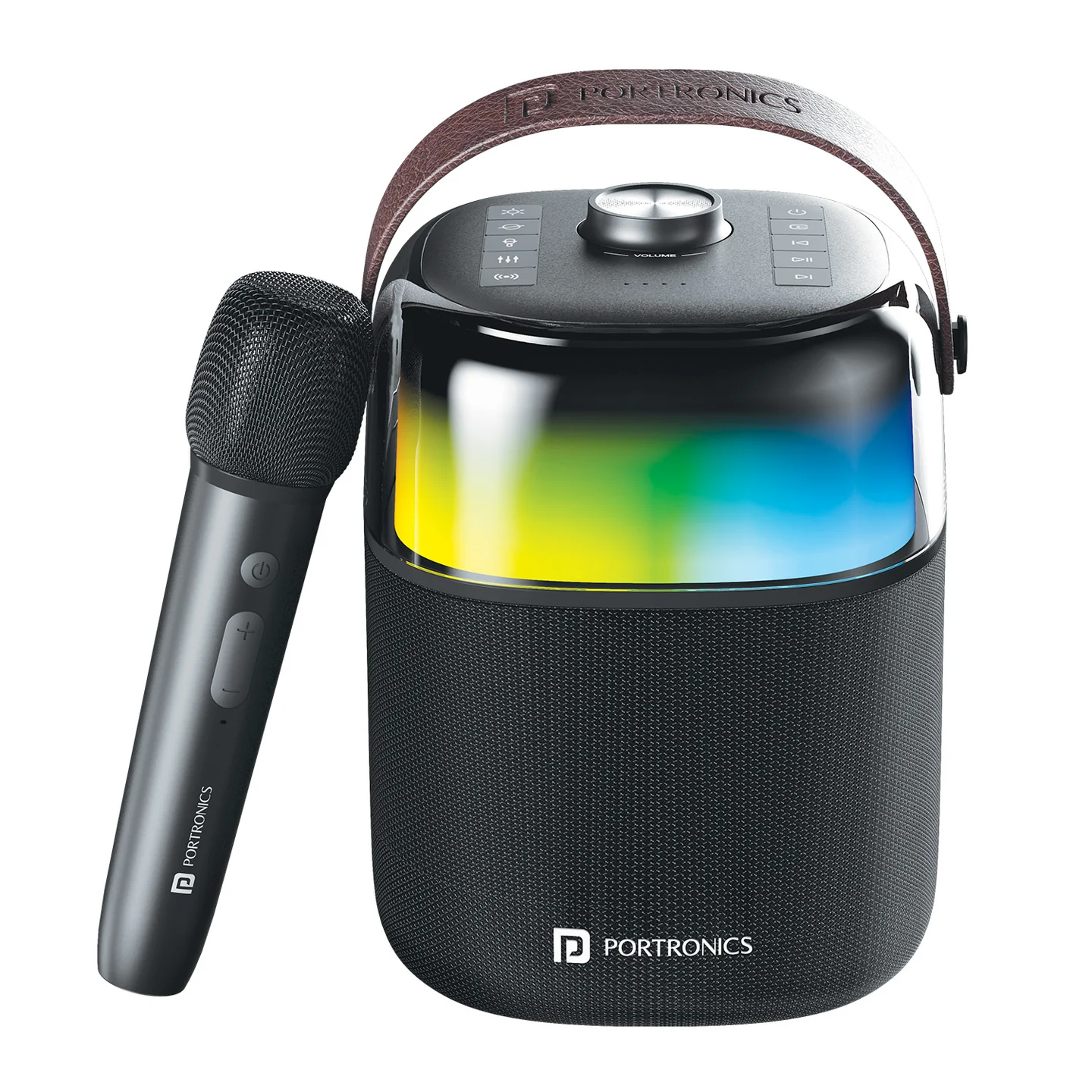
Thank you for purchasing the outdoor Bluetooth speaker Dash 4. To ensure correct operation, please read this user manual carefully before operation. Dash 4 combines a 50W HD stereo speaker, a rechargeable wireless karaoke mic, 6 RGB lighting modes, in-built FM radio, and Bluetooth 5.3 connectivity.
2. Package Contents
- Portable Wireless Speaker — 1
- Wireless Microphone — 1
- Charging Cable — 1
- User Manual — 1
3. Speaker Controls
| # | Control | Function |
|---|---|---|
| 1 | Light Button | Short press: switch lighting mode · Long press: turn lighting effect on/off |
| 2 | Vocal Button | Short press: suppress/restore vocals in music · Long press: auto-lower music volume and emphasize the mic vocal (under mic pairing mode) |
| 3 | Mic Connect Button | Short press: turn wireless microphone connection on/off |
| 4 | EQ Button | Short press: switch EQ mode |
| 5 | Bluetooth Indicator | Shows current Bluetooth status |
| 6 | Bluetooth Button | Short press: enter Bluetooth mode · Long press (2s): disconnect the currently paired device · Short press twice: clear Bluetooth pairing memory |
| 7 | Volume Knob | Rotate anticlockwise to decrease volume, clockwise to increase |
| 8 | Battery Capacity Indicator | Shows remaining speaker battery |
| 9 | Power Button | Long press: power on/off |
| 10 | Mode Button | Short press: switch mode (Bluetooth / FM / AUX In / USB) |
| 11 | Previous Track | Short press |
| 12 | Play/Pause | Short press |
| 13 | Next Track | Short press · Long press: scan and save FM channel |
4. Ports
| # | Port | Function |
|---|---|---|
| 14 | Type-C Charging Port | Charges the speaker |
| 15 | USB Port | Plays music from a USB flash disk |
| 16 | AUX-In Port | Connect an audio source via 3.5mm cable |
| 17 | Headphone Port | Connect 3.5mm headphones for private listening |
| 18 | Wired Microphone Port | Connect an additional wired microphone |
5. Wireless Microphone Controls
| # | Control | Function |
|---|---|---|
| 19 | Power Button | Long press: power on/off · Short press: change working mode (Speech/Karaoke) |
| 20 | Volume (+/–) | Short press: increase/decrease microphone volume |
| 21 | Type-C Charging Port | Charges the microphone |
6. Power On/Off
- Long-press the Power button to power the speaker on or off — the battery indicator lights up.
- The default working mode on power-up is Bluetooth mode.
7. Bluetooth Mode
- Short-press the Bluetooth button to enter Bluetooth mode — the speaker will prompt "Bluetooth" and the indicator flashes blue.
- Turn on Bluetooth on your phone, search for devices, and connect to "Dash 4." Once connected, the speaker prompts and the indicator turns solid blue.
- Play music from your phone's music player through the speaker.
- Long-press the Bluetooth button to disconnect the current connection — the speaker prompts "Bluetooth pairing," so other devices can find and pair with it.
Note: if the speaker's Bluetooth pairing memory has been cleared, "forget"/ignore Dash 4 on your device and search again to re-pair.
8. Wireless Mic Mode
- Short-press the Bluetooth button to enter Wireless Mic mode — the indicator flashes green.
- Long-press the microphone's Power button to turn it on — its indicator flashes white. The mic connects to the speaker automatically; once connected, the speaker prompts "ding," its indicator turns solid green, and the mic's indicator turns solid white.
- Pairing a second microphone: short-press to pair, following the same steps as the first microphone.
- Backing music mode: long-press to turn on/off — this removes vocals and retains accompaniment (final effect depends on the audio source).
Dash 4 supports one 2.4G wireless microphone out of the box, and the speaker itself can support up to 2 wireless microphones paired simultaneously.
Additional microphone: a separate wireless microphone can be purchased as an add-on (pricing around ₹1,000, varying by batch number). Contact Portronics support to check compatibility and pricing for your unit's batch before ordering.
9. Suppressing/Restoring Vocals in Music
Short-press the Vocal button to suppress the vocal track in a song, turning it into a backing track — the speaker prompts "voice canceling." Short-press again to restore it — the speaker prompts "voice back."
This only works when the speaker is paired with the included wireless microphone.
10. Headphone Mode
- Power on the microphone and connect it to your device via Bluetooth.
- Insert 3.5mm headphones into the Headphone Port.
- Open your karaoke/music app and start singing or recording.
In this mode, audio and your singing play through the headphones instead of the speaker — ideal for private practice.
11. Light Mode & EQ
Light modes (short-press the Light button to cycle through 6 modes):
- Pure colour rhythm (changes colour every 7 seconds)
- Vertical colourful rhythm
- Horizontal colourful rhythm
- Pure colour wave (changes colour every 15 seconds)
- Colourful breathing
- Warm light mode
Long-press the Light button to turn the lighting effect off/on entirely.
EQ modes (short-press the EQ button to cycle through 3 modes):
- Normal — EQ indicator off
- Bass — EQ indicator flashes
- Treble — EQ indicator flashes
12. FM Radio Mode
- Short-press the Mode button to enter FM mode — the speaker prompts "FM mode."
- Short-press the previous/next track buttons to switch channels.
- Long-press the Next Track button to scan and save FM channels automatically.
For better FM reception, long-press the Light button to turn off the speaker's lights.
13. USB Music Mode
- Insert a USB flash disk into the speaker.
- Short-press the Mode button to enter USB Mode — the speaker prompts "USB Mode" and plays the USB music directly.
Supports USB drives up to 32GB, in MP3, WMA, WAV, APE, or FLAC format.
14. AUX In Mode
- Use a 3.5mm audio cable to connect the speaker to an audio source (PC, mobile phone).
- Short-press the Mode button to enter AUX In mode — the speaker prompts "Auxiliary in" and plays music from the connected source.
15. Charging the Speaker
- When the battery is low, the speaker prompts a signal.
- Connect the included USB/Type-C cable to the speaker.
- While charging, the battery indicators light up one at a time; once fully charged, all four battery indicators stay lit.
Charge the speaker immediately when the battery is low, and use a good-quality 5V/2A adaptor.
16. Intelligent Power-Saving Function
The speaker automatically powers off in these cases:
- In Bluetooth mode, if waiting to pair for more than 10 minutes.
- In USB/FM/AUX In mode, if Play/Pause is left paused for more than 10 minutes.
Long-press the Power button again to turn the speaker back on.
17. Features Summary
- Bluetooth 5.3 stereo music
- AUX-In — works as an external speaker for a computer, mobile phone, etc.
- USB flash disk playback — supports MP3/WAV/WMA/FLAC/APE, up to 32GB
- Voice-cancelling function to turn songs into backing tracks
- 3-mode EQ adjustment (normal/bass/treble)
- In-built FM radio
- Voice guide — announces the current mode and status
18. Technical Data
| Specification | Details |
|---|---|
| Bluetooth Version | V5.3 |
| RMS Output | 50W |
| Wattage | DC 5V–2A |
| AUX In | 3.5mm |
| Frequency Response | 75Hz–20kHz |
| Speaker Built-in Battery | 4000mAh |
| Speaker Charging Time | 4 hours |
| Speaker Working Time | 5 hours at 60% volume |
| Speaker Water Resistance | IPX5 |
| Product Size | 170.4 x 161 x 216.2mm |
| Microphone Built-in Battery | 3.7V, 1800mAh |
| Microphone Sensitivity | –54dB |
| Microphone Frequency Range | 70Hz–20kHz |
| Microphone Charging | 5V, 1A |
| Wireless Microphone Support | 1 included (2.4G); speaker supports up to 2 wireless mics simultaneously |
19. Important Safety Instructions
- Do not use the speaker in extreme cold or hot environments.
- Avoid dropping or hitting the speaker with a hard object — this may cause hardware damage.
- Avoid excessive, prolonged charging, as it will shorten battery lifetime; fully charge the speaker before first use.
- If the battery is low, the indicator flashes and a voice prompt says "battery low" — charge the speaker promptly.
- If not using the speaker for a long time, charge it at least once a month to prevent the lithium battery from degrading due to excessive discharge.
- Adjust the volume to a reasonable level to avoid disturbing others.
20. Support
If the issue persists after performing all troubleshooting steps, please raise a support request.
Our support team will assist you further.
Support
- Visit: www.portronics.com
- Support Portal: support.portronics.com
Was this article helpful?
That’s Great!
Thank you for your feedback
Sorry! We couldn't be helpful
Thank you for your feedback
Feedback sent
We appreciate your effort and will try to fix the article