TABLE OF CONTENTS
- 1. Introduction
- 2. Package Contents
- 3. Button Control — Speaker
- 4. Button Control — Microphone
- 5. Bluetooth Pairing
- 6. Wireless Mic Auto Connection
- 7. USB Play
- 8. Safety & Maintenance Tips
- 9. Specifications
- 10. Support
1. Introduction
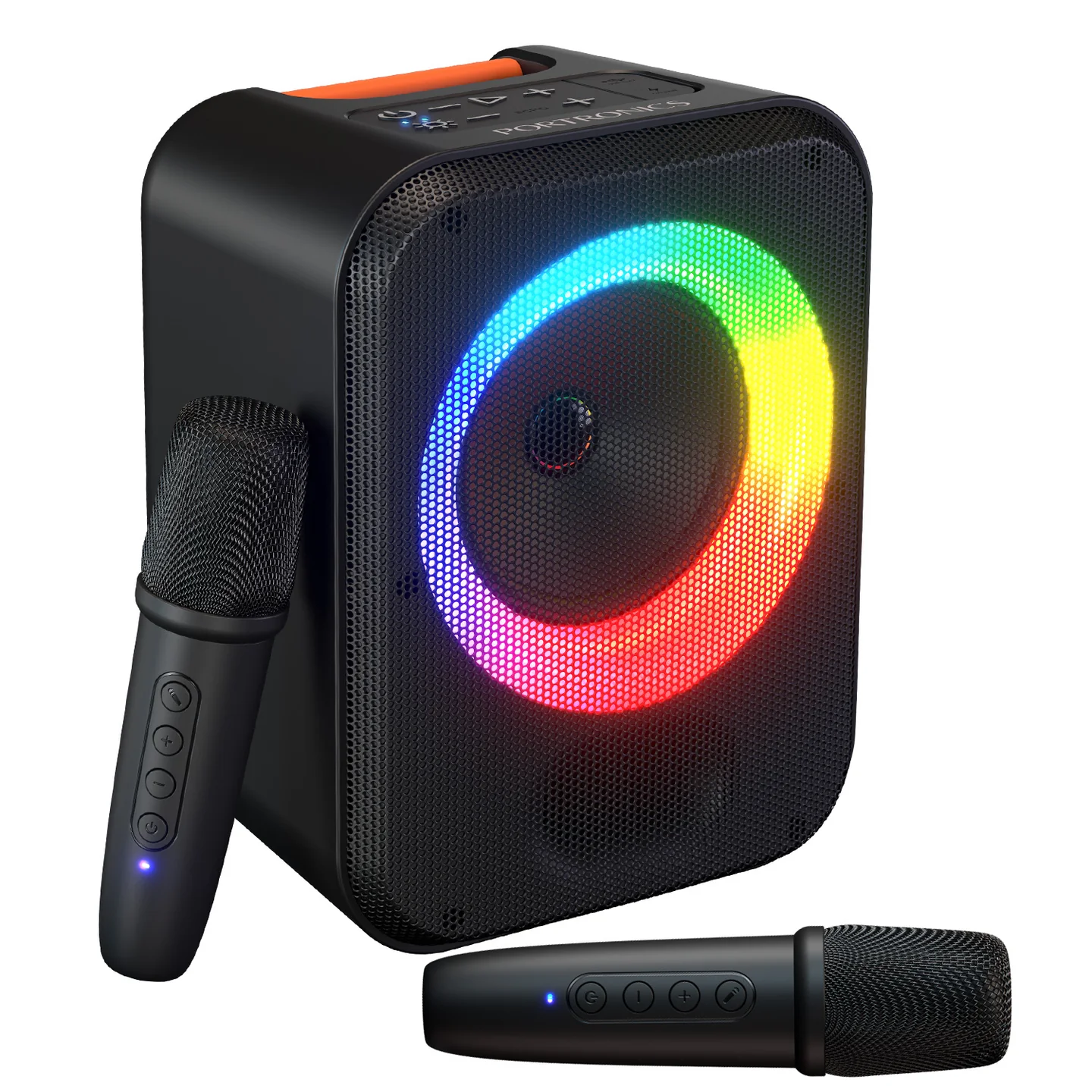
Dash is a 30W portable party speaker with a vibrant RGB light ring, dual wireless karaoke microphones, echo control, and versatile connectivity via Bluetooth, USB, and Type-C.
2. Package Contents
- Speaker — 1
- Microphone — 2
- Type-C Charge Cable — 1
- User Manual — 1
3. Button Control — Speaker
| Control | Function |
|---|---|
| Power On/Off | Turns the speaker on or off |
| Play/Pause | Starts or pauses playback |
| Volume Decrease / Increase | Adjusts speaker volume |
| Echo Decrease / Increase | Adjusts microphone echo level |
| Echo Mode | Switches between echo presets |
| USB In | Insert a USB flash drive for playback |
| Type-C Charging Port | Charges the speaker |
| Charging Indicator | Lights up while charging |
| Working Indicator | Lights up once Bluetooth is connected |
| Pulse Lights | RGB light ring synced to music |
4. Button Control — Microphone
| Control | Function |
|---|---|
| Power On/Off | Turns the microphone on or off |
| Microphone Volume Decrease / Increase | Adjusts mic volume |
| Mute | Temporarily silences the microphone |
| Type-C Charging Port | Charges the microphone |
5. Bluetooth Pairing
- Power ON the speaker.
- Activate Bluetooth on your device.
- Search and select "Dash" from the available devices.
- Once paired, the working indicator lights up.
6. Wireless Mic Auto Connection
When you power on the speaker and switch on a wireless microphone, the mic automatically connects to the speaker. A prompt sound or indicator light confirms successful pairing, after which the microphone is ready to use.
If the mic does not connect, restart both devices, ensure they are within range, and check the battery level.
7. USB Play
Insert a USB flash drive into the USB port to automatically start playing music.
8. Safety & Maintenance Tips
- Keep away from water, direct sunlight, and high heat.
- Do not attempt to disassemble the unit.
- Clean only with a dry, soft cloth.
- Charge fully before first use, and store with a 50% charge if unused for long periods.
9. Specifications
| Specification | Details |
|---|---|
| Model | Dash |
| Product Code | POR 3334 |
| Colour | Black |
| Speaker Output Wattage | 30W |
| Battery Type | Li-ion, 3.7V, 2000mAh, 7.4V |
| Battery Charging Time | About 2.5 hours |
| Bluetooth Version | 5.4 |
| Bluetooth Transmitter Frequency Range | 2402MHz–2480MHz |
| Function | BT / USB / Mic |
| Product Dimensions (W x H x D) | 170 x 220 x 145mm |
| Net Weight | 972g |
| Packaging Dimensions (W x H x D) | 200 x 182 x 265mm |
| Playtime | Around 5 hours |
| Warranty | 12 months |
10. Support
If the issue persists after performing all troubleshooting steps, please raise a support request.
Our support team will assist you further.
Support
- Visit: www.portronics.com
- Support Portal: support.portronics.com
Was this article helpful?
That’s Great!
Thank you for your feedback
Sorry! We couldn't be helpful
Thank you for your feedback
Feedback sent
We appreciate your effort and will try to fix the article