TABLE OF CONTENTS
- 1. Product Specifications
- 2. Packing List
- 3. Buttons & Functions
- 4. Back Interface
- 5. Microphone Operation
- 6. Bluetooth Mode
- 7. TF Card Mode
- 8. AUX Mode
- 9. Indicator Lights
- 10. Music Light (RGB) Modes
- 11. Wireless Microphone Usage
- 12. Support
1. Product Specifications
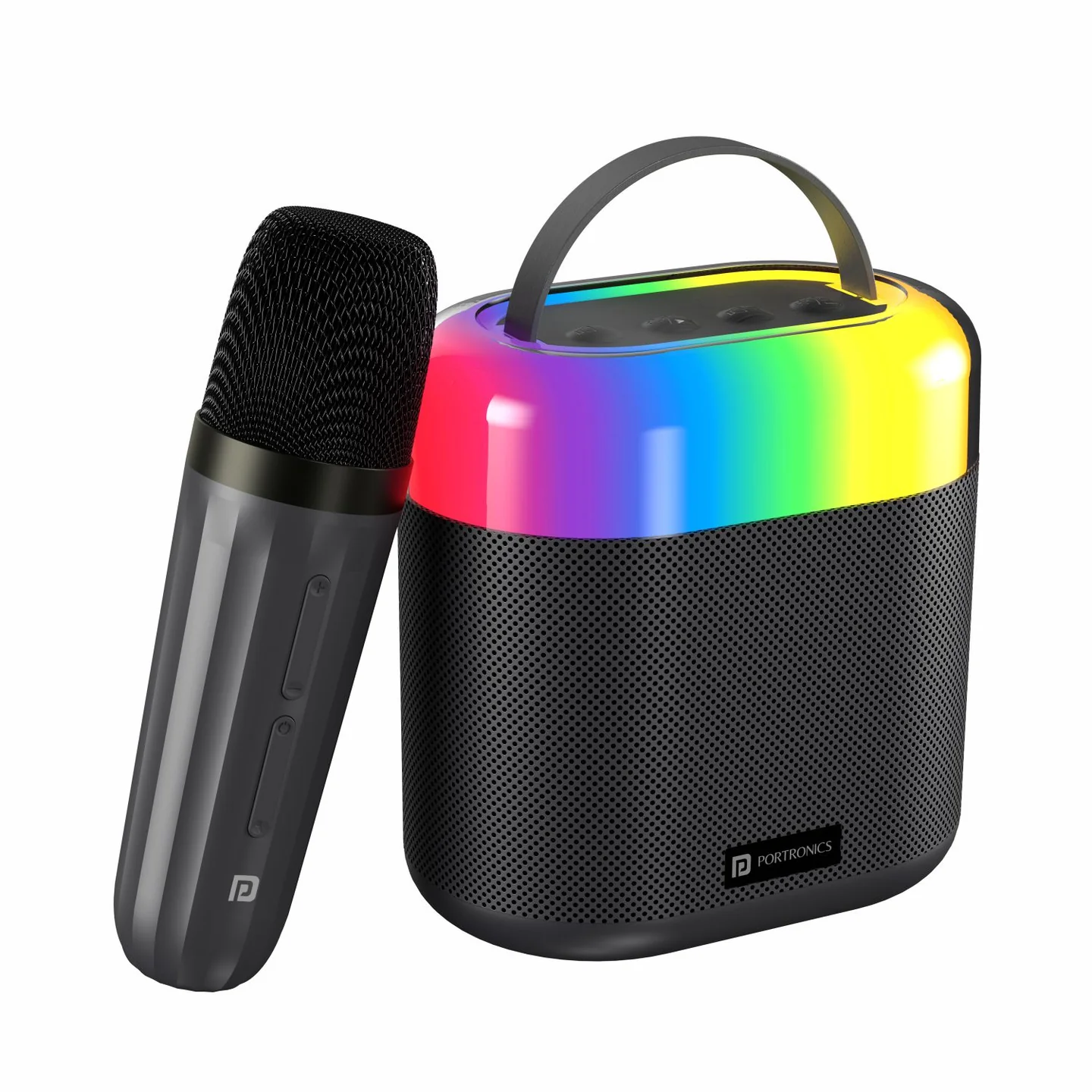
| Specification | Details |
|---|---|
| BT Name | Dash 3 |
| BT Version | V5.3 |
| Transmission Distance | ≤10m |
| Output Power | 2 x 8W |
| Rated Input | DC 5V, 1A |
| Battery Capacity | 2500mAh |
| Playing Time | About 3–5 hours |
| Charging Time | About 4 hours |
| Signal-to-Noise Ratio | >90dB |
| Distortion Rate | ≤1% |
| Frequency Response | 80Hz–18kHz |
| File Format | Supports MP3, WMA, WAV |
2. Packing List
- Portable Speaker — 1
- Karaoke Mic — 1
- Charging Cable — 1
- User Manual — 1
3. Buttons & Functions
| # | Control | Function |
|---|---|---|
| 1 | Volume Down / Previous | Short press: decrease volume · Long press: previous song |
| 2 | Power / Play-Pause | Long press: turn on/off · Short press: play/pause |
| 3 | Volume Up / Next | Short press: increase volume · Long press: next song |
| 4 | Mode / Light | Short press: mode switching · Long press: light on/off and change RGB mode |
Shutdown: when the speaker isn't in use, press and hold the power button to shut it down and prevent power loss.
Low battery alarm & auto shutdown: when the battery drops below 10%, the speaker emits a prompt sound at intervals — charge it soon. Below 3%, the speaker shuts down automatically.
4. Back Interface
| # | Port | Function |
|---|---|---|
| 1 | Type-C Charging Port | DC 5V input |
| 2 | TF Card Socket | Insert a TF card to automatically play music (up to 32GB, MP3/WAV format) |
| 3 | AUX Input | Insert a 3.5mm cable to enter AUX mode |
5. Microphone Operation
| Control | Action | Function |
|---|---|---|
| "+" | Short press | Increase mic volume |
| "+" | Long press | Next song |
| "–" | Short press | Reduce mic volume |
| "–" | Long press | Previous song |
| Power | Long press | Turn mic on/off |
| Power | Short press | Select sound effect mode: karaoke mode or speech mode |
| Effect Button | Short press | Cancel the original sound |
| Effect Button | Long press | Cycle 6 magic sound modes: female-to-male, male-to-female, doll sound, monster sound, machine sound, original sound |
6. Bluetooth Mode
- Connecting: when turned on, Bluetooth is the default mode. Press the Mode/Power button to switch to Bluetooth mode if needed. Open Bluetooth on your phone, search for "Dash 3," and tap to pair. A prompt sound confirms the connection.
- Auto-reconnect: after the first successful pairing, Dash 3 remembers your phone and can reconnect automatically (or manually) the next time it's turned on. To disconnect, use your phone's Bluetooth settings.
7. TF Card Mode
Insert a TF card — the speaker automatically prioritizes playback from it, with a prompt sound. If a TF card is already inserted, briefly press the Mode/Power button to switch to it.
8. AUX Mode
- Insert an AUX cable — the audio system automatically switches to AUX playback with priority, confirmed by a prompt tone.
- If both AUX and a TF card are inserted at the same time, briefly press the Mode/Power button to switch between them.
9. Indicator Lights
Charging Indicator: red light on while charging; red light off once fully charged.
10. Music Light (RGB) Modes
Dash 3 has 5 light modes:
- Colour running
- Gradient breathing (alternating red, blue, green)
- Blue breathing
- Green breathing
- Lights off
Press and hold the Mode/Power button to switch between light effects, one at a time.
11. Wireless Microphone Usage
Turn on the speaker and microphone simultaneously — the 2.4G wireless signal pairs automatically. Once connected, start singing and adjust the buttons to your preferred style.
12. Support
If the issue persists after performing all troubleshooting steps, please raise a support request.
Our support team will assist you further.
Support
- Visit: www.portronics.com
- Support Portal: support.portronics.com
Was this article helpful?
That’s Great!
Thank you for your feedback
Sorry! We couldn't be helpful
Thank you for your feedback
Feedback sent
We appreciate your effort and will try to fix the article