TABLE OF CONTENTS
- 1. Introduction
- 2. Features
- 3. Package Contents
- 4. Product Details
- 5. Power On/Off
- 6. Bluetooth
- 7. TWS Function
- 8. Playing Music from USB Disk
- 9. Power Bank Function
- 10. EQ Instructions
- 11. RGB Light
- 12. Activating Voice Assistant
- 13. Hands-Free Call
- 14. Reset
- 15. How to Charge
- 16. More Remarks
- 17. Warning
- 18. Specifications
- 19. Support
1. Introduction
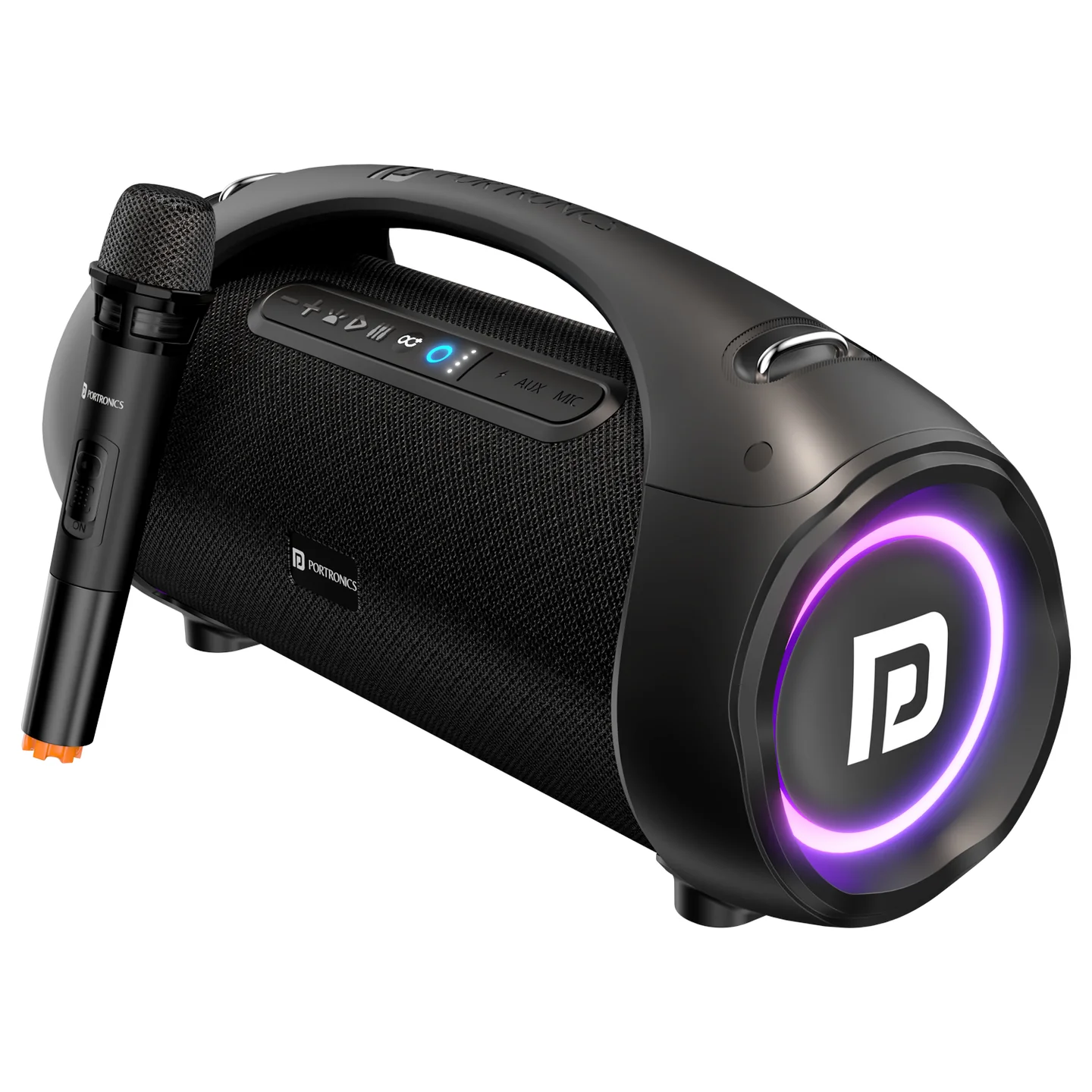
Welcome to the world of Portronics — it's time to elevate your music listening experience with Dash 12 Wireless Speaker. We recommend you go through the user manual to understand its working properly. Dash 12 is a 2.1CH, IPX5 water-resistant boombox speaker with a wired karaoke mic, TWS pairing, RGB lighting, EQ modes, and a power bank output.
2. Features
- 2.1CH portable Bluetooth fabric speaker
- Water resistant IPX5, splash-proof, rainproof — perfect for beach, poolside, boat, and other outdoor activities
- Dedicated TWS button — achieve true wireless Bluetooth playback with double enhanced stereo sound
- Karaoke function with a single input for one wired microphone
- Optimized voice assistant control
- Hands-free mic for easily picking up calls
- EQ function offering dynamic sound effects
- RGB lighting
- Combined port for USB playback and power bank 5V/1A output
- A2DP Bluetooth — wireless stream music from any Bluetooth-enabled device
- Line-In function, suitable for PC, MP3 player, TV, and other audio devices
- Built-in lithium rechargeable battery, 7.4V, 6600mAh
- Strong carry handle, easy to take out
3. Package Contents
- Portable Bluetooth Speaker — 1
- Charging Cable — 1
- Audio Cable — 1
- User Manual — 1
- Wired Microphone — 1
4. Product Details
| # | Control / Port | Function |
|---|---|---|
| 1 | Backward / Volume Down | See Bluetooth section for press behavior |
| 2 | Forward / Volume Up | See Bluetooth section for press behavior |
| 3 | RGB Light | Turns lighting on/off |
| 4 | Play/Pause | Starts/pauses playback, handles calls |
| 5 | EQ Button | Cycles between 2 sound effect modes |
| 6 | TWS Button | Pairs with a second Dash 12 speaker |
| 7 | Power On/Off | Long press to power the speaker on/off |
| 8 | Battery Indicator | Shows remaining battery |
| 9 | USB Playback / Power Bank 5V,1A Output | Insert a USB drive to play music, or charge a device |
| 10 | Charging Jack | Charges the speaker |
| 11 | Reset Jack | Pinhole reset — use a small round pin |
| 12 | MIC Port | Connect the included wired microphone |
| 13 | AUX In Port | Connect a 3.5mm audio cable |
5. Power On/Off
Long-press the Power button to turn the speaker on and off.
6. Bluetooth
- Turn the power button to "ON" — the speaker enters Bluetooth mode automatically and prompts for pairing.
- On your phone, activate Bluetooth and search for "Portronics DASH 12," then connect.
- Play music from your phone and enjoy.
- Long-press Forward or Backward on the device (or use your phone) to select songs.
- Short-press Forward or Backward to adjust volume up/down, or adjust your phone's volume.
- Short-press Play/Pause on the device (or your phone) to play/pause music.
- Long-press the TWS button to disconnect the Bluetooth connection with your mobile device.
Remark: in Bluetooth playing mode, inserting a USB disk or AUX cable disconnects Bluetooth and switches to playing the USB disk or connected external device. Removing the USB disk/AUX cable returns the speaker to Bluetooth mode.
7. TWS Function
- Turn on two identical Dash 12 speakers, both in TWS mode — only one of the two needs to be manually set.
- Short-press the TWS button to pair — both TWS buttons stay lit once paired successfully.
- Connect your phone to either speaker via Bluetooth to play music through both, creating a more powerful surround sound effect (up to 120W combined output).
- Short-press the TWS button again to exit TWS mode.
Note: if already connected via Bluetooth, short-pressing TWS disconnects Bluetooth first. After TWS is connected, search for and reconnect the Bluetooth device again.
Important: TWS pairing is only guaranteed to work reliably between two Dash 12 units from the same production batch. Pairing speakers from different batches may fail or behave inconsistently — check the batch/date code on each unit if TWS pairing doesn't work between two otherwise-identical speakers.
8. Playing Music from USB Disk
- Turn the Power button to "ON."
- Insert a USB flash disk into the port — music plays automatically.
- Long-press Forward or Backward to select songs; short-press to adjust volume.
- Press Play/Pause to play or pause.
Under any playing mode, inserting a USB disk switches the speaker to USB playback automatically.
9. Power Bank Function
- Turn the speaker on.
- Connect another device to the 5V/1A output port via a charging cable.
Important: when playing music during charging, the speaker may not be able to supply the maximum current temporarily under maximum volume.
10. EQ Instructions
This unit offers 2 sound effect modes — short-press the EQ button to switch between them.
11. RGB Light
The RGB light turns on when the speaker is powered on. Short-press the RGB light button to turn the light on or off.
12. Activating Voice Assistant
- Connect the speaker to your phone via Bluetooth.
- Long-press the Play/Pause button to activate your phone's voice assistant.
13. Hands-Free Call
- While connected via Bluetooth, if there's an incoming call, short-press Play/Pause to accept it, or long-press to reject it.
- During a call, long-press Play/Pause to switch to talking on the phone.
- Short-press Play/Pause (or use your phone) to end the call.
14. Reset
If the speaker doesn't turn off or respond, short-press the Reset jack with a small round pin to reset it.
15. How to Charge
- The charger is not included in the package — charge the speaker via a standard 5V/1A charger.
- Full charging time is typically several hours; charge fully before first use, and periodically if unused for a long time.
16. More Remarks
- Default volume is 30% of max volume.
- Playtime may vary depending on volume level and music style.
17. Warning
- Don't use or store the speaker in extreme temperatures.
- Keep away from anything that generates heat, such as radiators or stoves.
- For hearing protection and extended speaker life, avoid listening at maximum volume for long periods.
- Clean using a soft, dry cloth.
18. Specifications
| Specification | Details |
|---|---|
| Model | Dash 12 |
| Product Code | POR 1583 |
| Colour | Black |
| Bluetooth Version | V5.0 |
| Horn Size | 3 inch x 2 |
| Subwoofer Size | 5 inch |
| RMS Power Output | 60W |
| Peak Power Output | 90W |
| Battery Capacity | 7.4V, 6600mAh |
| Playtime | 5 hours at maximum volume |
| Bluetooth Connecting Range | 10m |
| Product Size | 458(L) x 198(W) x 230(H)mm |
| TWS Combined Output | Up to 120W (two units paired) |
| Warranty | 12 months |
19. Support
If the issue persists after performing all troubleshooting steps, please raise a support request.
Our support team will assist you further.
Support
- Visit: www.portronics.com
- Support Portal: support.portronics.com
Was this article helpful?
That’s Great!
Thank you for your feedback
Sorry! We couldn't be helpful
Thank you for your feedback
Feedback sent
We appreciate your effort and will try to fix the article