TABLE OF CONTENTS
- 1. Introduction
- 2. Product Description
- 3. What's in the Box
- 4. Buttons & Functions
- 5. Back Panel — Inputs & Controls
- 6. Getting Started
- 7. Battery & Power
- 8. Display Messages (Quick Reference)
- 9. Specifications
- 10. Helpful Tips
- 11. Support
1. Introduction
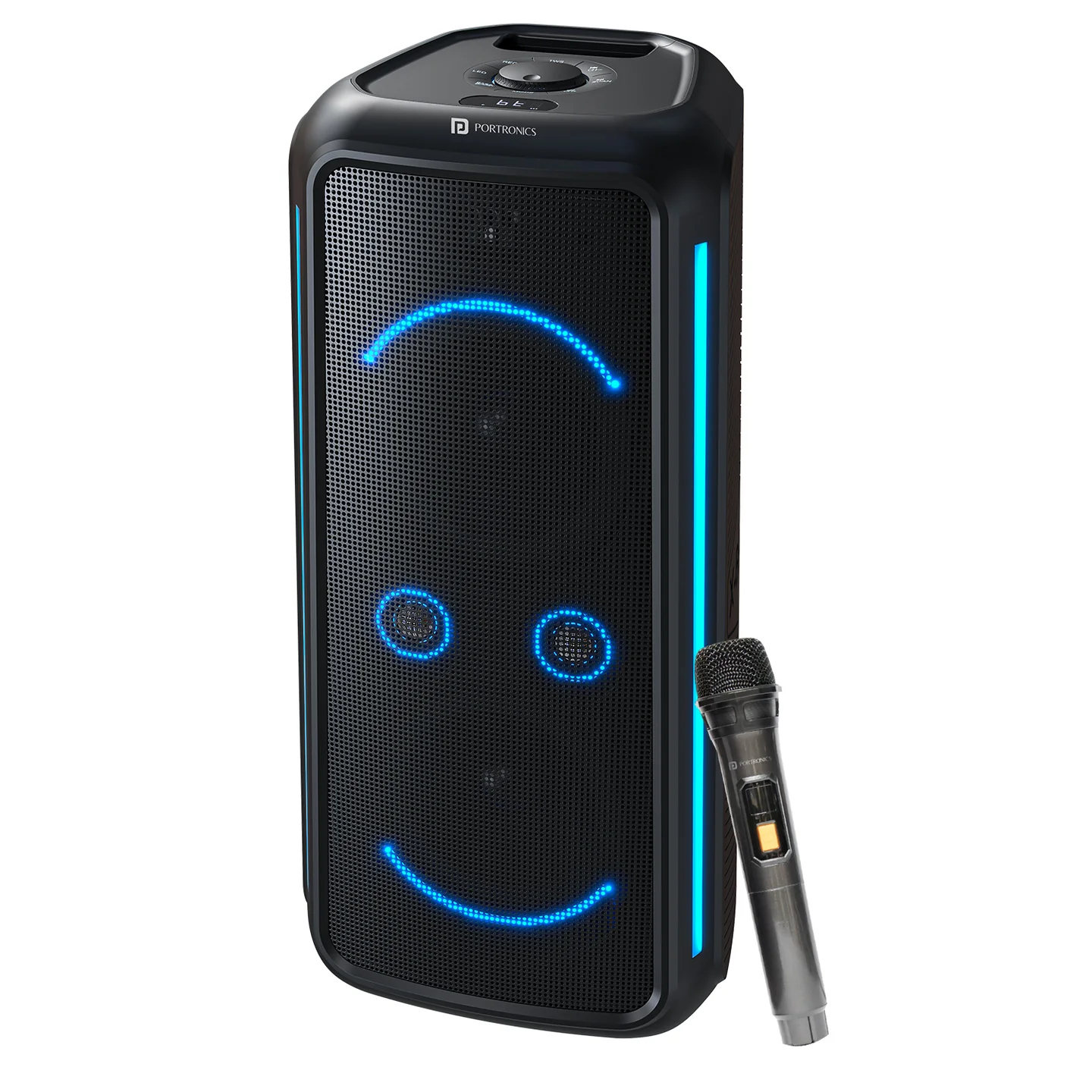
Please carefully read the operating instructions before using this product. Iron Beats 5 Prime is a 250W wheeled party speaker with dual bass drivers, Bass Boost technology, RGB LED lights, a wireless UHF karaoke mic, guitar/mic inputs with echo control, USB playback and recording, FM radio, and TWS pairing.
2. Product Description
| Specification | Details |
|---|---|
| Output Power | 250W |
| Speaker Drivers | 8" x 2 + 2.25" x 2 |
| Product Size | 690 x 324.9 x 336.1mm |
| Battery | 12V, 8000mAh |
| Features | Bluetooth, AUX-IN (3.5mm), FM Radio, USB Playback/Recording, Mic Input, Guitar Input, 1x Wireless UHF Microphone, RGB LED Lights |
3. What's in the Box
- Party Speaker — 1
- Wireless Microphone — 1
- Charging Cable — 1
- Aux Cable — 1
4. Buttons & Functions
1. Power Power Switch (rear): ON to power up, OFF to shut down. On power-up you'll hear a voice prompt, and the display shows HI, then BT. Default volume = 20.
2. MODE
- Short press: cycle through BT → AUX → FM → USB (USB only appears when a drive is inserted).
- Long press: toggle Vocal Cancel / Original Sound for karaoke — display shows VOC (ON) or OFF.
3. CH− / CH+ In BT/USB/FM: short press for previous/next track or radio station.
4. SCAN / PLAY
- In BT/USB: short press for Play/Pause.
- Long press: disconnect/reconnect Bluetooth without clearing pairing history.
- In AUX/FM: short press to Mute/Unmute.
- In FM: long press to auto-scan and save stations.
5. TWS (True Wireless Stereo)
- Turn both speakers ON and set both to BT mode.
- Short-press TWS on either unit — the units auto-pair, confirmed by a voice prompt.
- Short-press TWS again to disconnect TWS.
- Note: powering OFF and ON disables TWS — pair again if needed.
Important: TWS pairing is only guaranteed to work reliably between two Iron Beats 5 Prime units from the same production batch. Pairing speakers from different batches may fail or behave inconsistently — check the batch/date code on each unit if TWS pairing doesn't work between two otherwise-identical speakers.
6. REC (USB Recording)
- Insert a USB drive. Only available in BT mode.
- Long press REC to start recording — the display blinks REC.
- Long press REC again to stop.
- Short press REC to play the latest recording; short press again to exit recording playback.
- While playing a recording, long-press PLAY (SCAN/PLAY) to delete the current recording file.
7. LED (Light Effects & Mic Priority)
- Short press: cycle through 4 light modes (not including OFF).
- Long press: toggle Mic Priority (ducking) — display shows SHUN (ON) or OFF.
8. BASS / BOOST In BT/AUX/USB: short press to toggle Bass Boost — display shows BASS (ON) or OFF.
5. Back Panel — Inputs & Controls
| Control | Function |
|---|---|
| Power Switch | ON / OFF |
| AC IN | AC 110–240V mains input (also charges the internal battery) |
| ECHO | Reverb control for microphones |
| MIC | Microphone volume control |
| GUITAR | Guitar volume control |
| AUX | 3.5mm stereo line-in |
| USB Port | For music playback and voice recording to a USB drive |
6. Getting Started
6.1 Bluetooth (BT) Music
- Power ON — the display shows BT.
- On your phone, enable Bluetooth and select the speaker's name.
- Play music — use CH−/CH+ for previous/next track, SCAN/PLAY for play/pause.
6.2 USB Music
- Insert a FAT32 USB drive with audio files.
- Press MODE to switch to USB.
- Use CH−/CH+ and SCAN/PLAY to control playback.
6.3 AUX-IN
- Plug a 3.5mm cable into AUX.
- Press MODE to switch to AUX.
- Control playback from your source device — SCAN/PLAY mutes/unmutes.
6.4 FM Radio
- Press MODE to switch to FM.
- Long-press SCAN/PLAY to auto-scan and store stations.
- Use CH−/CH+ to step through saved stations.
6.5 Microphone & Guitar
- Connect a wired mic to the MIC input; adjust MIC volume and ECHO as desired.
- Connect a guitar to the GUITAR input; adjust GUITAR volume.
- To give the mic priority (music ducks under voice), long-press LED to show SHUN.
7. Battery & Power
- Built-in 12V/8000mAh lead-acid battery.
- Use AC IN (110–240V) to run on mains power and charge the battery simultaneously.
- For longest battery life, avoid fully depleting the battery frequently, and store it charged.
8. Display Messages (Quick Reference)
| Display | Meaning |
|---|---|
| HI → BT | Startup sequence (Bluetooth ready) |
| USB / AUX / FM | Current mode |
| VOC / OFF | Vocal-cancel ON/OFF |
| REC (flashing) | Recording in progress |
| BASS / OFF | Bass Boost ON/OFF |
| SHUN / OFF | Mic Priority ON/OFF |
9. Specifications
| Specification | Details |
|---|---|
| Model | Iron Beats 5 Prime |
| Product Code | POR 2348 |
| Colour | Black |
| Sound Output | 250W |
| Playtime | Up to 6 hours |
| Bluetooth Version | 5.3 |
| Warranty | 12 months |
10. Helpful Tips
- If Bluetooth won't connect, long-press SCAN/PLAY to disconnect/reconnect, then pair again.
- USB works best with FAT32-formatted drives and common audio formats (e.g., MP3).
- After a power cycle, TWS must be re-paired — this is by design.
11. Support
If the issue persists after performing all troubleshooting steps, please raise a support request.
Our support team will assist you further.
Support
- Visit: www.portronics.com
- Support Portal: support.portronics.com
Was this article helpful?
That’s Great!
Thank you for your feedback
Sorry! We couldn't be helpful
Thank you for your feedback
Feedback sent
We appreciate your effort and will try to fix the article