TABLE OF CONTENTS
- 1. Introduction
- 2. Package Contains
- 3. Power and Charging
- 4. Wireless Microphone & Antenna
- 5. USB and TF Card Functions
- 6. Playback Controls
- 7. FM Radio Function
- 8. Handheld / Headset Microphone
- 9. Remote Control
- 10. Panel Function and Operation
- 11. Specifications
- 12. Support
1. Introduction
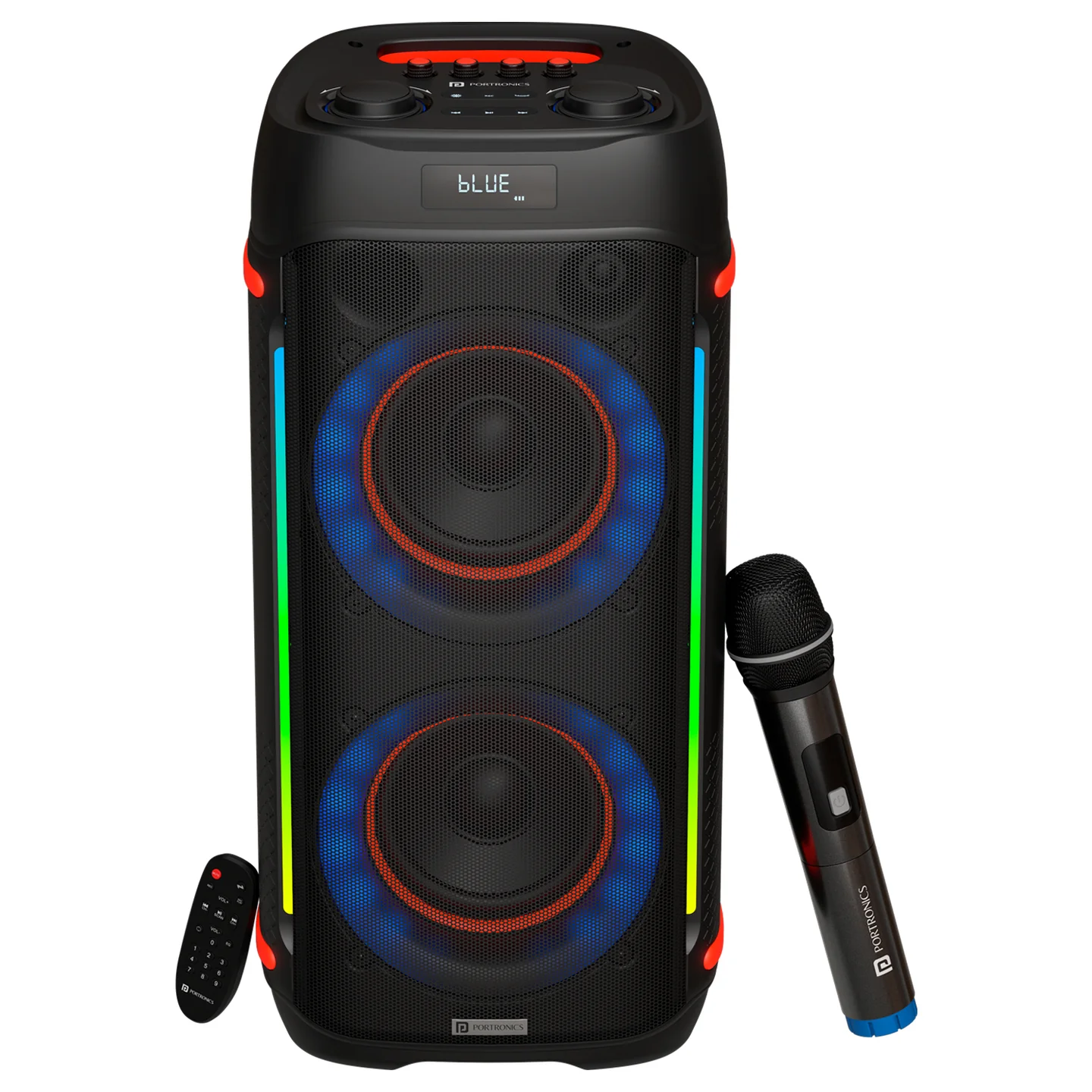
Please carefully read the operating instructions before using this product. Iron Beats IV is a 250W tower-style party speaker with dual 6" subwoofers, RGB LED lighting, a UHF wireless karaoke mic, FM radio, USB/TF card playback, a full-function remote control, and recording capability.
2. Package Contains
- Speaker — 1
- Power Adapter — 1
- Wireless Mic — 1
- Remote Control — 1
- Documentation — 1
3. Power and Charging
| Element | Function |
|---|---|
| DC Fuse | Protective fuse for the power supply, rated F10A/250V |
| DC 9V IN | Connect the external power adapter here — always use the original adapter provided |
| Charging (Indicator Lamp) | Lights up when the adapter is connected and the battery is charging |
| Full (Charge Indicator Lamp) | Lights up when the battery is fully charged |
4. Wireless Microphone & Antenna
Wireless Mic Antenna: the built-in antenna for the wireless microphone. Always position it vertically for the best signal reception.
5. USB and TF Card Functions
- USB Interface: insert a USB drive with MP3 files to use the built-in MP3 playback function.
- TF Card: insert a TF card with MP3 files for playback.
6. Playback Controls
| Control | Function |
|---|---|
| Stop Key (⏹) | Press to stop current playback — recommended before changing the USB drive |
| MP3/LINE Mode | Switch between external audio input and the built-in MP3 playback system |
| Previous (⏮) | Select the previous song during playback |
| Next (⏭) | Select the next song during playback |
| Repeat | Repeat either a single song or all songs |
7. FM Radio Function
- SCAN key: press to scan for local radio stations — found stations are saved automatically.
- CH+ key: press to read the saved stations and select the next one in ascending order.
- MODE key: switches radio status to enable the radio key-pressing function. To input a frequency manually, press the number keys directly on the remote control.
8. Handheld / Headset Microphone
| Element | Function |
|---|---|
| Display | Shows channel, frequency, signal, etc. |
| Power Switch | Single press to switch the microphone on/off |
| Battery Cover | Unscrew to access the battery holder — use two LR6/AA batteries (alkaline preferred), inserted with correct polarity |
9. Remote Control
| # | Control | Function |
|---|---|---|
| 1 | MUTE | One-touch sound mute |
| 2 | MODE | Switch mode |
| 3 | REC | One-touch recording function |
| 4 | REC PLAY | Record / playback function |
| 5 | Functional Area | VOL +/–: USB/SD/MP3 player volume · CH+/CH–: radio channel selection · ►II: start/pause playback |
| 6 | REPEAT | Loop function |
| 7 | EQ | Select between different equalizer presets |
| 8 | SELECT KEYS | Select a song by number |
10. Panel Function and Operation
| # | Control | Function |
|---|---|---|
| 1 | DELAY | Song delay function debugging |
| 2 | ECHO | Song echo function |
| 3 | BASS | Bass function debugging |
| 4 | TREBLE | Treble function debugging |
| 5 | LAMP EFFECT | Product display light effect |
| 6 | REC | Product recording function |
| 7 | MODE | Toggle play function |
| 8 | MIC VOL | Microphone volume adjustment |
| 9 | VOLUME | Product volume adjustment |
| 10 | Previous (⏮) | Play the previous song |
| 11 | Play/Pause (►II) | Play/pause adjustment |
| 12 | Next (⏭) | Play the next song |
11. Specifications
| Specification | Details |
|---|---|
| Model | Iron Beats IV |
| Product Code | POR 2344 |
| Colour | Black |
| Product Dimension | 300 x 300 x 640mm |
| Woofer Size | Double 6.5 inch |
| Output Power | 250W (per product listing) |
| Function List | USB/TF, AUX In, Wired Mic Input, LED Display, Bluetooth, Remote Control, Recording, LED Colour Light Switch, Microphone Priority, Replay, Repeat, Volume, FM Radio, TWS |
| Playing Format | MP3 |
| Microphone Input | Wired mic input x1 |
| Bluetooth Range | 10m |
| Bluetooth Version | 5.3 |
| Frequency | 50Hz–16kHz |
| FM Antenna | Internal FM cable |
| Connectivity Ports | AUX-in, MIC-in, USB-in |
| USB Player Format | MP3 |
| LED Lighting | RGB Colour |
| LED Display | Yes |
| DC-in | BIS-certified adapter, 9V/2A |
| Battery | 7.4V, 3600mAh lithium battery |
| Playtime | Up to 4 hours |
| Accessories | User Manual x1, Remote Control x1, BIS 9V2A Adapter x1 (1.2m), Wireless Mic x1 |
| Net Weight | 8.1kg |
| Gross Weight | 10.1kg |
| Warranty | 12 months |
12. Support
If the issue persists after performing all troubleshooting steps, please raise a support request.
Our support team will assist you further.
Support
- Visit: www.portronics.com
- Support Portal: support.portronics.com
Was this article helpful?
That’s Great!
Thank you for your feedback
Sorry! We couldn't be helpful
Thank you for your feedback
Feedback sent
We appreciate your effort and will try to fix the article