TABLE OF CONTENTS
- Product Overview
- Quick Reference
- What's in the Box
- Controls
- Bluetooth Pairing
- Switching Modes
- USB Playback
- TF Card Playback
- AUX Mode
- Wireless Karaoke Microphone
- Voice-Changing Function
- RGB Lighting
- Mobile Holder
- Charging
- FM Radio
- Care & Safety
- Still stuck?
Product Overview
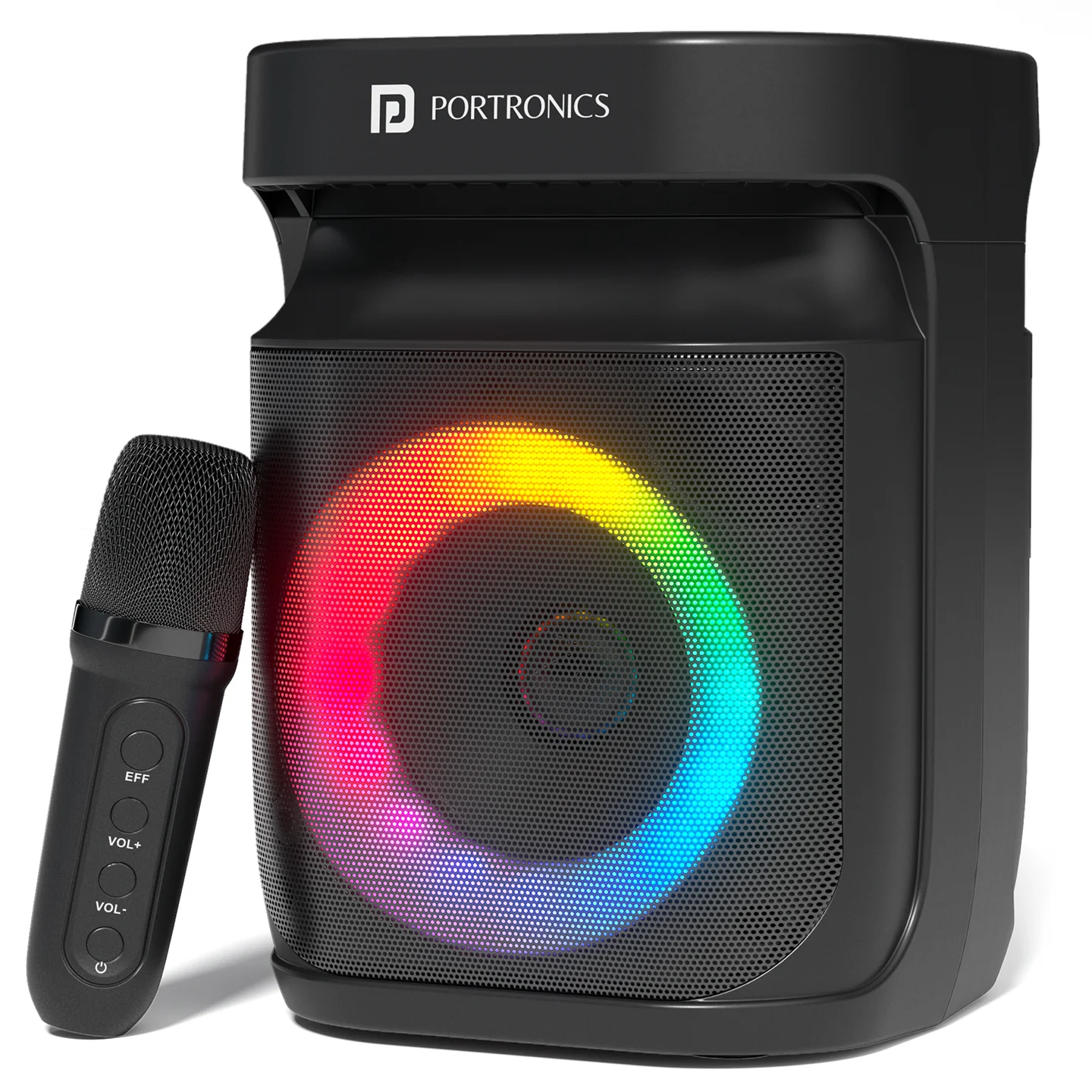
The Portronics Apollo One Plus is a 20W Bluetooth speaker with a wireless karaoke microphone, RGB lighting and a built-in mobile holder. It supports Bluetooth, AUX, USB and TF card playback.
Quick Reference
| Feature | Details |
|---|---|
| Product | Portronics Apollo One Plus |
| Product Code | POR 2739 |
| Output Power | 20W |
| Bluetooth | 5.4 |
| Bluetooth Range | Up to 10 metres |
| Speaker Battery | 2000mAh |
| Charging | Type-C |
| Playtime | Up to 4 hours |
| Wireless Karaoke Mic | Included |
| Connectivity | Bluetooth, AUX, USB, TF card |
| Mobile Holder | Built-in |
| RGB Lighting | Yes |
| Frequency Range | 60Hz – 12,000Hz |
| Speaker Driver | 1 × 3", 4Ω |
| Maximum Memory Support | Up to 32GB via memory card or USB flash drive |
| Signal-to-Noise Ratio | 75dB |
| FM Tuner | 87.5 – 108.0MHz |
What's in the Box
| Item | Quantity |
|---|---|
| Apollo One Plus Speaker | 1 |
| Wireless Microphone | 1 |
| Type-C Cable | 1 |
| Audio Cable | 1 |
| User Manual | 1 |
Controls
| Control | Function |
|---|---|
| M / Mode | Switch between Bluetooth, AUX, USB and TF modes |
| Previous Track | Select previous track/channel |
| Previous Track — Long Press | Reduce volume |
| Next Track | Select next track/channel |
| Next Track — Long Press | Increase volume |
| Play/Pause | Play or pause audio |
| Light / M button — Long Press | Control the backlight / LED effect |
| Microphone Controls | Manage microphone volume and voice-changing functions |
| Power | Turn the speaker ON/OFF |
Bluetooth Pairing
- Turn on the Apollo One Plus.
- The speaker enters Bluetooth mode first.
- Turn on Bluetooth on your phone, tablet or other device.
- Search for Portronics Apollo One Plus.
- Select the speaker to connect.
- Once paired, the speaker can automatically reconnect when the device is within range.
Switching Modes
Press the M / Mode button once to cycle through:
- Bluetooth
- AUX
- USB drive
- TF drive
Select the mode that matches your connected source.
USB Playback
- Insert a compatible USB flash drive into the USB port.
- Select USB mode using the M / Mode button.
- Start playback using the speaker controls.
The speaker supports storage devices up to 32GB for USB flash-drive playback.
TF Card Playback
- Insert a compatible TF/microSD card.
- Select TF mode using the M / Mode button.
- Use the track controls to select and play audio.
The maximum supported memory is up to 32GB.
AUX Mode
- Connect the external audio source using the supplied audio cable.
- Press the M / Mode button until AUX mode is selected.
- Start playback on the connected source device.
- Adjust volume using the speaker controls.
Wireless Karaoke Microphone
The Apollo One Plus includes a wireless karaoke microphone.
Use the microphone controls to:
- Increase or decrease microphone volume.
- Apply the available voice-changing effect.
- Turn the microphone ON/OFF.
Keep the microphone within the effective operating range of the speaker while using it.
Voice-Changing Function
The wireless microphone includes a voice-changing function for karaoke and entertainment.
Use the microphone's voice-changing control to switch between the available voice effects.
RGB Lighting
The Apollo One Plus includes RGB lighting for music and karaoke sessions.
Use the lighting control to change or manage the LED effect. Press and hold the relevant M / lighting button as described in the controls.
Mobile Holder
The built-in mobile holder allows you to place your smartphone on the speaker while:
- Following karaoke lyrics
- Watching content
- Controlling music
- Making the speaker convenient to use during gatherings
Place the phone securely in the holder before moving the speaker.
Charging
The speaker uses a Type-C charging port.
- Connect the supplied Type-C cable to the speaker.
- Connect it to a suitable power source.
- Allow the speaker to charge fully before extended use.
- Disconnect the charging cable after charging.
The speaker provides up to 4 hours of playtime. Actual runtime varies depending on volume, lighting, microphone use and playback conditions.
FM Radio
The Apollo One Plus includes an FM tuner covering 87.5–108.0MHz.
Select the appropriate mode and use the available channel controls to tune stations.
Care & Safety
- Keep the speaker away from heat sources.
- Ensure proper ventilation during use.
- Do not expose the speaker to moist air or water.
- Place the speaker on a stable surface and keep it away from children.
- Use only a suitable power source and the supplied accessories.
- Do not remove the cover or insert objects into the unit.
- Do not attempt to repair or dismantle the speaker yourself.
- Disconnect the power before cleaning.
- Clean only with a soft cloth; do not use harsh abrasives or chemicals.
- Unplug the speaker when it will remain unused for a long period.
Still stuck?
If the issue persists after performing all troubleshooting steps, please raise a support request.
Our support team will assist you further.
Support
- Visit: www.portronics.com
- Support Portal: support.portronics.com
Was this article helpful?
That’s Great!
Thank you for your feedback
Sorry! We couldn't be helpful
Thank you for your feedback
Feedback sent
We appreciate your effort and will try to fix the article