TABLE OF CONTENTS
- Product Overview
- Quick Reference
- Parts & Controls
- Charging the Headphones
- Powering On and Off
- First-Time Bluetooth Pairing
- Reconnecting to Bluetooth
- Music Controls
- Hands-Free Calling
- Active Noise Cancellation (ANC)
- Wired AUX Listening
- LED Indicator Guide
- Battery and Playtime
- Troubleshooting Tips
- Care & Safety
- Still stuck?
Product Overview
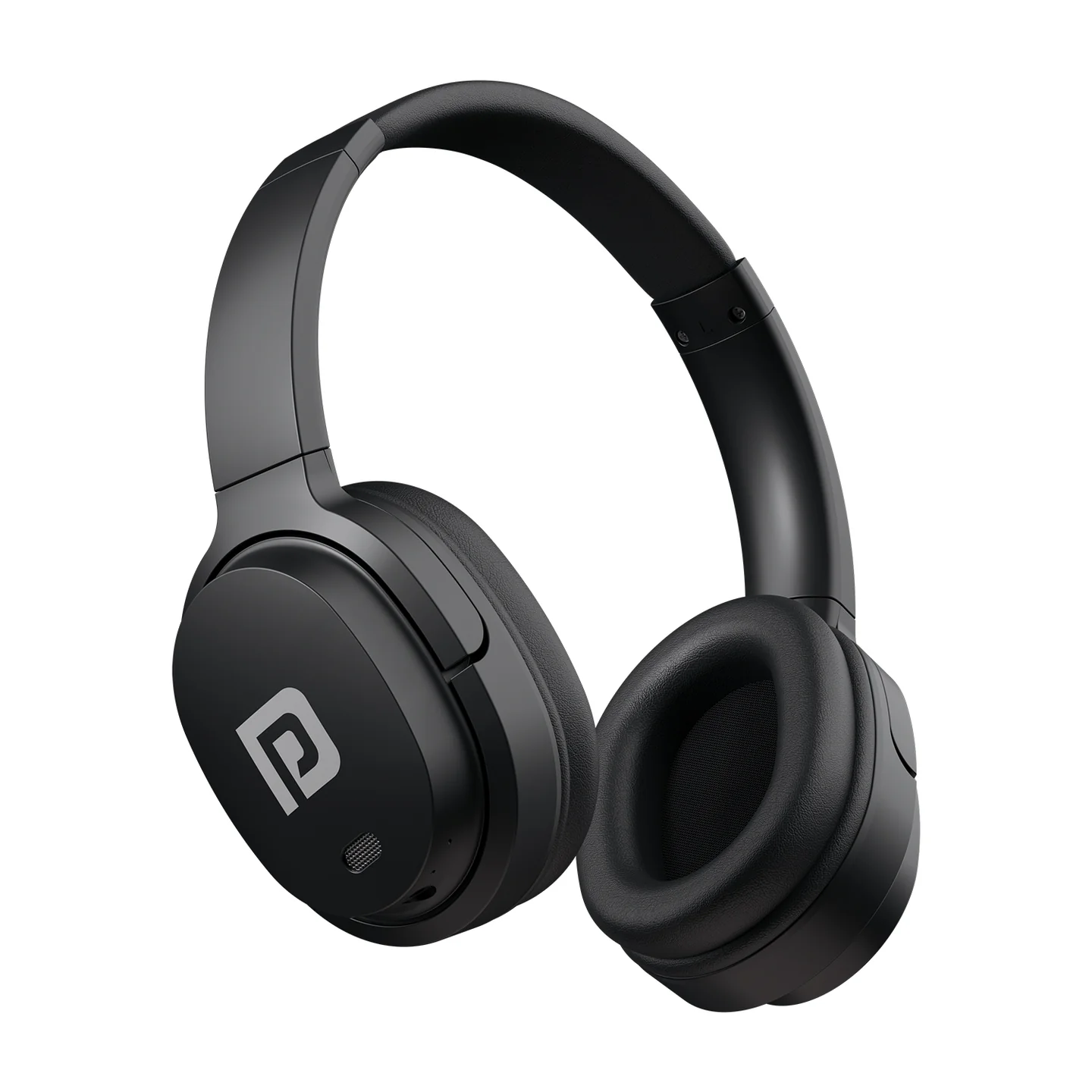
The Portronics Muffs M4 are wireless over-ear headphones with Bluetooth 5.3, Active Noise Cancellation (ANC), a built-in microphone and a 3.5mm AUX connection for wired listening.
Quick Reference
| Feature | Details |
|---|---|
| Product | Portronics Muffs M4 |
| Product Code | POR 2756 |
| Bluetooth | 5.3 |
| Wireless Range | Up to 10 metres |
| Driver Size | 40mm |
| Battery | 3.7V / 300mAh |
| Playtime | Up to 40 hours |
| Charging Port | USB Type-C |
| Charging Time | Approx. 2.5 hours |
| Active Noise Cancellation | Up to −22dB, as stated in the manual |
| Wired Audio | 3.5mm AUX |
| Frequency Response | 20Hz–20kHz |
| Built-in Microphone | Yes |
Parts & Controls
| Control / Port | Function |
|---|---|
| Power Button | Power, play/pause, calls and redial |
| “+” Button | Next track; long-press for volume up |
| “−” Button | Previous track; long-press for volume down |
| ANC Button | Turns Active Noise Cancellation on/off |
| Microphone / Voice Assistant Button | Activates the voice assistant |
| LED Indicator | Shows pairing, charging and connection status |
| Type-C Port | Charges the headphones |
| AUX Port | Wired audio connection |
| Built-in Microphone | Hands-free calls |
Charging the Headphones
- Connect the USB Type-C charging cable to the charging port on the headphones.
- Connect the other end to a compatible USB port or suitable charger.
- The red LED indicates that the headphones are charging.
- When charging is complete, the LED turns blue.
- A full charge takes approximately 2.5 hours.
Powering On and Off
- Power ON: Press and hold the Power Button on the right earcup for about 3 seconds, until the LED turns on.
- Power OFF: Press and hold the Power Button for about 4 seconds, until the LED turns off.
- Automatic shut-off: The headphones turn off after approximately 5 minutes of inactivity to save battery.
First-Time Bluetooth Pairing
- Turn on the headphones by pressing and holding the Power Button for about 3 seconds.
- Wait for the red and blue LEDs to flash, indicating pairing mode.
- Turn on Bluetooth on your phone, tablet or computer.
- Search for Portronics Muffs M4 and select it.
- A solid blue LED indicates that the headphones are connected.
Reconnecting to Bluetooth
The headphones are designed to reconnect automatically to the last device they were connected to when it is available.
If they do not reconnect:
- Open the device’s Bluetooth settings.
- Select Portronics Muffs M4 if it is listed.
- If connection fails, choose Forget or Remove, then pair again.
- You can also hold the Power Button while the headphones are on to disconnect the current connection, then reconnect.
Music Controls
| Action | Control |
|---|---|
| Play / Pause | Press the Power Button once |
| Next Track | Press the “+” button |
| Previous Track | Press the “−” button |
| Volume Up | Press and hold “+” |
| Volume Down | Press and hold “−” |
Hands-Free Calling
| Action | Control |
|---|---|
| Answer a call | Press the Power Button once |
| Redial the last number | Press the Power Button twice |
| Reject an incoming call | Press and hold the Power Button |
| Activate voice assistant | Press the button marked with the microphone icon |
Call behaviour can vary depending on the connected phone and its calling settings.
Active Noise Cancellation (ANC)
- Press the ANC Button to turn ANC on.
- The white LED turns on and a voice prompt may confirm the mode.
- Press the ANC Button again to turn ANC off.
- The white LED turns off when ANC is disabled.
Use ANC when you want to reduce surrounding noise while listening. ANC does not replace awareness of your surroundings in situations where attention is important.
Wired AUX Listening
Muffs M4 also supports wired audio through the 3.5mm AUX connection.
- Connect a compatible AUX cable to the headphone’s AUX port.
- Connect the other end to the audio output of your phone, computer or other compatible device.
- Start playback on the source device.
LED Indicator Guide
| LED | Meaning |
|---|---|
| Red and blue flashing | Ready to pair with a Bluetooth device |
| Solid blue | Bluetooth connection established |
| Solid red | Charging |
| Blue after charging | Fully charged |
| LED turns off after power-off | Headphones are switched off |
Battery and Playtime
3.7V / 300mAh battery and up to 40 hours of playtime. Actual runtime varies with volume, ANC use, connection conditions and battery condition.
Troubleshooting Tips
Music is not playing
- Check that the phone and headphones are paired and connected.
- Confirm that the source device supports the A2DP Bluetooth audio profile.
- Restart the headphones and reconnect Bluetooth.
Headphones will not reconnect
- Open Bluetooth settings on the phone or computer.
- Forget Portronics Muffs M4.
- Pair the headphones again.
- If needed, hold the Power Button while powered on to disconnect the current connection before reconnecting.
Care & Safety
- Listen at a moderate volume to help protect your hearing.
- Keep the headphones away from water and excessive moisture.
- Do not use damaged charging cables or adapters.
- Do not drop, crush or dismantle the headphones.
- Keep the charging and AUX ports clean and dry.
- Store in a cool, dry place.
- Avoid prolonged listening at maximum volume.
Still stuck?
If the issue persists after performing all troubleshooting steps, please raise a support request.
Our support team will assist you further.
Support
- Visit: www.portronics.com
- Support Portal: support.portronics.com
Was this article helpful?
That’s Great!
Thank you for your feedback
Sorry! We couldn't be helpful
Thank you for your feedback
Feedback sent
We appreciate your effort and will try to fix the article