TABLE OF CONTENTS
- 1. Introduction
- 2. Package Contents
- 3. Product Details (Top Panel)
- 4. Speaker Button Instructions
- 5. Bluetooth Connection
- 6. Wireless Microphone Instructions
- 7. RGB Lights
- 8. Charging
- 9. Specifications
- 10. Safety Instructions
- 11. Attentions
- 12. Support
1. Introduction
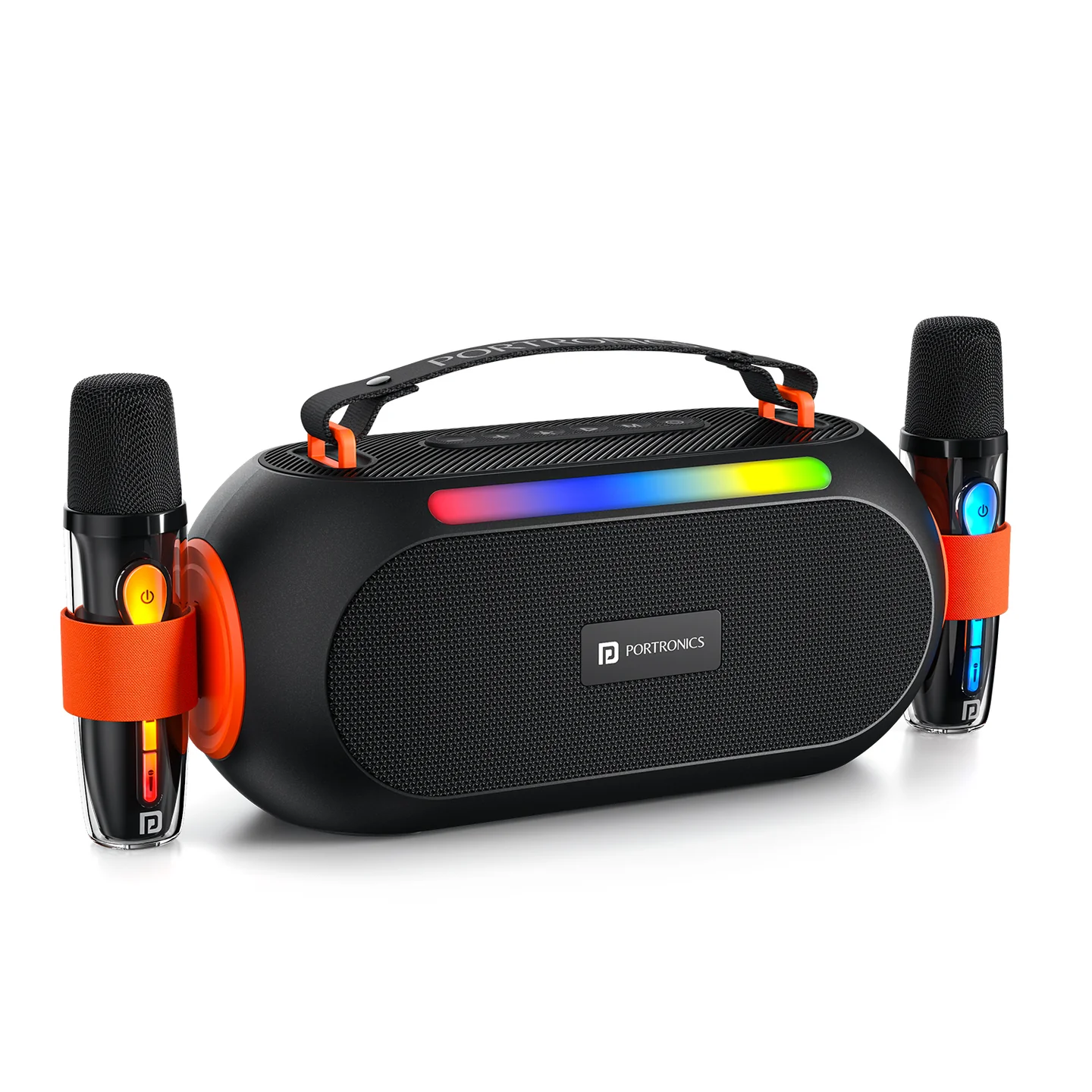
Thank you for choosing the Portronics Apollo 20. Apollo 20 pairs a 25W speaker with dual passive radiators for deep bass, two wireless karaoke microphones, RGB party lights, and Type-C charging.
2. Package Contents
- Party Speaker — 1
- Charging Cable — 1
- Wireless Karaoke Mic — 2
- User Manual — 1
3. Product Details (Top Panel)
| # | Control | Function |
|---|---|---|
| 1 | Power On/Off | Long press to power the speaker on or off |
| 2 | Mode | Short press to switch mode |
| 3 | Play/Pause | Short press to play or pause music |
| 4 | RGB Lights | Short press to cycle 4 light modes · Long press to turn lights off |
| 5 | Previous / Volume − | Short press: previous song · Long press (2s): volume down |
| 6 | Next / Volume + | Short press: next song · Long press (2s): volume up |
| 7 | USB Port | (Present on unit — see manufacturer notes for supported use) |
| 8 | Type-C Charging Jack | Connect the supplied Type-C cable to charge the speaker |
4. Speaker Button Instructions
| Button | Operation | Function |
|---|---|---|
| Power (⏻) | Long press | Power on/off |
| Mode (M) | Short press | Switching mode |
| Play (▷) | Short press | Play/Pause music |
| Lights (✳) | Short press | Cycle 4 light modes |
| Lights (✳) | Long press | Turn off the lights |
| "+" | Short press | Volume up |
| "+" | Long press (2s) | Next song |
| "–" | Short press | Volume down |
| "–" | Long press (2s) | Previous song |
5. Bluetooth Connection
- When turned on for the first time, the speaker automatically enters Bluetooth pairing mode and the blue light flashes.
- Turn on Bluetooth on your device and search for "Apollo 20" to pair.
- Once the connection is successful, the light turns solid blue and you'll hear a connection tone.
6. Wireless Microphone Instructions
Turn on the speaker and connect it via Bluetooth mode first. Turn on the wireless microphone to automatically connect it to the speaker, then enjoy singing along with the songs you play.
| Button | Operation | Function |
|---|---|---|
| Power (⏻) | Short press | Enter ECHO Adjustment Mode — short-press Volume Up/Down to cycle through echo intensity levels; short-press Power again to save and exit |
| Power (⏻) | Long press (2s) | Power the microphone on/off |
| "+" | Short press | Volume up |
| "+" | Long press (2s) | Next song |
| "–" | Short press | Volume down |
| "–" | Long press (2s) | Previous song |
| Mic icon | Short press | Cycle 5 voice-changer modes |
| Mic icon | Double press | Voice cancellation |
| Lights icon | Double press | Change RGB effect of the microphone, or turn its RGB off |
| Type-C Port | — | DC 5V charging (red light indicates charging) |
7. RGB Lights
Turn on the speaker — it lights up blue. Once connected to Bluetooth, there are 4 light modes, switched by pressing the lights (✳) button on top:
- Mode 1: individual seven-colour light flows from left to right smoothly.
- Mode 2: individual seven-colour light flows from left to right slowly.
- Mode 3: seven-colour lights flow from left to right iteratively.
- Mode 4: seven-colour lights flow from left to right.
8. Charging
For the best experience, fully charge the speaker before first use. The included Type-C cable is charging-only (no data transmission). Use at least a 5V/2A adapter — a non-standard 5V adapter may damage the product. Do not charge if the cable is damaged or the device is wet.
9. Specifications
| Specification | Details |
|---|---|
| Model | Apollo 20 |
| Product Code | POR 2736 |
| Colour | Black |
| Bluetooth Version | V5.3 |
| Speaker Size | 2.5" x 2 |
| RMS Power Output | 25W |
| Charge Voltage | DC 5V |
| Battery Capacity | 3.7V, 3600mAh |
| Frequency Response | 20Hz–20kHz |
| Bluetooth Connecting Range | >10m |
| Product Size | 260(L) x 110(W) x 120(H)mm |
| Playtime | Up to 5 hours |
| Wireless Karaoke Mics | 2 included |
10. Safety Instructions
- Read Instructions: read all instructions carefully before operation and follow them.
- Environment: keep the speaker away from heat sources such as radiators, ensure proper ventilation, and don't expose it to moist air or water.
- Positioning: place the speaker on a stable surface, out of reach of children.
- Power Sources: connect the speaker only to a power supply of the type described in this manual or marked on the speaker, using the accessories provided.
- Electric Shock: to avoid shock hazard, do not remove the cover or dismantle the unit, and do not insert anything into it.
- Mending: do not attempt to repair the speaker yourself—contact us.
- Cleaning: disconnect the main plug before cleaning; use only a soft cloth — harsh abrasives or chemicals will damage the surface finish.
- Non-Use Periods: unplug the power cord when the speaker will be left unused for a long period.
11. Attentions
- Make sure not to disturb others with volume.
- Keep away from chemicals such as benzene and thinner.
- Keep away from strong magnetic and electric fields.
- Keep away from direct lighting or heating equipment.
- Do not disassemble, repair, or modify the product yourself.
- Battery shortage will affect Bluetooth range or connection stability — charge in time.
- Dispose of discarded packaging, batteries, and old electronics properly through classification.
12. Support
If the issue persists after performing all troubleshooting steps, please raise a support request.
Our support team will assist you further.
Support
- Visit: www.portronics.com
- Support Portal: support.portronics.com
Was this article helpful?
That’s Great!
Thank you for your feedback
Sorry! We couldn't be helpful
Thank you for your feedback
Feedback sent
We appreciate your effort and will try to fix the article