TABLE OF CONTENTS
- 1. Introduction
- 2. Package Contents
- 3. Slots & Keys — Speaker
- 4. Slots & Keys — Microphone
- 5. Power On/Off
- 6. Bluetooth
- 7. TWS Function
- 8. AUX-In
- 9. RGB Light
- 10. Playing Music from USB Disk
- 11. Activating Voice Assistant
- 12. Hands-Free Calling
- 13. Reset
- 14. Charging
- 15. Connecting the Microphone
- 16. Specifications
- 17. Important Warnings
- 18. Support
1. Introduction
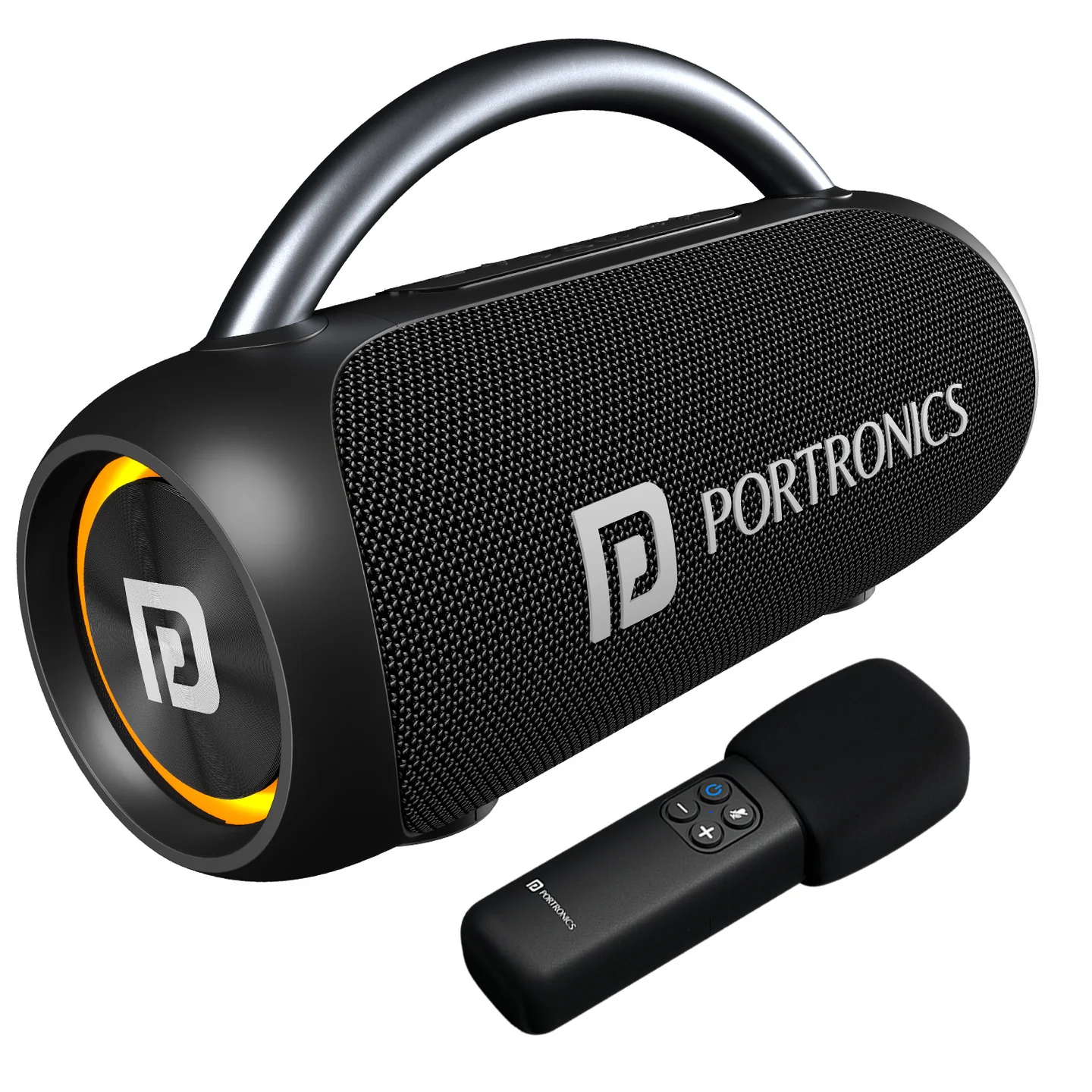
Thank you for purchasing the outdoor wireless speaker Radiant 2. To ensure correct operation, please read this user manual carefully before operation. Radiant 2 is a 30W speaker with an aluminium carry handle, IPX5 water resistance, RGB lighting, TWS pairing, hands-free calling, and a wireless karaoke mic.
2. Package Contents
- Portable Wireless Speaker — 1
- Charging Cable — 1
- User Manual — 1
- Karaoke Mic — 1
3. Slots & Keys — Speaker
| # | Control | Function |
|---|---|---|
| 1 | Volume Down | Decrease volume |
| 2 | Volume Up | Increase volume |
| 3 | Play/Pause | Start or pause playback |
| 4 | Power On/Off | Turns the speaker on/off |
| 5 | Mode Button | Cycles between Bluetooth, USB disk, and AUX-In |
| 6 | TWS Button | Pairs with a second Radiant 2 speaker |
| 7 | RGB Light | Turns the RGB light on/off |
| 8 | USB Port | Insert a USB drive to play stored music |
| 9 | AUX Port | Connect a 3.5mm audio cable |
| 10 | Type-C Charging Jack | Charges the speaker |
| 11 | Reset Jack | Pinhole reset — use a small round pin |
4. Slots & Keys — Microphone
| # | Control | Function |
|---|---|---|
| 12 | Power Button | Turns the microphone on/off |
| 13 | Volume Down | Decrease microphone volume |
| 14 | Mute | Temporarily silences the microphone |
| 15 | Volume Up | Increase microphone volume |
5. Power On/Off
Long-press the Power button to turn the speaker on and off.
6. Bluetooth
- Switch the power button to "ON" — the speaker enters Bluetooth mode automatically.
- On your phone, activate Bluetooth, search for available devices, and select "Radiant 2" to connect.
- Once connected, play music from your mobile device.
- Long-press "+" or "–" to select songs; short-press "+" or "–" to adjust volume.
- Short-press Play/Pause to play or pause music.
- Long-press the TWS button to disconnect the Bluetooth connection with your mobile device.
7. TWS Function
- Turning on and pairing: ensure both speakers are turned on and set to Bluetooth (BT) mode — only one of the two units needs to be configured. Short-press the TWS button to start pairing; the TWS button stays illuminated once pairing succeeds.
- Connecting to your phone: activate Bluetooth on your phone, search for available devices, and select the paired speakers from the list. Once connected, play music — both paired speakers play audio in sync.
- Exiting TWS: to separate the speakers or use them individually, short-press the TWS button again.
Important: TWS pairing is only guaranteed to work reliably between two Radiant 2 units from the same production batch. Pairing speakers from different batches may fail or behave inconsistently — check the batch/date code on each unit if TWS pairing doesn't work between two otherwise-identical speakers.
8. AUX-In
- Connecting via audio cable: if using a music device that's compatible but not Bluetooth-enabled, connect it using an audio cable (not included) — connect the device's "Line Out" port to the "Aux In" port on Radiant 2.
- Auto-switch: regardless of the current playing mode, connecting an audio cable automatically switches the speaker to AUX (Auxiliary) mode.
- External control: once an external device is connected, you can control volume, playback, and other functions directly from that device.
9. RGB Light
The RGB light turns on automatically when the speaker is powered on. Short-press the RGB Light button to turn the light on or off.
10. Playing Music from USB Disk
- Rotate the Power button to "ON" to activate the speaker.
- Insert a USB flash drive into the designated slot — the speaker automatically starts playing the stored music.
- Long-press "+" or "–" to select specific songs; short-press to adjust volume; press Play/Pause to start or pause playback.
Whenever a USB flash drive is inserted, the speaker switches to USB playback regardless of the current mode. Ensure the drive contains compatible music files — file formats and storage capacity can affect playback compatibility.
11. Activating Voice Assistant
- Connect the speaker to your phone via Bluetooth.
- Long-press the Play/Pause button to activate your phone's voice assistant.
12. Hands-Free Calling
- Switching to phone: during an active call, long-press Play/Pause to switch call audio from the speaker to your mobile phone.
- Ending a call: short-press Play/Pause on the speaker, or use the call-ending option on your phone.
13. Reset
If the speaker doesn't turn off or respond, short-press the Reset Jack with a small round pin to reset it.
14. Charging
- Charger not included — use a rated 5V/2A charger (not provided).
- Charging time: approximately 3 hours.
- Once fully charged: if the speaker is powered on, all four LED lights remain steadily lit; if powered off, the LEDs turn off.
- Low battery warning: the speaker prompts when the battery voltage is low — recharge soon.
- No power bank function: this speaker cannot charge other devices — do not attempt to charge another device via its USB port.
15. Connecting the Microphone
- Press and hold the Power button on the mic — it pairs automatically with the speaker, and the blue light stabilizes once connected.
- Use "+" and "–" to adjust the microphone's volume.
- Press the Mute button to temporarily silence the microphone — the red LED glows while muted. Press again to resume.
16. Specifications
| Specification | Details |
|---|---|
| Model | Radiant 2 |
| Product Code | POR 2787 |
| Colour | Black |
| Output | 30W |
| Functions | TWS, Bluetooth 5.3, AUX-In, USB |
| Fast Charging | Type-C |
| Playtime | 6 hours |
| Battery | 1800mAh |
| Water Resistance | IPX5 |
| Handle | Aluminium alloy |
| Default Volume | 50% of max |
| Warranty | 12 months |
17. Important Warnings
- Store and use this product in an environment of normal temperature.
- Do not expose this product to rain or moisture.
- Do not disassemble, repair, or modify this product yourself.
- Clean using a soft cloth, with a little water if needed — do not use chemicals.
- To protect your hearing and extend product life, avoid listening at maximum volume for long periods.
- The product has a built-in lithium battery — do not discard it in fire.
18. Support
If the issue persists after performing all troubleshooting steps, please raise a support request.
Our support team will assist you further.
Support
- Visit: www.portronics.com
- Support Portal: support.portronics.com
Was this article helpful?
That’s Great!
Thank you for your feedback
Sorry! We couldn't be helpful
Thank you for your feedback
Feedback sent
We appreciate your effort and will try to fix the article