TABLE OF CONTENTS
- At a Glance
- Installation Options
- Installation
- Arm Tension
- Tilt Adjustment
- Phone Holder
- Cable Management
- Safety / Care
- Still stuck?
At a Glance
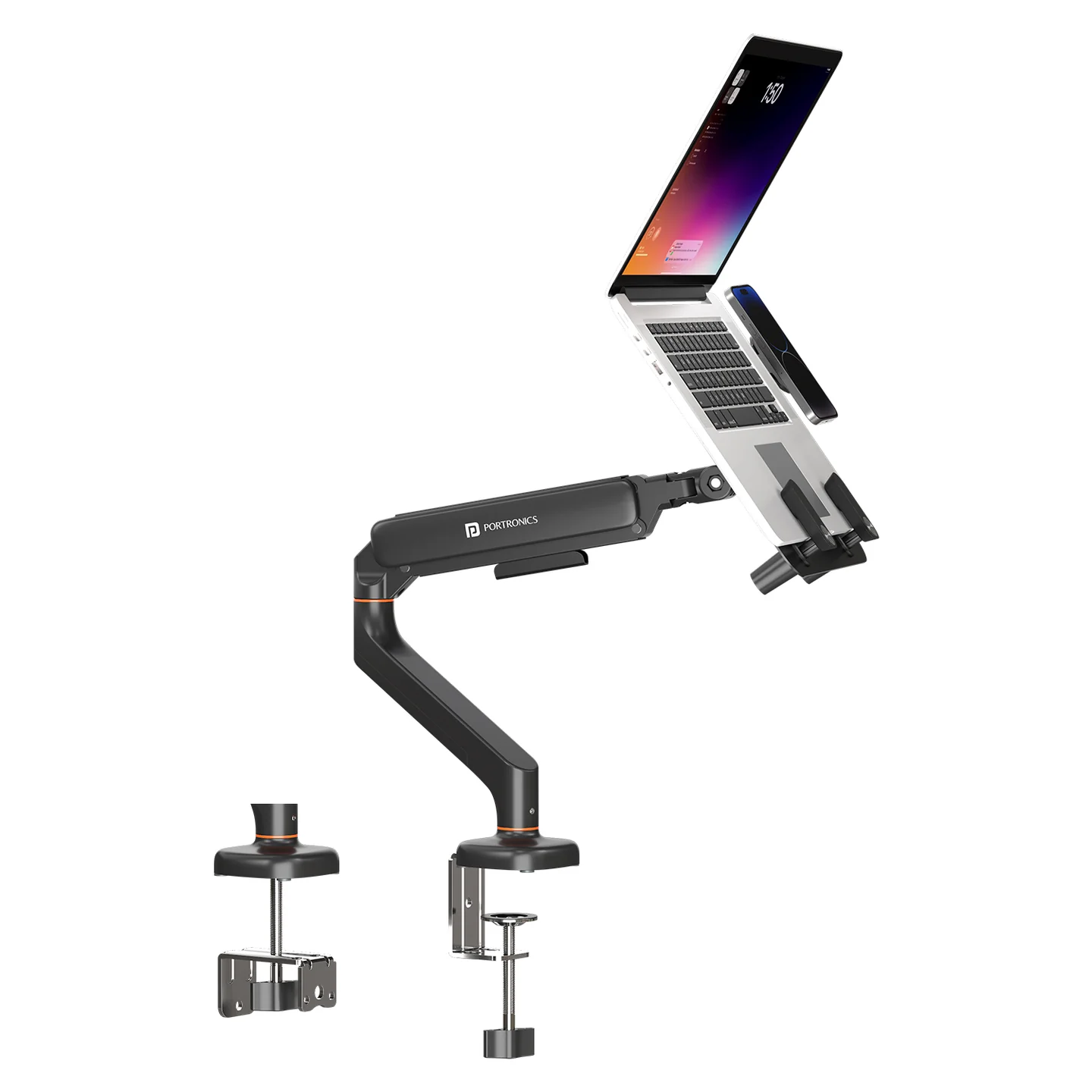
| Feature | Details |
|---|---|
| Product Code | POR 3515 |
| Type | Single Desk Mount |
| Laptop Support | 11.6"–17.3" |
| Monitor Support | Up to 43" |
| Load Capacity | Up to 6 kg |
| Desk Thickness | 10–65 mm |
| Mounting | C-Clamp + Grommet |
| Movement | 180° Swivel / 65° Tilt / 360° Rotation |
| Arm | Gas-Spring |
| Phone Holder | Magnetic |
| Cable Management | Built-in |
Installation Options
| Method | Use |
|---|---|
| C-Clamp | Attach to desk edge — no drilling required |
| Grommet | Mount through a suitable desk hole |
Installation
Attach the chosen base to the desk.
Secure the arm to the base in the correct orientation.
For a laptop, attach the VESA plate to the laptop tray.
For a monitor, attach the correct VESA plate using the correct screws.
Slide the tray/plate onto the swivel head until it locks.
Tighten the locking mechanism.
Arm Tension
Always mount the laptop tray or monitor before adjusting arm tension.
| Arm behaviour | Adjustment |
|---|---|
| Arm drops down | Tighten tension |
| Arm rises up | Loosen tension |
Use the Allen key and make small adjustments while holding the arm firmly.
Tilt Adjustment
Clockwise → tighten
Anti-clockwise → loosen
Phone Holder
Apply the supplied magnetic sticker/ring to the phone as needed.
Attach the phone to the magnetic holder.
Cable Management
Route cables through the arm channels and push them into the bottom slot for a cleaner setup.
Safety / Care
Do not exceed 6 kg.
Use on desks 10–65 mm thick.
Tighten screws firmly without over-tightening.
Keep the arm controlled while adjusting tension.
Wipe with a dry cloth; avoid chemicals.
Regularly check screw tightness.
Still stuck?
If the issue persists after performing all troubleshooting steps, please raise a support request.
Our support team will assist you further.
Support
Visit: www.portronics.com
Support Portal: support.portronics.com
Was this article helpful?
That’s Great!
Thank you for your feedback
Sorry! We couldn't be helpful
Thank you for your feedback
Feedback sent
We appreciate your effort and will try to fix the article