TABLE OF CONTENTS
- Product Overview
- Quick Reference
- What's in the Box
- Parts & Controls
- Powering ON the Earbuds
- First-Time Bluetooth Pairing
- Automatic Reconnection
- Touch Controls — Music and Video
- Touch Controls — Phone Calls
- ANC and Transparency Modes
- Charging the Earbuds
- Charging the Case
- LED Indicator Guide
- Low-Battery Indication
- Earbuds Shut Down Automatically
- Resetting the Earbuds
- Care & Safety
- Troubleshooting
- Still stuck?
Product Overview
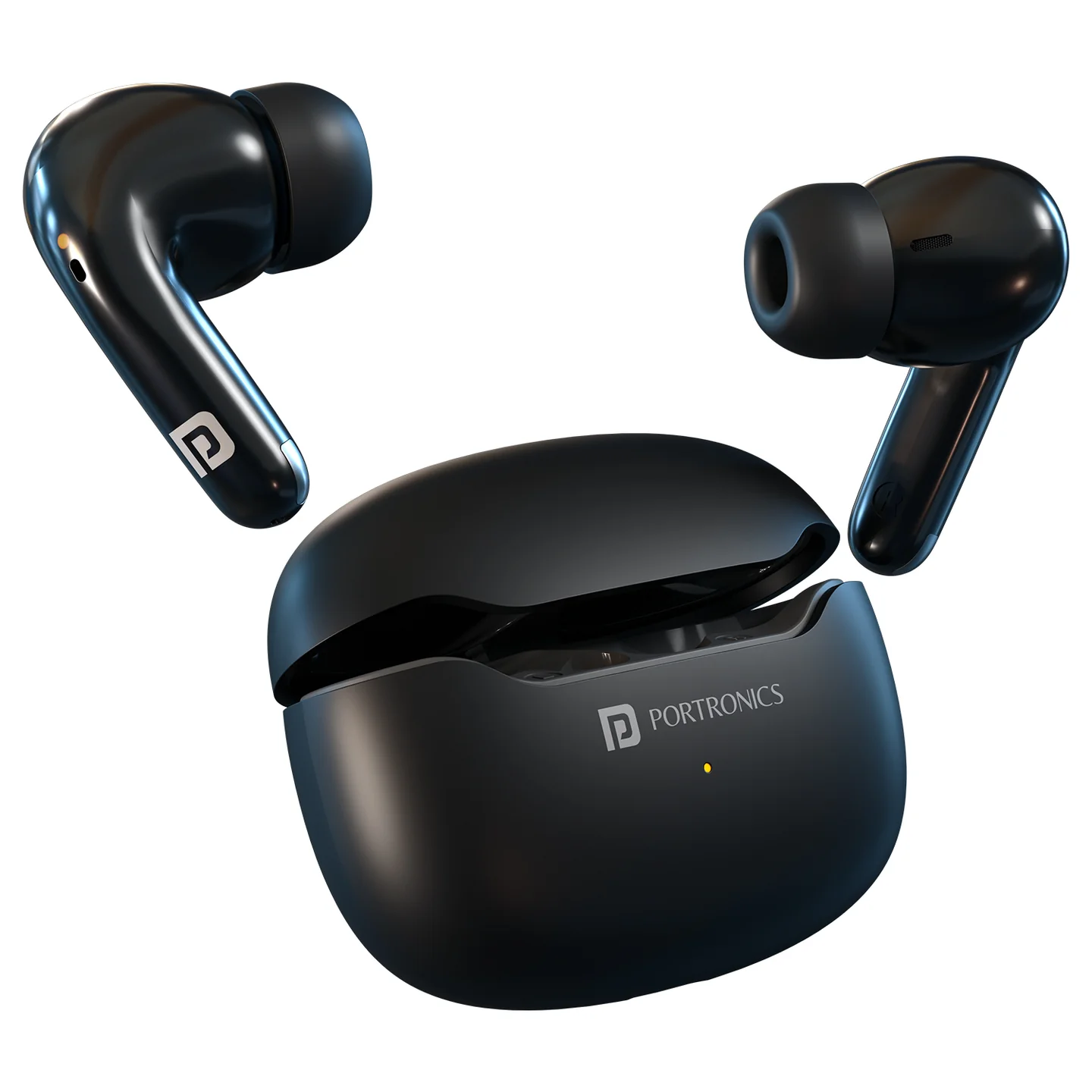
The Portronics Twins 33 Pro (POR 2352) is a pair of true wireless stereo (TWS) earbuds with Bluetooth 6.0 connectivity, ANC and Transparency modes, dual-microphone ENC support and touch controls. The earbuds connect to each other automatically and can reconnect to the last paired device.
The charging case provides additional battery capacity and charges the earbuds when they are placed inside it.
Quick Reference
| Feature | Details |
|---|---|
| Product | Portronics Twins 33 Pro |
| Product Code | POR 2352 |
| Colour | Black |
| Product Type | Smart TWS Earbuds |
| Bluetooth Version | 6.0 |
| Wireless Range | Up to 10m |
| Driver Size | 13mm |
| Noise Control | ANC and Transparency modes |
| Microphone | Dual microphone with ANC + ENC |
| Earbud Battery | 3.7V / 35mAh each |
| Charging Case Battery | 3.7V / 400mAh |
| Charging Port | USB Type-C |
| Charging Input | 5V/1A |
| Earbud Charging Time | Approx. 1.5–2 hours |
| Case Charging Time | Approx. 2–3 hours |
| Playback Time | Up to 24 hours |
| Water Resistance | IPX5 |
| Warranty | 12 months |
Actual playback time may vary depending on volume, ANC usage, calls and operating conditions.
What's in the Box
| Item | Quantity |
|---|---|
| Twins 33 Pro Earbuds | 1 pair |
| Charging Case | 1 |
| USB Type-C Charging Cable | 1 |
Parts & Controls
Each earbud has a touch-control area. The left and right earbuds support the same general call and playback controls, with separate track-navigation actions.
| Touch Action | Function |
|---|---|
| Single tap on either earbud | Play / pause music or video |
| Double tap on right earbud | Next track / video |
| Double tap on left earbud | Previous track / video |
| Triple tap on either earbud | Switch ANC / Transparency mode |
| Press and hold either earbud for 2 seconds | Activate voice assistant |
| Single tap on either earbud during incoming call | Answer call |
| Double tap on either earbud during call | End call |
| Press and hold either earbud for 3 seconds during incoming call | Reject call |
| Press and hold either earbud for 5 seconds | Manually power OFF the earbuds |
Powering ON the Earbuds
- Take both earbuds out of the charging case.
- The earbuds automatically turn ON.
- Allow the left and right earbuds to pair with each other.
- The main earbud enters Bluetooth pairing mode automatically.
If the earbuds have turned OFF after losing connectivity, press and hold the touch area on either earbud for approximately 3 seconds to turn them ON.
First-Time Bluetooth Pairing
- Take both earbuds out of the charging case.
- Ensure both earbuds are ON and paired with each other.
- The main earbud enters pairing mode automatically.
- Turn ON Bluetooth on your phone, tablet or other device.
- Search for the earbuds in the available Bluetooth device list.
- Select Twins 33 Pro / the corresponding device name shown.
- The white and orange LEDs flash alternately while pairing.
- After successful pairing, the LED stops flashing.
Automatic Reconnection
When powered ON, the earbuds automatically reconnect to the last connected device, provided it is available and Bluetooth is enabled.
- No LED flashing is shown during automatic reconnection.
- If the earbuds move out of range, they automatically reconnect when they return within range.
- If they do not reconnect automatically, tap the earbud to initiate a manual connection.
Touch Controls — Music and Video
| Action | Touch Control |
|---|---|
| Play / Pause | Single tap on left or right earbud |
| Next track / video | Double tap right earbud |
| Previous track / video | Double tap left earbud |
| ANC / Transparency switching | Triple tap left or right earbud |
| Voice assistant | Press and hold left or right earbud for 2 seconds |
The exact voice-assistant response depends on the paired phone and its voice-assistant settings.
Touch Controls — Phone Calls
| Action | Touch Control |
|---|---|
| Answer incoming call | Single tap on left or right earbud |
| End active call | Double tap left or right earbud |
| Reject incoming call | Press and hold left or right earbud for 3 seconds |
ANC and Transparency Modes
- Wear and connect both earbuds.
- Triple tap either earbud to switch the ANC / Transparency mode.
- Listen for the mode change and check the connected audio experience.
Charging the Earbuds
- Place the earbuds into the charging case.
- The orange LED on each earbud stays ON for approximately 10 seconds, then turns OFF.
- The earbuds charge while stored in the case.
- When the earbuds are fully charged, the case shows no LED for the earbud charging status.
Approximate earbud charging time: 1.5–2 hours.
Charging the Case
- Connect a USB Type-C cable to the charging port on the case.
- Connect the other end to a suitable 5V/1A USB power source.
- The orange LED flashes while the case is charging.
- When the case is fully charged, the orange LED remains solid.
Approximate case charging time: 2–3 hours.
LED Indicator Guide
Earbud Indicators
| Indicator | Meaning |
|---|---|
| White and orange LEDs flash alternately | Bluetooth pairing mode |
| No LED | Earbuds connected |
| Orange light ON in case, then OFF after about 10 seconds | Earbuds placed in case for charging |
Charging Case Indicators
| Indicator | Meaning |
|---|---|
| White light ON | Charging earbuds |
| Orange light flashing | Charging case is charging |
| Orange light solid | Case fully charged |
| White light flashing | Low battery in charging case |
Low-Battery Indication
The earbuds / case use LED indications to show low battery. Check the case indicator and recharge the case when the white low-battery light flashes.
Earbuds Shut Down Automatically
- If the earbuds are not connected to a device within 5 minutes, they automatically power OFF.
- To power OFF the earbuds manually, press and hold the touch area on either earbud for 5 seconds.
Resetting the Earbuds
Use the following reset process if the earbuds do not pair with each other or do not connect correctly to the phone.
- Manually turn OFF both earbuds by pressing and holding the touch area for 5 seconds.
- Put both earbuds inside the charging case.
- On the phone, open Bluetooth settings and unpair / forget the Twins 33 Pro device.
- Take both earbuds out of the charging case.
- Wait for approximately 1 minute for the left and right earbuds to pair with each other.
- After the earbuds pair with each other, pair them again from the phone's Bluetooth device list.
Care & Safety
- Keep the earbuds and charging case away from excessive moisture and heat.
- Do not expose the charging port or case to water.
- Keep the earbuds clean and dry before placing them in the case.
- Use a suitable 5V/1A charging source.
- Do not force the earbuds into the charging case.
- Keep the charging contacts clean.
- Avoid dropping or applying heavy impact to the earbuds or case.
Troubleshooting
| Issue | Possible Cause | Recommended Action |
|---|---|---|
| Earbuds do not turn ON | Battery is low or earbuds are not seated / charged | Place them in the case and check the case battery |
| Earbuds do not pair with phone | Pairing mode is not active or an old pairing is interfering | Forget the device, reset the earbuds and pair again |
| Left and right earbuds do not pair together | TWS link needs resetting | Follow the reset procedure and wait one minute after removing them from the case |
| Earbuds do not reconnect | Previously paired device is unavailable or out of range | Enable Bluetooth and bring the phone within range |
| Earbud LED does not light in case | Earbud is charged or not seated properly | Re-seat the earbud and check charging contacts |
| Case does not charge | Cable, adapter or port connection issue | Check the Type-C cable and 5V/1A source |
| Case white light flashes | Case battery is low | Recharge the charging case |
| Voice assistant does not activate | Phone assistant is unavailable or command not recognised | Check phone assistant settings and hold an earbud for 2 seconds |
Still stuck?
If the issue persists after performing all troubleshooting steps, please raise a support request.
Our support team will assist you further.
Support
- Visit: www.portronics.com
- Support Portal: support.portronics.com
Was this article helpful?
That’s Great!
Thank you for your feedback
Sorry! We couldn't be helpful
Thank you for your feedback
Feedback sent
We appreciate your effort and will try to fix the article